

Minecraft 1.20.1, 1.21.1 کے لیے Pin Tooltips 📌 موڈ
ٹول ٹپس کو اسکرین پر پن کرنے اور ان سے مزید معلومات جیسے enchantment اور mob effect کی تفصیلات دیکھنے کی صلاحیت شامل کرتا ہے۔
 NeoForge
 Fabric
 Quilt
Quilt Forge
ForgePin Tooltips 📌
This mod adds the ability to pin tooltips to the screen and view more information from them such as enchantment and mob effect descriptions.
By default, when you stay on a tooltip for a while, it will be temporarily pinned until the cursor leaves.
Note: Pinned tooltips do not persist when you leave the game.
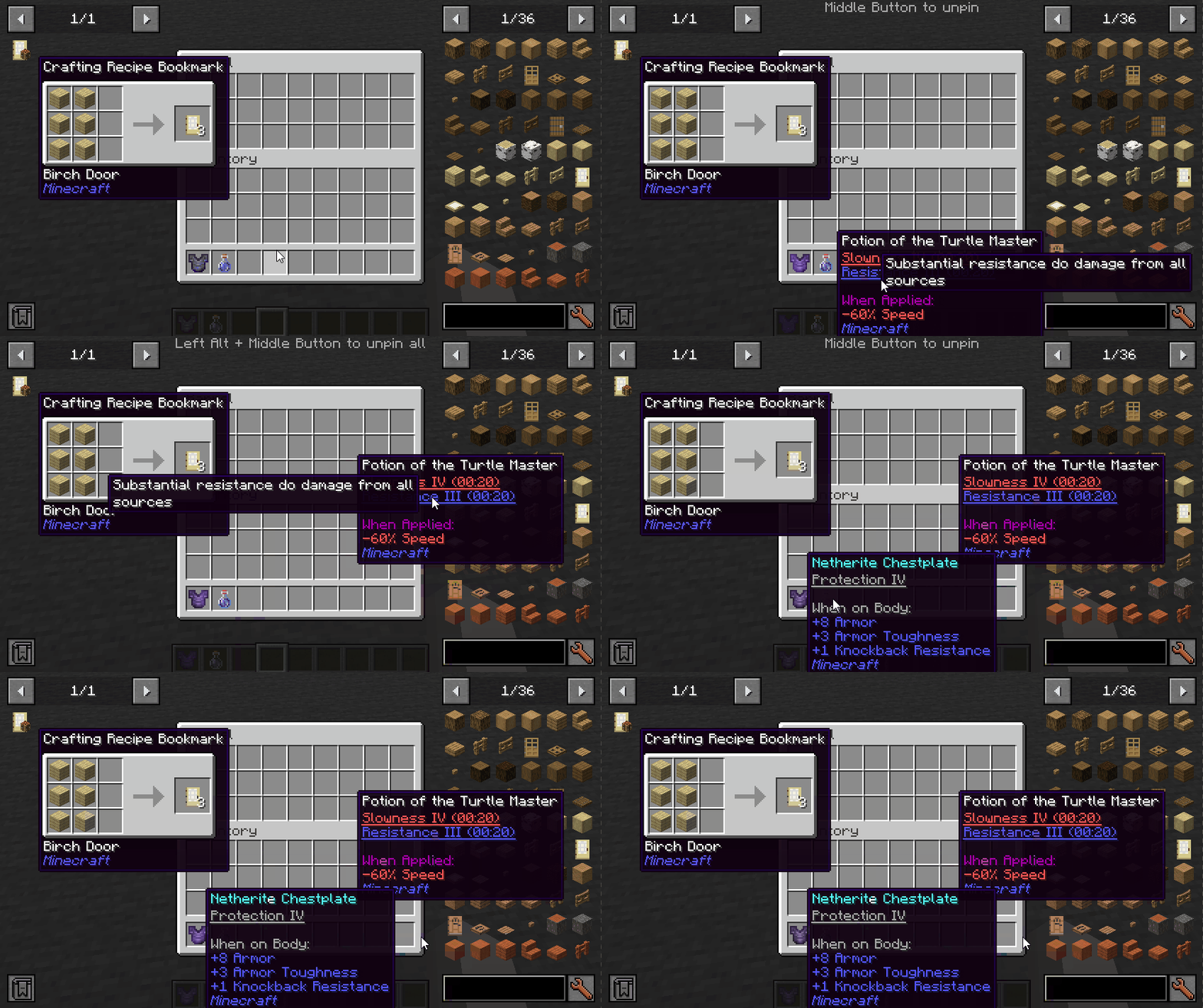
Keys (default):
- Left ALT: Pin the current tooltip
- Middle Button: Unpin the tooltip
- Left ALT + Middle Button: Unpin all tooltips
Mod Integration:
When Jade installed, you can see which mod is the enchantment/effect from.
When More Enchantment Info installed, you can click on the enchantment text to open the recipe GUI.
When Just Enough Effect Descriptions (JEED) installed, you can click on the effect text to open the recipe GUI.
When Tinkers Construct installed, you can view the description of the traits on tooltips.
Compatibility
Mod Status Note
Equipment Compare ✔️ Supported
Obscure Tooltips ✔️ Partially supported Components are not interactable
Legendary Tooltips ✔️ Partially supported Title's interacting position is incorrect
Tooltips Reforged ❌ Not supported
Immersive:Tooltip ❌ Not supported
Tooltips Reforged ❌ Not supported
EnhancedTooltips ❌ Not supported
ModernUI ❌ Not supported
Pin Tooltips 📌 کیسے انسٹال کریں
With Millida Launcher
Install Millida Launcher
The launcher is free: download it at millida.net/launcher and sign in with any nickname.
Click “Install” on this page
The launcher opens and installs the mod for Minecraft 1.20.1–26.1.2 on Fabric, Forge, NeoForge or Quilt automatically.
Launch the game
A profile with it appears in the launcher: click “Play”.
Manually
Install Fabric, Forge, NeoForge or Quilt
The loader must match the game version of the mod file, for example Minecraft 26.1.2. After installing it, a separate profile appears in your launcher.
Download the file for your version
In the version list above, pick the file PinTooltips-mc26.1.2-NeoForge-26.0.2.jar (66 KB) for your game version and loader.
Put it in the mods folder
The folder is inside .minecraft (Windows: %appdata%\.minecraft\mods). If it does not exist, create it.
Launch the loader profile
Open “Mods” in the main menu: Pin Tooltips 📌 should be in the list.
ورژنز
ڈیپنڈنسیز کے ساتھ
| Minecraft | لوڈر | فائل | تاریخ | اقدامات |
|---|---|---|---|---|
| 26.1 | NeoForge | [NeoForge 26.1.X] 26.0.265.8 KB | ||
| 26.1 | Fabric, Quilt | [Fabric 26.1.X] 26.0.265.2 KB | ||
| 26.1 | Fabric, Quilt | [Fabric 26.1] 26.0.164.5 KB | ||
| 1.21.1 | NeoForge | [NeoForge 1.21.1] 2.3.054.8 KB | ||
| 1.20.1 | NeoForge, Forge | [Forge 1.20.1] 1.3.158.7 KB | ||
| 1.20.1 | NeoForge, Forge | [Forge 1.20.1] 1.3.058.7 KB | ||
| 1.20.1 | Fabric, Quilt | [Fabric 1.20.1] 1.2.047.2 KB |
ریویوز
Pin Tooltips 📌 کو ریٹ کرنے والے پہلے شخص بنیں


