
Minecraft 1.21 کے لیے Old MC Logo موڈ
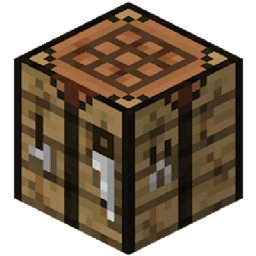
آپ کے ٹاسک بار میں پرانا Minecraft کرافٹنگ ٹیبل آئیکن واپس لاتا ہے!
 Fabric
 Quilt
Quilt NeoForge
 Forge
ForgeOld MC Logo
Why?
Well, the changed icon doesn't look that great, so here's a small mod to revert it :)
Old MC Logo کیسے انسٹال کریں
With Millida Launcher
Install Millida Launcher
The launcher is free: download it at millida.net/launcher and sign in with any nickname.
Click “Install” on this page
The launcher opens and installs the mod for Minecraft 1.20.2–1.21 on Fabric, Forge, NeoForge or Quilt automatically.
Launch the game
A profile with it appears in the launcher: click “Play”.
Manually
Install Fabric, Forge, NeoForge or Quilt
The loader must match the game version of the mod file, for example Minecraft 1.21. After installing it, a separate profile appears in your launcher.
Download the file for your version
In the version list above, pick the file oldmclogo-1.1.3.jar (256 KB) for your game version and loader.
Put it in the mods folder
The folder is inside .minecraft (Windows: %appdata%\.minecraft\mods). If it does not exist, create it.
Launch the loader profile
Open “Mods” in the main menu: Old MC Logo should be in the list.
Minecraft 1.21 runs on Java 21: with a different Java version the game may close right after launch.
ورژنز
ڈیپنڈنسیز کے ساتھ
| Minecraft | لوڈر | فائل | تاریخ | اقدامات |
|---|---|---|---|---|
| 1.21 | Fabric, Quilt | Old MC Logo v1.1.3 Fabric for mc1.21256 KB | ||
| 1.21 | NeoForge | Old MC Logo v1.1.3 NeoForge for mc1.21256 KB | ||
| 1.20.2 | Forge | Old MC Logo 1.1.1 Forge 1.20.2257 KB 1 |
ریویوز
Old MC Logo کو ریٹ کرنے والے پہلے شخص بنیں


