
Minecraft 1.20.1, 1.21.1 کے لیے New Visual Keybing موڈ
NewVisualKeybing Minecraft کے لیے ایک بصری کی بائنڈنگ مینجمنٹ موڈ ہے۔ یہ کی بورڈ اور ماؤس لے آؤٹ پیش کرتا ہے تاکہ کھلاڑی موڈ پیک میں کی کے استعمال کا معائنہ، فلٹر اور ایڈجسٹ کر سکیں
 NeoForge
 Forge
Forge Fabric
 Quilt
QuiltNew Visual Keybing موڈ کے بارے میں
NewVisualKeybing is a visual key binding management mod for Minecraft. It presents keyboard and mouse layouts so players can inspect, filter, and adjust key usage across a modpack.
Features
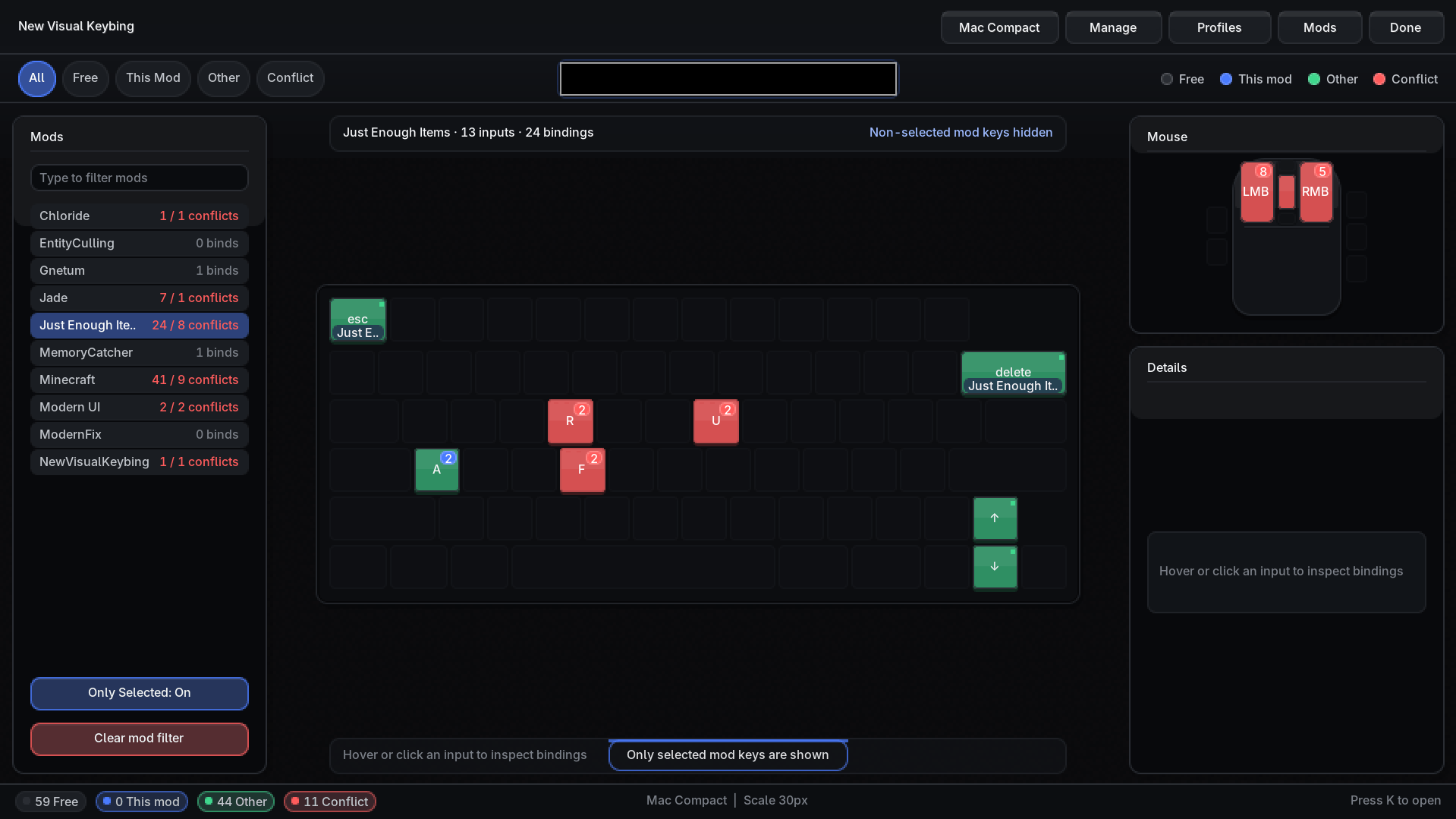
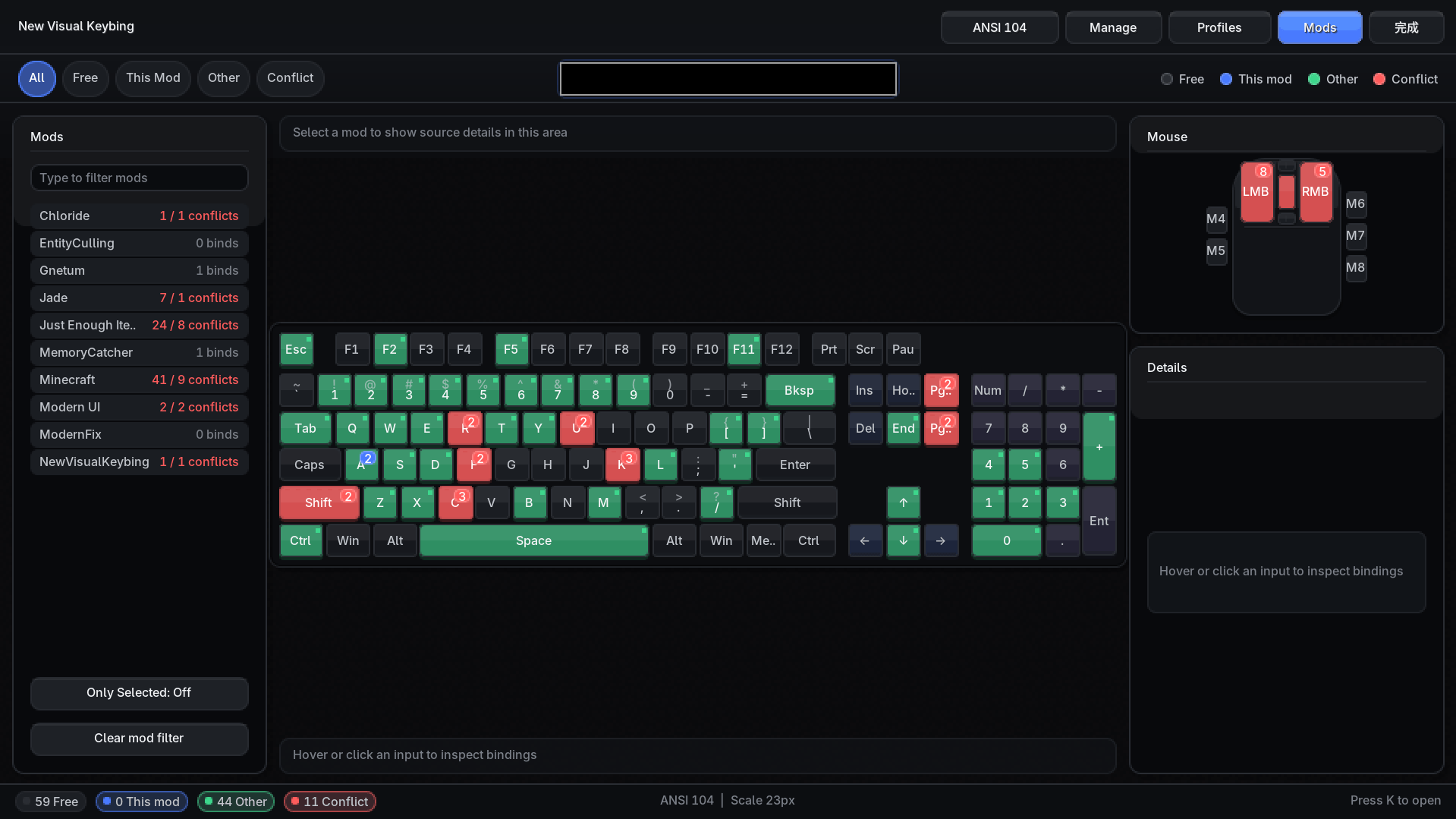
- Visual keyboard, mouse, and wheel input status
- Filter bindings by mod, status, and search text
- Show free, current-mod, other-mod, and conflicting bindings
- Quickly unbind, rebind, and edit priority from the details panel
- Save, rename, apply, import, and export key binding profiles
- Multiple keyboard layouts and optional hiding of non-selected mod keys
Opening
Press K by default to open the visual keybind viewer, or access it from the controls screen.
modpack use
When using in a modpack, you must link back to the original link. Distribution of this mod's binary files in any form is not allowed.
New Visual Keybing کیسے انسٹال کریں
With Millida Launcher
Install Millida Launcher
The launcher is free: download it at millida.net/launcher and sign in with any nickname.
Click “Install” on this page
The launcher opens and installs the mod for Minecraft 1.20.1–1.21.3 on Fabric, Forge, NeoForge or Quilt automatically.
Launch the game
A profile with it appears in the launcher: click “Play”.
Manually
Install Fabric, Forge, NeoForge or Quilt
The loader must match the game version of the mod file, for example Minecraft 1.21.3. After installing it, a separate profile appears in your launcher.
Download the file for your version
In the version list above, pick the file New Visual Keybing-1.21.1-neoforge-0.6.16.jar (439 KB) for your game version and loader.
Put it in the mods folder
The folder is inside .minecraft (Windows: %appdata%\.minecraft\mods). If it does not exist, create it.
Launch the loader profile
Open “Mods” in the main menu: New Visual Keybing should be in the list.
Minecraft 1.21.3 runs on Java 21: with a different Java version the game may close right after launch.
ورژنز
ڈیپنڈنسیز کے ساتھ
| Minecraft | لوڈر | فائل | تاریخ | اقدامات |
|---|---|---|---|---|
| 1.20.1 | Forge, NeoForge | New Visual Keybing-1.20.1-forge-0.6.16.jar441 KB 2 | ||
| 1.20.1 | Fabric, Quilt | New Visual Keybing-1.20.1-fabric-0.6.16.jar442 KB 1 | ||
| 1.21.1 | NeoForge | New Visual Keybing-1.21.1-neoforge-0.6.16.jar439 KB 2 |
عمومی سوالات
Which Minecraft versions does New Visual Keybing work on?
There are files for 1.21.3, 1.21.2, 1.21.1, 1.20.1. The newest is 1.21.3.
Is New Visual Keybing for Forge or Fabric?
There are files for Fabric: 1.20.1, for Forge: 1.20.1, for NeoForge: 1.20.1–1.21.3 and for Quilt: 1.20.1.
Does New Visual Keybing need other mods?
The author lists no required dependencies: the Fabric, Forge, NeoForge or Quilt loader is enough.
Which Java does New Visual Keybing need?
Minecraft 1.21.3 runs on Java 21. If the game closes right after launch, the usual cause is the wrong Java version in the profile settings.
How do I download New Visual Keybing?
With Millida Launcher: it installs New Visual Keybing into a modpack by itself, for the right game version and loader. The launcher is free.
ریویوز
New Visual Keybing کو ریٹ کرنے والے پہلے شخص بنیں


