
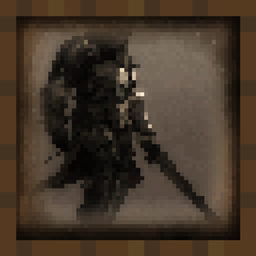
Minecraft 1.21.1, 1.21 کے لیے Medieval Paintings موڈ
گیم میں نئی قرون وسطیٰ-فینٹسی طرز کی پینٹنگز شامل کرتا ہے!
 NeoForge
 Forge
📖 تعارف -
50 سے زیادہ پینٹنگز شامل کریں جو قرون وسطیٰ کے خیالی فن کی خوبصورتی کو ظاہر کرتی ہیں۔
پینٹنگز کی ریزولوشن 16x16 ہے اور ونیلا کے موافق ٹیکسچرز مائن کرافٹ کی دنیا میں گھل مل جاتے ہیں۔ پینٹنگز کو کسی بھی عام پینٹنگ آئٹم کی طرح رکھیں اور اپنی عمارتوں کے اندرونی حصے کو تبدیل کریں۔
مائن کرافٹ کمیونٹی کو اپنی فنی صلاحیتوں کا مظاہرہ کرنے کے لیے ہمارے ڈسکارڈ سرور میں شامل ہوں۔ صرف ان فنکاروں کے لیے ایک مخصوص چینل موجود ہے جو اس موڈ میں اپنا کام پیش کرنا چاہتے ہیں۔
ونیلا پینٹنگز کو قرون وسطیٰ کی پینٹنگز سے تبدیل کرنے کے لیے:
ریسورس پیک ڈاؤن لوڈ کریں - https://www.curseforge.com/minecraft/texture-packs/medieval-paintings
❓ عام سوالات -
س: کیا آپ موڈ کو Fabric پر پورٹ کریں گے؟ ج: نہیں۔ مجھے خود کو نقصان پہنچانا پسند نہیں۔
س: کیا آپ تازہ ترین ورژن میں اپ ڈیٹ کر سکتے ہیں؟ ج: ہاں، میں اپنے موڈ کو مائن کرافٹ کے ہر نئے بڑے ورژن میں اپ ڈیٹ کروں گا۔
س: کیا آپ 1.12.2/1.7.10 پر پورٹ کریں گے؟ ج: نہیں۔ مجھے موڈ بنانا دوبارہ سیکھنا پڑے گا۔
س: کیا آپ ... شامل کر سکتے ہیں؟ ج: ہمارے ڈسکارڈ سرور میں شامل ہوں۔ اس کے لیے ایک مخصوص چینل موجود ہے۔ اگر مجھے آپ کا آئیڈیا پسند آیا تو اس کے شامل ہونے کا زیادہ امکان ہوگا۔

🔗 لنکس -
یہاں آپ میری مدد کر سکتے ہیں اور میرے پروجیکٹس کو فالو کر سکتے ہیں!
Medieval Paintings کیسے انسٹال کریں
With Millida Launcher
Install Millida Launcher
The launcher is free: download it at millida.net/launcher and sign in with any nickname.
Click “Install” on this page
The launcher opens and installs the mod for Minecraft 1.18–1.21.11 on Forge or NeoForge automatically.
Launch the game
A profile with it appears in the launcher: click “Play”.
Manually
Install Forge or NeoForge
The loader must match the game version of the mod file, for example Minecraft 1.21.11. After installing it, a separate profile appears in your launcher.
Download the file for your version
In the version list above, pick the file medieval_paintings-1.21.1-7.0.jar (896 KB) for your game version and loader.
Put it in the mods folder
The folder is inside .minecraft (Windows: %appdata%\.minecraft\mods). If it does not exist, create it.
Launch the loader profile
Open “Mods” in the main menu: Medieval Paintings should be in the list.
Minecraft 1.21.11 runs on Java 21: with a different Java version the game may close right after launch.
ورژنز
ڈیپنڈنسیز کے ساتھ
| Minecraft | لوڈر | فائل | تاریخ | اقدامات |
|---|---|---|---|---|
| 1.21 | NeoForge | medieval_paintings-1.21.1-7.0.jar896 KB 5 | ||
| 1.21 | Forge | medieval_paintings-1.21-7.0.jar892 KB 4 | ||
| 1.18.1 | — | medieval_paintings-2.0.jar937 KB |
عمومی سوالات
Which Minecraft versions does Medieval Paintings work on?
There are files for 1.18–1.21.11, 14 versions in total. The newest is 1.21.11.
Is Medieval Paintings for Forge or Fabric?
There are files for Forge: 1.21–1.21.10 and for NeoForge: 1.21–1.21.11. There are no files for Fabric: a mod for another loader will not start.
Does Medieval Paintings need other mods?
The author lists no required dependencies: the Forge or NeoForge loader is enough.
Which Java does Medieval Paintings need?
Minecraft 1.21.11 runs on Java 21. If the game closes right after launch, the usual cause is the wrong Java version in the profile settings.
Where can I download Medieval Paintings safely?
On this page: the file medieval_paintings-1.21.1-7.0.jar (896 KB) is stored on Millida’s server, with no link shorteners. SHA-1 checksum: a126b225fb23ecc3a00f8a2a5c00abd418a6077b.
ریویوز
Medieval Paintings کو ریٹ کرنے والے پہلے شخص بنیں


