
 NeoForge
 Forge
Legendary Tabs موڈ کے بارے میں

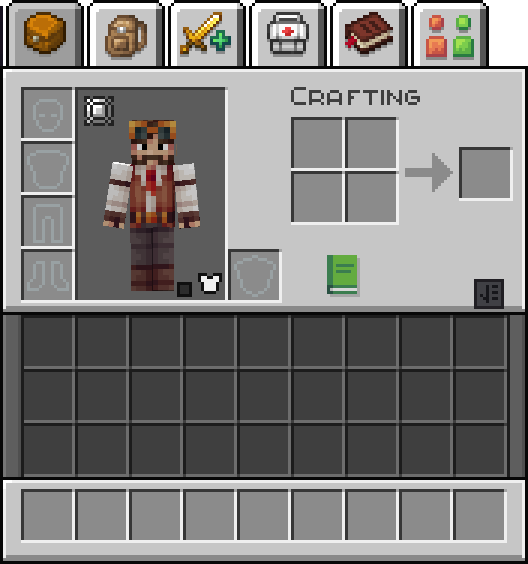
Legendary Tabs ایک نیا حسبِ منشا طریقہ پیش کرتا ہے جس کے ذریعے انوینٹری ٹیبز استعمال کرتے ہوئے موڈ پیک مینوز تک رسائی حاصل کی جا سکتی ہے۔ یہ موڈ کنفیگریشن فائلوں کے ذریعے جس بھی مینو کو آپ کنفیگر کریں، اس تک آسان نیویگیشن کی سہولت دیتا ہے۔
فی الحال شامل کردہ ٹیبز یہ ہیں:
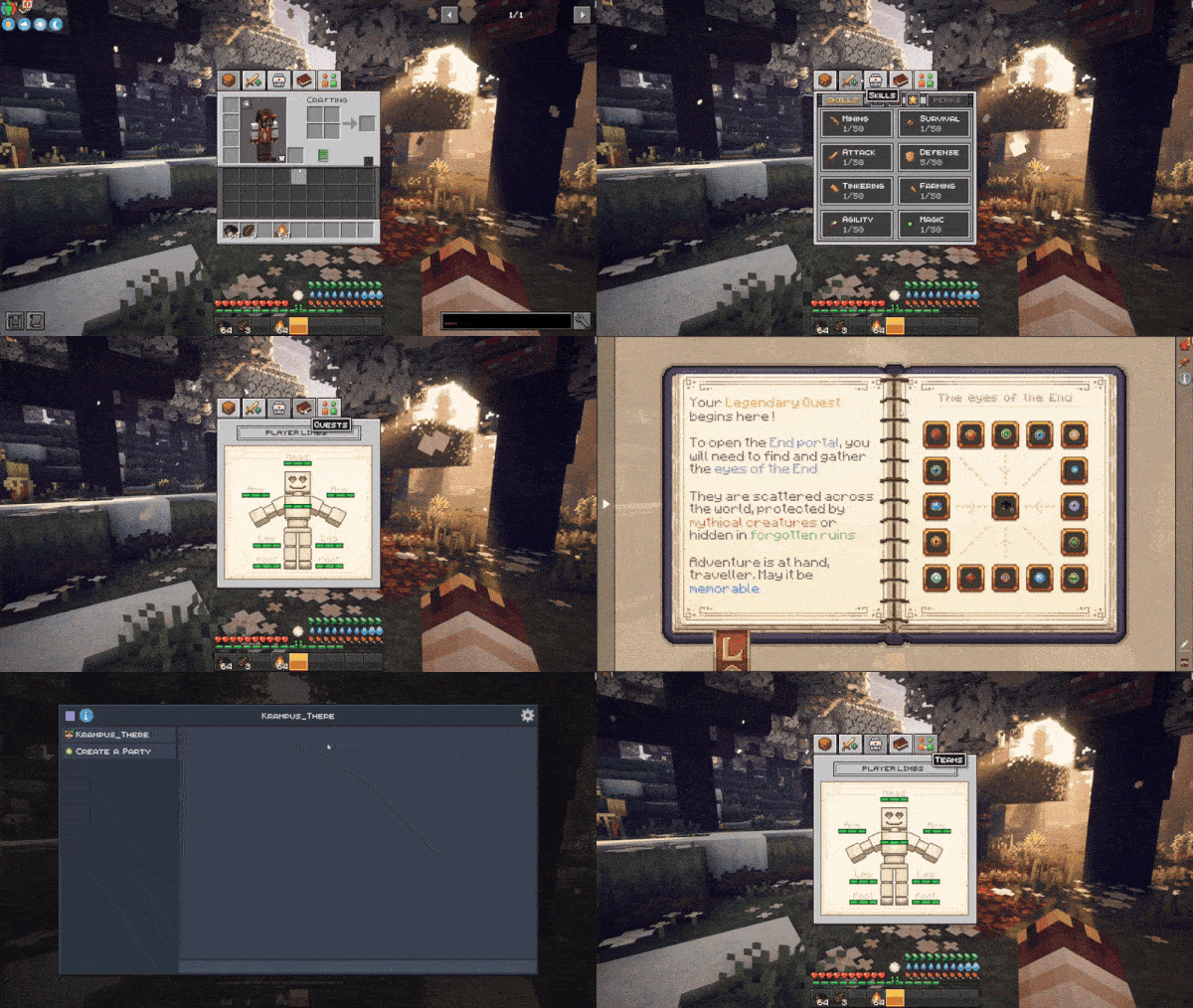
Backpacked, Quark Oddities, FTB Quests, FTB Teams, Reskillable (Reimagined), Legendary Survival Overhaul, Map Atlases, Xaeros's map, Journey Map
گیم میں استعمال کی مثال
یہ موڈ Minecraft Legendary Edition Modpack کا حصہ ہے!
اس موڈ سے بہترین تجربہ حاصل کرنے کے لیے اس موڈ پیک کو کھیلنے پر غور کریں۔
Legendary Tabs کیسے انسٹال کریں
With Millida Launcher
Install Millida Launcher
The launcher is free: download it at millida.net/launcher and sign in with any nickname.
Click “Install” on this page
The launcher opens and installs the mod for Minecraft 1.20.1–1.21.1 on Forge or NeoForge automatically.
Launch the game
A profile with it appears in the launcher: click “Play”.
Manually
Install Forge or NeoForge
The loader must match the game version of the mod file, for example Minecraft 1.21.1. After installing it, a separate profile appears in your launcher.
Download the file for your version
In the version list above, pick the file legendarytabs-1.21.1-2.0.jar (148 KB) for your game version and loader.
Put it in the mods folder
The folder is inside .minecraft (Windows: %appdata%\.minecraft\mods). If it does not exist, create it.
Launch the loader profile
Open “Mods” in the main menu: Legendary Tabs should be in the list.
Minecraft 1.21.1 runs on Java 21: with a different Java version the game may close right after launch.
ورژنز
ڈیپنڈنسیز کے ساتھ
| Minecraft | لوڈر | فائل | تاریخ | اقدامات |
|---|---|---|---|---|
| 1.21.1 | NeoForge | legendarytabs-1.21.1-2.0.jar148 KB | ||
| 1.20.1 | Forge, NeoForge | legendarytabs-1.20.1-2.0.jar154 KB 1 |
عمومی سوالات
Which Minecraft versions does Legendary Tabs work on?
There are files for 1.21.1, 1.20.1. The newest is 1.21.1.
Is Legendary Tabs for Forge or Fabric?
There are files for Forge: 1.20.1 and for NeoForge: 1.20.1–1.21.1. There are no files for Fabric: a mod for another loader will not start.
Does Legendary Tabs need other mods?
The author lists no required dependencies: the Forge or NeoForge loader is enough.
Which Java does Legendary Tabs need?
Minecraft 1.21.1 runs on Java 21. If the game closes right after launch, the usual cause is the wrong Java version in the profile settings.
Where can I download Legendary Tabs safely?
On this page: the file legendarytabs-1.21.1-2.0.jar (148 KB) is stored on Millida’s server, with no link shorteners. SHA-1 checksum: 25868744d13e71e8c5b4b6ce4d1df9430f1f8cbd.
ریویوز
Legendary Tabs کو ریٹ کرنے والے پہلے شخص بنیں


