
Minecraft 1.20.1, 26.1.2 کے لیے Iron's Lib موڈ
Iron کے mods کے لیے مشترکہ فعالیت اور مواد فراہم کرتا ہے
 NeoForge
 Forge
ForgeIron's Lib موڈ کے بارے میں
Iron's Lib ایک لائبریری ہے جو میرے موڈز کے لیے آسانی سے دوبارہ استعمال ہونے والے فریم ورکس کے ساتھ ساتھ Patreon Integration API لیئر شامل کرتی ہے۔
Transmogs
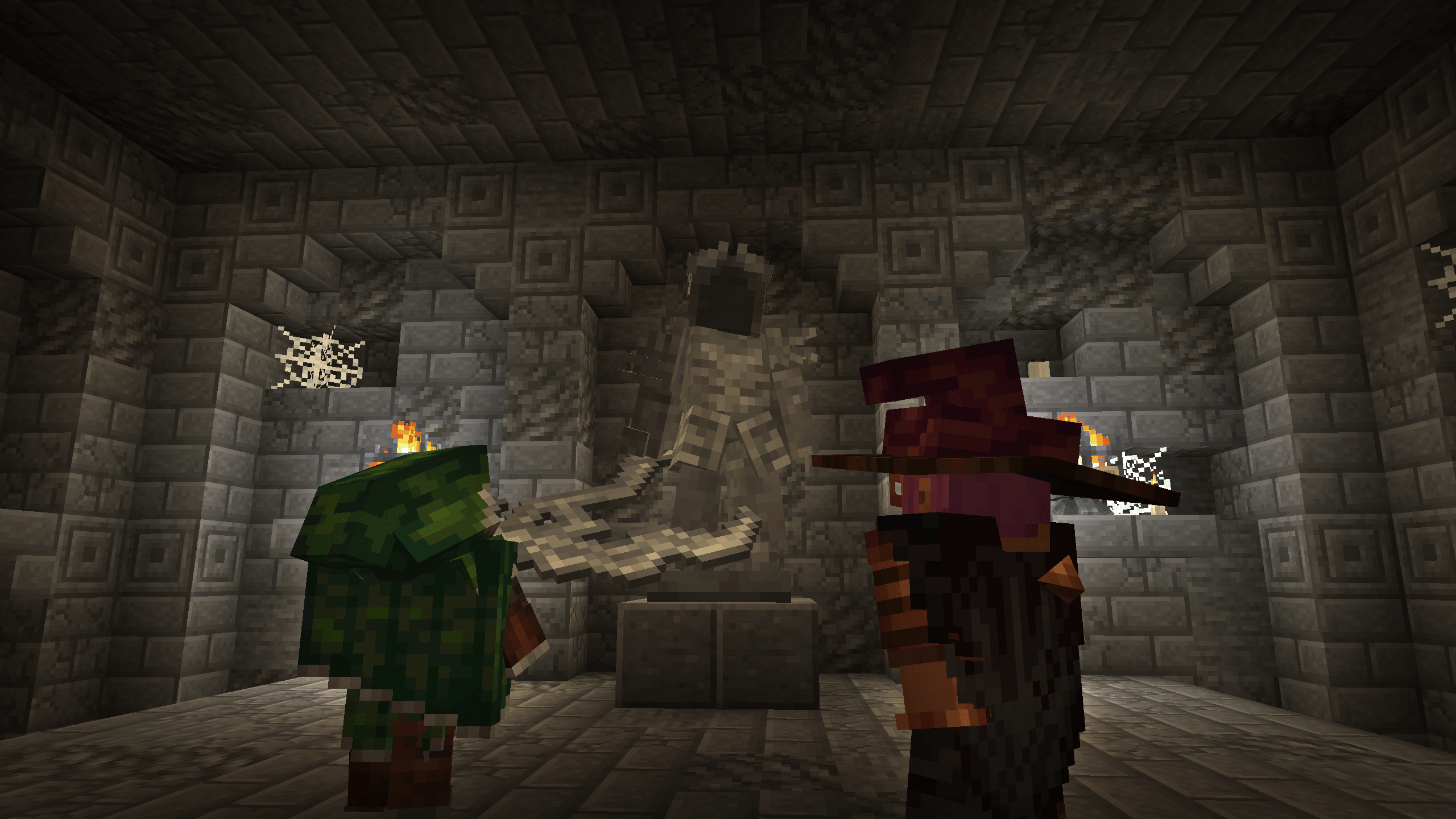
- آئٹمز پر منفرد آرمر ماڈلز لاگو کریں
- انتہائی حسبِ ضرورت آرمر انٹرفیسز
- کیپ فزکس کی خودکار ہینڈلنگ
Statues
- ڈائنامک پلیئر مجسمہ اثاثہ جنریشن
- ڈائنامک ملٹی بلاک ہینڈلنگ
- اسٹیٹک ماڈل رینڈرنگ
Attributes
- عام RPG طرز کے ایٹریبیوٹس کا ہلکا پھلکا اور غیر مداخلت پسند نفاذ
- Armor Pierce، Mining Speed، Experience Gained، Arrow Damage، Crit Damage، Dodge Chance، Healing Received، Projectile Damage
- زیادہ سے زیادہ مطابقت کے لیے گیم میں آئٹم ایٹریبیوٹس کو ڈائنامک طور پر ہاٹ سوئپ کرنے کے لیے Attribute Remapper
- Apothic Attributes کے ساتھ مقامی مطابقت
- کوڈ اور ڈیٹا پیکس دونوں کے لیے انٹری پوائنٹس
Kinetic Weapon (Spear) Component Backport
- 1.20.1 اور 1.21.1 پر، نیزے کے چارج اٹیک کمپوننٹ سوٹ (kineticweapon، useeffects، attackrange) کا مکمل مطابقت والا بیک پورٹ شامل کرتا ہے۔
- وانیلا سے آگے بڑھتے ہوئے، حسبِ ضرورت فرسٹ یا تھرڈ پرسن چارج اینیمیشنز کے لیے KineticAnimation انٹرفیس بھی شامل ہے
Soul Fire Burning
- ہلکا پھلکا اور صرف بصری Soul Fire Burning نفاذ
- کسی مخلوق کے اگلے جلنے کو سول فائر کے طور پر نشان زد کریں، اور وہ نیلی آگ میں جلے گی
Patreon Integration
- مذکورہ بالا تمام خصوصیات کے لیے Patreon انٹیگریشن سروسز
Iron's Lib کیسے انسٹال کریں
With Millida Launcher
Install Millida Launcher
The launcher is free: download it at millida.net/launcher and sign in with any nickname.
Click “Install” on this page
The launcher opens and installs the mod for Minecraft 1.20.1–26.1.2 on Forge or NeoForge automatically.
Launch the game
A profile with it appears in the launcher: click “Play”.
Manually
Install Forge or NeoForge
The loader must match the game version of the mod file, for example Minecraft 26.1.2. After installing it, a separate profile appears in your launcher.
Download the file for your version
In the version list above, pick the file irons_lib-26.1.2-2.2.0.jar (398 KB) for your game version and loader.
Put it in the mods folder
The folder is inside .minecraft (Windows: %appdata%\.minecraft\mods). If it does not exist, create it.
Launch the loader profile
Open “Mods” in the main menu: Iron's Lib should be in the list.
ورژنز
ڈیپنڈنسیز کے ساتھ
| Minecraft | لوڈر | فائل | تاریخ | اقدامات |
|---|---|---|---|---|
| 1.20.1 | Forge | irons_lib-1.20.1-2.2.0479 KB 154 | ||
| 26.1.2 | NeoForge | irons_lib-26.1.2-2.2.0398 KB 9 |
عمومی سوالات
Which Minecraft versions does Iron's Lib work on?
There are files for 26.1.2, 1.20.1. The newest is 26.1.2.
Is Iron's Lib for Forge or Fabric?
There are files for Forge: 1.20.1 and for NeoForge: 26.1.2. There are no files for Fabric: a mod for another loader will not start.
Does Iron's Lib need other mods?
The author lists no required dependencies: the Forge or NeoForge loader is enough.
How do I download Iron's Lib?
With Millida Launcher: it installs Iron's Lib into a modpack by itself, for the right game version and loader. The launcher is free.
ریویوز
Iron's Lib کو ریٹ کرنے والے پہلے شخص بنیں


