
 NeoForge
Chroma Carvings موڈ کے بارے میں
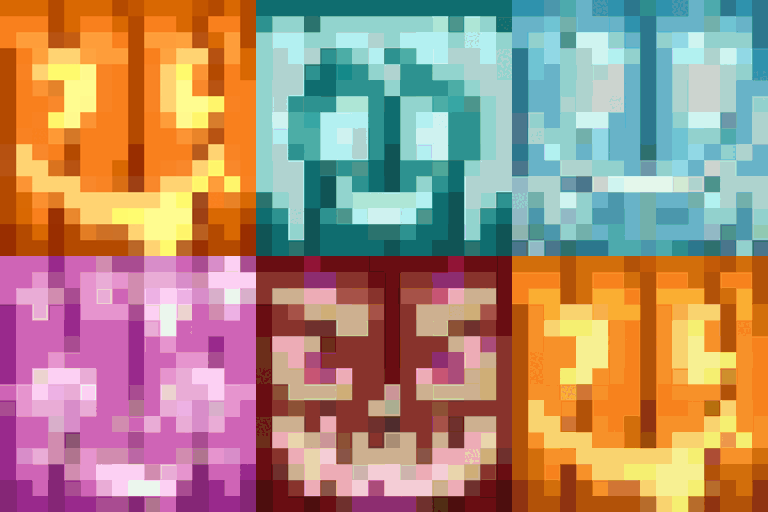
Chroma Carvings مائن کرافٹ کے ڈراؤنے موسم میں رنگین تراشے ہوئے کدو، جیک او لالٹینز اور اسی کے مطابق سنو گولیمز شامل کر کے ایک روشن موڑ لاتا ہے، جس سے آپ کی ہالووین تھیم والی تخلیقات یا برفانی مناظر میں نئی جان آ جاتی ہے۔
خصوصیات
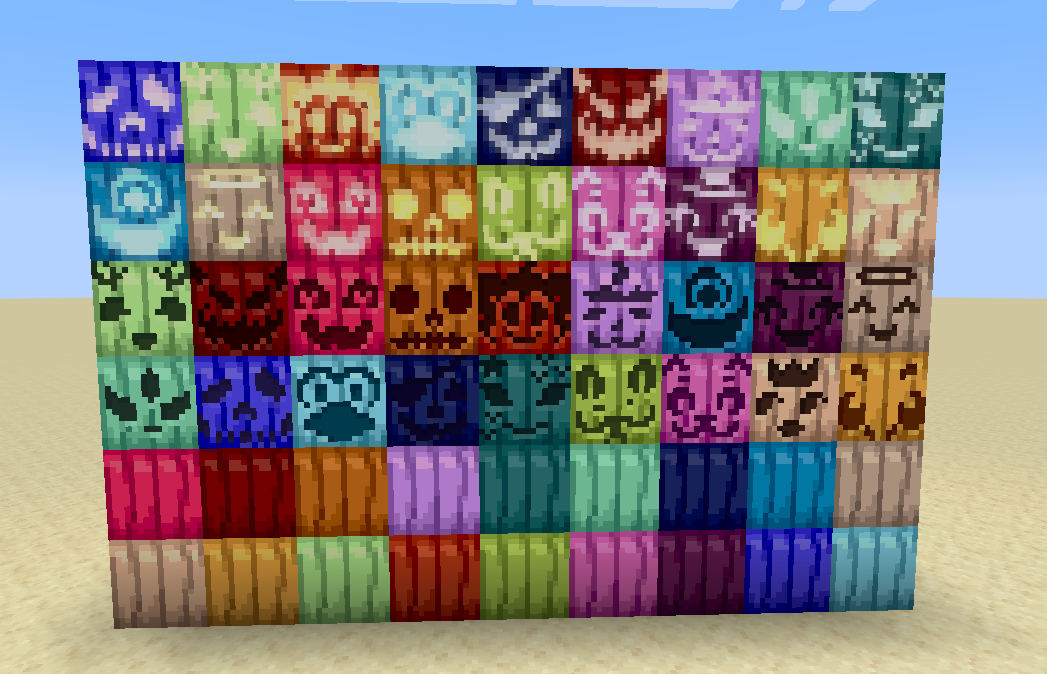
رنگین تراشے ہوئے کدو
- کسی بھی تراشے ہوئے کدو اور اپنی پسند کے ڈائی سے 16 مختلف رنگوں میں تراشے ہوئے کدو بنائیں۔
- انہیں سجاوٹی بلاکس کے طور پر رکھیں یا رنگین اسکیکرو انداز کے لیے ہیلمٹ کے طور پر پہنیں۔
- ہر رنگین تراشے ہوئے کدو میں اصل والی صلاحیت برقرار رہتی ہے کہ اسے کرافٹنگ میں یا سر کے زیور کے طور پر استعمال کیا جا سکے۔
رنگین جیک او لالٹینز
- اپنی دنیا کو تمام 16 ڈائی کے قابل رنگوں میں جیک او لالٹینز سے روشن کریں۔
- انہیں رنگین تراشے ہوئے کدو کو ٹارچ کے ساتھ ملا کر یا کسی بھی جیک او لالٹین اور ڈائی کا استعمال کر کے بنائیں۔
رنگین سنو گولیمز
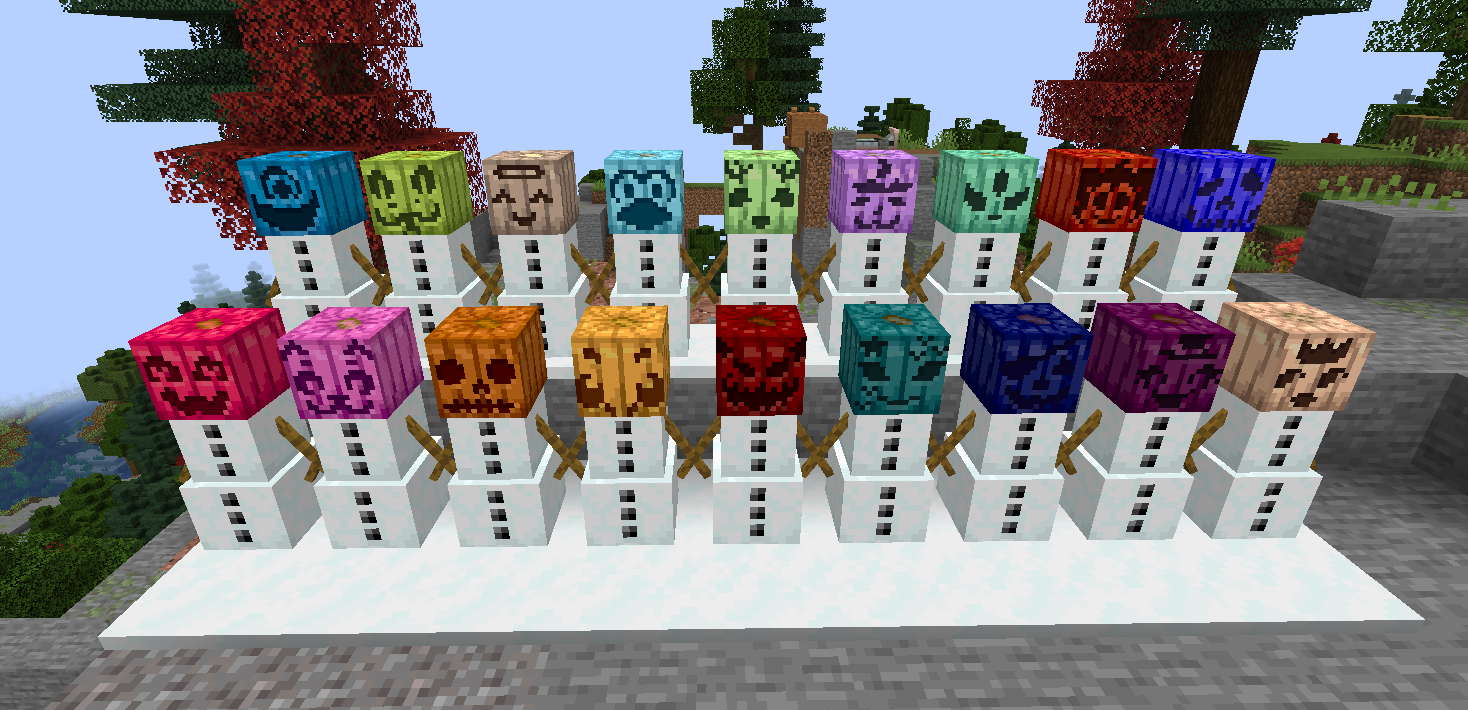
- منفرد، روشن شکل کے لیے رنگین تراشے ہوئے کدو کو ان کا سر بنا کر سنو گولیمز بنائیں۔
- رنگین سنو گولیمز بالکل عام سنو گولیمز کی طرح کام کرتے ہیں، برف کے نشان چھوڑتے ہیں اور دشمن موبز پر حملہ کرتے ہیں۔
- رنگین موسم سرما کی فوجیں بنانے یا برفانی بایومز کو سجانے کے لیے بہترین۔
مطابقت
- مزید کدو کے رنگوں کے لیے Dyenamics and Friends انسٹال کریں!
آج ہی Chroma Carvings کے ساتھ اپنی مائن کرافٹ دنیا کو روشن کریں!
سپورٹ یا رائے کے لیے میرے Discord پر آئیں
Chroma Carvings کیسے انسٹال کریں
With Millida Launcher
Install Millida Launcher
The launcher is free: download it at millida.net/launcher and sign in with any nickname.
Click “Install” on this page
The launcher opens and installs the mod for Minecraft 1.21.1 on NeoForge automatically.
Launch the game
A profile with it appears in the launcher: click “Play”.
Manually
Install NeoForge
The loader must match the game version of the mod file, for example Minecraft 1.21.1. After installing it, a separate profile appears in your launcher.
Download the file for your version
In the version list above, pick the file chromacarvings-1.21.1-0.2.0.jar (263 KB) for your game version.
Put it in the mods folder
The folder is inside .minecraft (Windows: %appdata%\.minecraft\mods). If it does not exist, create it.
Launch the loader profile
Open “Mods” in the main menu: Chroma Carvings should be in the list.
Minecraft 1.21.1 runs on Java 21: with a different Java version the game may close right after launch.
ورژنز
ڈیپنڈنسیز کے ساتھ
| Minecraft | لوڈر | فائل | تاریخ | اقدامات |
|---|---|---|---|---|
| 1.21.1 | NeoForge | chromacarvings-1.21.1-0.2.0.jar263 KB |
عمومی سوالات
Which Minecraft versions does Chroma Carvings work on?
Only Minecraft 1.21.1: there are no files for other versions.
Is Chroma Carvings for Forge or Fabric?
Only for NeoForge: 1.21.1. There are no files for Forge or Fabric: a mod for another loader will not start.
Does Chroma Carvings need other mods?
The author lists no required dependencies: the NeoForge loader is enough.
Which Java does Chroma Carvings need?
Minecraft 1.21.1 runs on Java 21. If the game closes right after launch, the usual cause is the wrong Java version in the profile settings.
Where can I download Chroma Carvings safely?
On this page: the file chromacarvings-1.21.1-0.2.0.jar (263 KB) is stored on Millida’s server, with no link shorteners. SHA-1 checksum: b791809827bfd4e3d28fc208815d92bfed92c602.
ریویوز
Chroma Carvings کو ریٹ کرنے والے پہلے شخص بنیں


