

Minecraft 1.21.1, 1.21 کے لیے Carbon Config موڈ
IC2Classics کنفگ لائبریری
 NeoForge
 Fabric
 Forge
ForgeCarbon Config موڈ کے بارے میں
Carbon Config ایک Config Library ہے جو پہلے IC2Classic کے لیے تیار کی گئی اور اب اسے ایک Open Source implementation بنا دیا گیا ہے۔
Carbon Config کے پیچھے خیال یہ ہے کہ config کی زیادہ قابلِ تخصیص، آسان، زیادہ مستحکم، صاف ستھری اور فیچر سے بھرپور implementation فراہم کی جائے۔
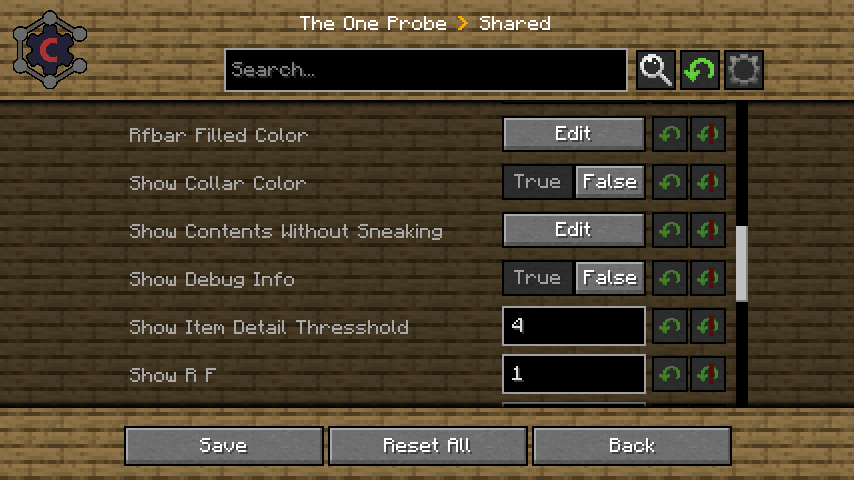
Carbon Config دو Modules سے بنی ہے۔
- Config module، جو ایک standalone Java Library ہے
- GUI module، جو ایک Minecraft mod ہے
GUI شروع ہی سے CarbonConfigs اور Forge Configs دونوں کو سپورٹ کرتا ہے۔
فیچرز کی تفصیلی فہرست یہاں دیکھی جا سکتی ہے
اس کے چند فیچرز یہ ہیں:
- Compounds:
ڈیٹا کو raw Strings کے بجائے Compounds کے ذریعے دکھایا جا سکتا ہے۔
- Suggestions:
صارف کو "default values" کی صورت میں Suggestions فراہم کی جا سکتی ہیں تاکہ صارف کا تجربہ کہیں زیادہ ہموار ہو جائے۔
- Multiplayer Support:
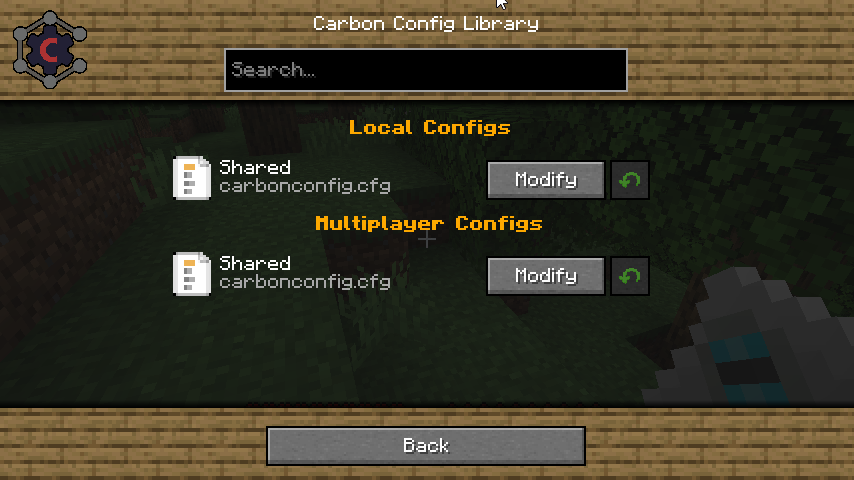
آپ "کسی بھی" Server sided config میں بھی ترمیم کر سکتے ہیں، صرف "server only configs" میں ہی نہیں
- Client to Server Configs:
کھلاڑی Multiplayer instance میں اپنی الگ settings رکھ سکتے ہیں اور انہیں آسانی سے پہچانا جا سکتا ہے۔
- Late Loading Configs:
اگر config جلدی لوڈ ہو جائے لیکن entries دیر سے "registered" ہوں تو یہ کوئی مسئلہ نہیں کیونکہ configs اسی وقت parse ہوتی ہیں جب وہ register ہوتی ہیں۔
- Registry Visualization:
اگر یہ Items/Block/Fluids/Potions/Enchantments/Colors ہوں تو سب GUI میں خصوصی طور پر دکھائے جاتے ہیں۔
- Background Skin System: اگر آپ کو موجودہ background پسند نہیں؟ تو اسے فراہم کردہ منتخب اختیارات میں سے کسی ایک میں بدل دیں۔ ہر کسی کے لیے کچھ نہ کچھ ضرور ہوگا!
- Minecraft gamerule support: آپ اپنے موجودہ world/server یا موجود Worlds کے game rules میں ترمیم کر سکتے ہیں، انہیں کھولنے کی ضرورت کے بغیر۔ جس سے آخرکار fabric version کو کوئی استعمال مل جاتا ہے
Carbon Config کیسے انسٹال کریں
With Millida Launcher
Install Millida Launcher
The launcher is free: download it at millida.net/launcher and sign in with any nickname.
Click “Install” on this page
The launcher opens and installs the mod for Minecraft 1.7.10–1.21.1 on Fabric, Forge or NeoForge automatically.
Launch the game
A profile with it appears in the launcher: click “Play”.
Manually
Install Fabric, Forge or NeoForge
The loader must match the game version of the mod file, for example Minecraft 1.21.1. After installing it, a separate profile appears in your launcher.
Download the file for your version
In the version list above, pick the file CarbonConfig-Neoforge-1.21.1-2.0.2.1.jar (1.2 MB) for your game version and loader.
Put it in the mods folder
The folder is inside .minecraft (Windows: %appdata%\.minecraft\mods). If it does not exist, create it.
Launch the loader profile
Open “Mods” in the main menu: Carbon Config should be in the list.
Minecraft 1.21.1 runs on Java 21: with a different Java version the game may close right after launch.
ورژنز
ڈیپنڈنسیز کے ساتھ
| Minecraft | لوڈر | فائل | تاریخ | اقدامات |
|---|---|---|---|---|
| 1.7.10 | Forge | CarbonConfig-1.7.10-2.0.2.11.3 MB 4 | ||
| 1.21.1 | NeoForge | CarbonConfig-Neoforge-1.21.1-2.0.2.11.2 MB 7 | ||
| 1.21 | Fabric | CarbonConfig-Fabric-1.21-2.0.21.3 MB 1 | ||
| 1.20.4 | — | CarbonConfig-Neoforge-1.20.4-1.2.31006 KB |
عمومی سوالات
Which Minecraft versions does Carbon Config work on?
There are files for 1.21.1, 1.21, 1.20.4, 1.7.10. The newest is 1.21.1.
Is Carbon Config for Forge or Fabric?
There are files for Fabric: 1.21–1.21.1, for Forge: 1.7.10 and for NeoForge: 1.21.1.
Does Carbon Config need other mods?
The author lists no required dependencies: the Fabric, Forge or NeoForge loader is enough.
Which Java does Carbon Config need?
Minecraft 1.21.1 runs on Java 21. If the game closes right after launch, the usual cause is the wrong Java version in the profile settings.
How do I download Carbon Config?
With Millida Launcher: it installs Carbon Config into a modpack by itself, for the right game version and loader. The launcher is free.
ریویوز
Carbon Config کو ریٹ کرنے والے پہلے شخص بنیں


