

- ڈاؤن لوڈز
- 15 ڈاؤن لوڈز
- ویوز
- 52 ویوز
- اپ ڈیٹ شدہ
- اپ ڈیٹ شدہ 31.10.2026
- 1.16.4 — 26.3
 Fabric
Blockus موڈ کے بارے میں
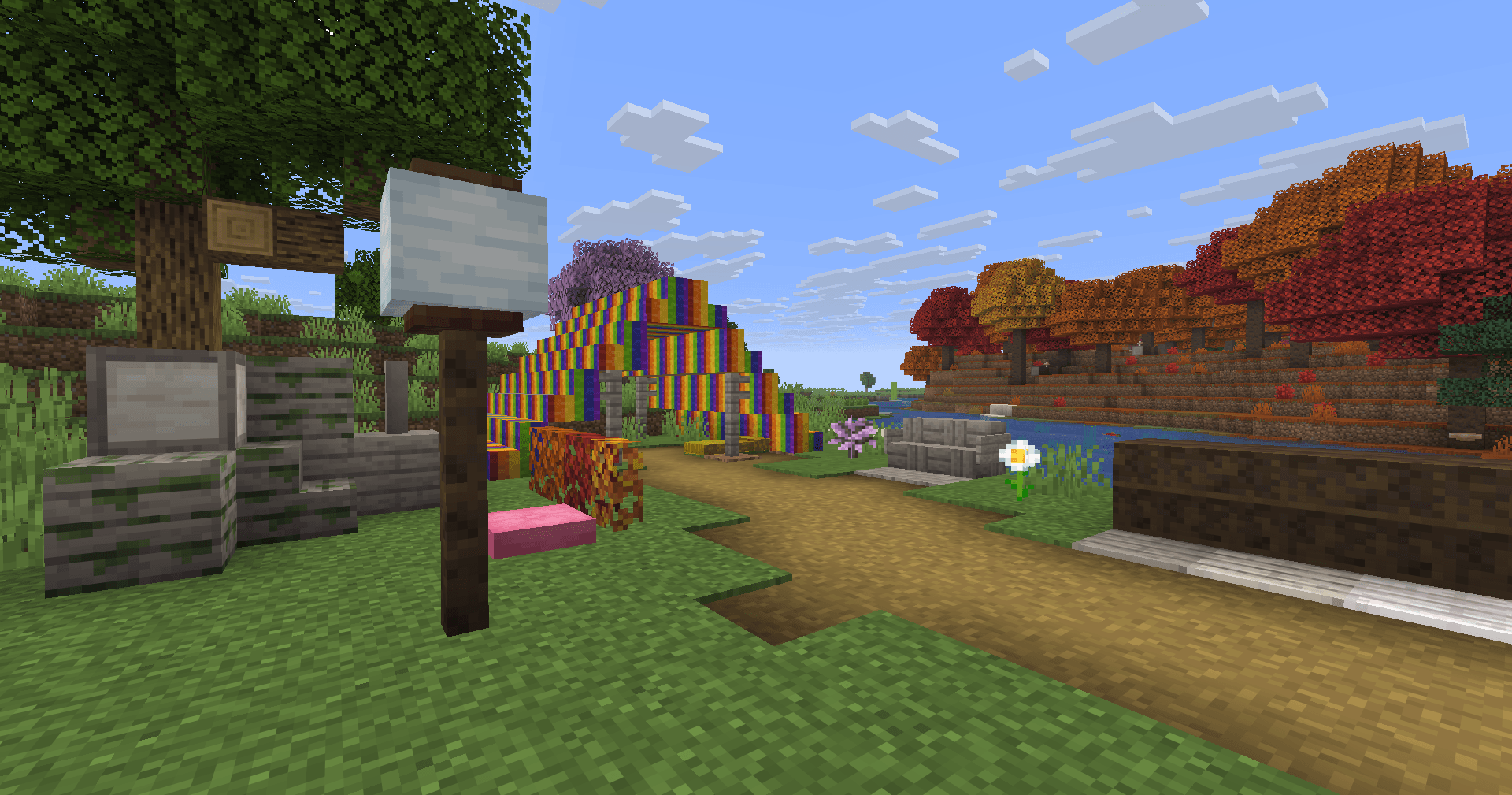
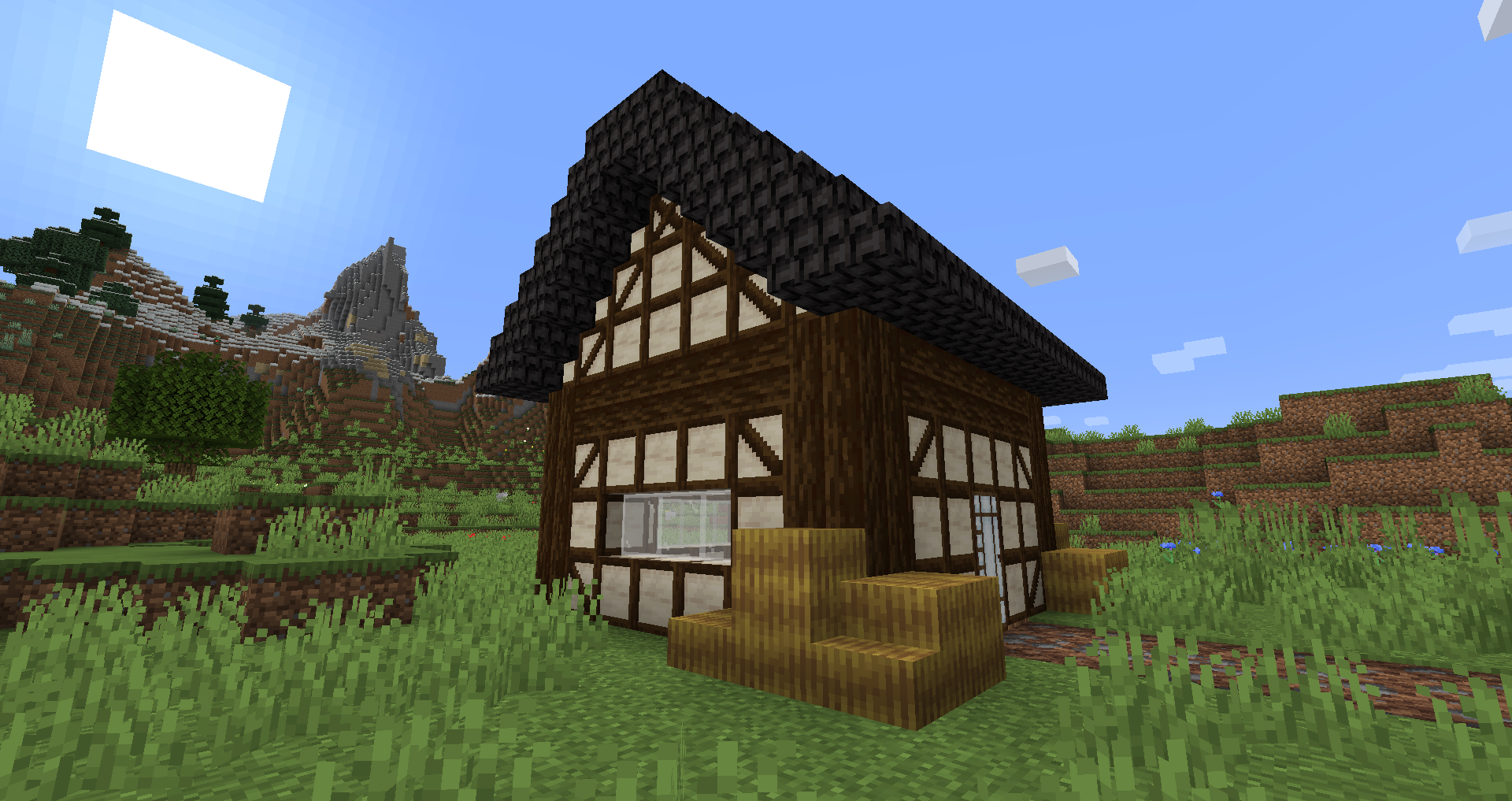
Blockus ایک موڈ ہے جو Fabric API استعمال کر کے بنایا گیا ہے۔ یہ کئی اقسام کے بلاکس شامل کرتا ہے۔
زیادہ تر بلاکس بنانے کے لیے stonecutter درکار ہوتا ہے۔ تمام ترکیبوں کے لیے میں Roughly Enough Items (REI) جیسے موڈ کے استعمال کی سفارش کرتا ہوں۔
NeoForge کی سپورٹ فی الحال منصوبہ بند نہیں ہے۔ NeoForge سپورٹ کے لیے آپ Sinytra Connector استعمال کر سکتے ہیں۔
کچھ شامل کیے گئے بلاکس:
- Marble، Limestone، Bluestone اور Viridite
- White Oak، Raw Bamboo اور Charred Planks
- بڑے Flower Pots
- Lava، Magma، Water، Blaze، Soaked Bricks اور مزید
- Soul Sandstone
- Teal اور Charred Nether Bricks
- رنگین Tiles
- Stained Stone Bricks
- رنگین Redstone Lamps
- Beveled Glass
- نمونہ دار Wools
- Futurneo Blocks
- Asphalt جو آپ کو تیز دوڑاتا ہے
- Redstone Sand
- Paper Block، Wall اور Lamp
- Hedges
- Rainbow Blocks
- Food Crates
- Legacy Blocks
- Columns انٹیگریشن (< 1.19)
قدرتی طور پر پیدا ہونے والی چیزیں
- Limestone y = 0 اور y = 128 کے درمیان پیدا ہوتا ہے لیکن y = 64 اور y = 128 کے درمیان بہت کم
- Marble y = 0 اور y = 64 کے درمیان پیدا ہوتا ہے
- Bluestone y = 0 کے نیچے پیدا ہوتا ہے
- Viridite y = -16 کے نیچے پیدا ہوتا ہے اور Deep Dark میں زیادہ کثرت سے
- White Oak Forest، Dark Forest، Flower Forest، Cherry Groves اور Plains میں پیدا ہوتا ہے۔
- گرا ہوا White Oak Forest، Flower Forest اور Plains میں پیدا ہوتا ہے۔
- Rainbow Roses Flower Forests اور Meadows میں پیدا ہوتے ہیں
شکریہ:
- Futurenp: Textures
- SynthRose: Teal Nether Bricks اور Lantern Blocks (پرانی ٹیکسچر کے ساتھ)
- shedaniel/TelepathicGrunt: نیا 1.16.2+ worldgen
- YanisBft: Wooden Barrels کی مرمت
موڈز سے تحریک:
- "Quark" از Vazkii
- "Chisel" از tterrag1098، Drullkus اور Minecreatr
- "Ceramics" از KnightMiner (Rainbow Bricks)
French description/Description française : https://www.minecraft-france.fr/mod-blockus/
Blockus کیسے انسٹال کریں
With Millida Launcher
Install Millida Launcher
The launcher is free: download it at millida.net/launcher and sign in with any nickname.
Click “Install” on this page
The launcher opens and installs the mod for Minecraft 1.16.4–26.3 on Fabric automatically.
Launch the game
A profile with it appears in the launcher: click “Play”.
Manually
Install Fabric
The loader must match the game version of the mod file, for example Minecraft 26.3. After installing it, a separate profile appears in your launcher.
Download the file for your version
In the version list above, pick the file blockus-2.18.1+26.3.jar (7.0 MB) for your game version.
Put it in the mods folder
The folder is inside .minecraft (Windows: %appdata%\.minecraft\mods). If it does not exist, create it.
Launch the loader profile
Open “Mods” in the main menu: Blockus should be in the list.
ورژنز
ڈیپنڈنسیز کے ساتھ
| Minecraft | لوڈر | فائل | تاریخ | اقدامات |
|---|---|---|---|---|
| 26.3 | Fabric | (26.3) Blockus 2.18.1+26.37 MB 14 | ||
| — | Fabric | (1.18-pre5) blockus-2.3.1+1.18-pre53.9 MB 1 | ||
| 1.16.4 | — | (1.16.4) blockus - 2.0.1+1.16.42.6 MB | ||
| — | — | (1.14-pre4) blockus - 1.1.61 MB |
عمومی سوالات
Which Minecraft versions does Blockus work on?
There are files for 26.3, 1.16.4. The newest is 26.3.
Is Blockus for Forge or Fabric?
Only for Fabric: 26.3. There are no files for Forge or NeoForge: a mod for another loader will not start.
Does Blockus need other mods?
The author lists no required dependencies: the Fabric loader is enough.
Where can I download Blockus safely?
On this page: the file blockus-2.18.1+26.3.jar (7.0 MB) is stored on Millida’s server, with no link shorteners. SHA-1 checksum: c1224f3cf99055107d695f6690b0871cc9f6dd47.
ریویوز
Blockus کو ریٹ کرنے والے پہلے شخص بنیں


