
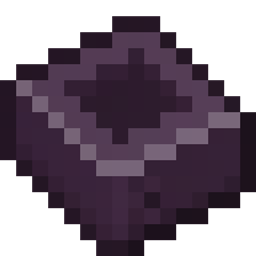
Minecraft 1.21.1, 1.19.2 کے لیے AE2 Things [Forge] موڈ
ایک نیا Cell ٹائپ، ایڈوانسڈ انسکرائبر اور کرسٹل گروتھ چیمبر متعارف کراتا ہے
 NeoForge
 Forge
ForgeAE2 Things (Forge edition)
This mod adds two machines from AE2Stuff the Advanced Inscriber and Crystal Growth Chamber, and a new type of cell the DISK: Deep Item Storage disK.
Requires Forge and AE2. (This is a Forge port of the original AE2 Things, created by ProjectET for Fabric.)
Discussion on the AE2 Discord server: https://discord.gg/Zd6t9ka7ne.
Features
DISK - Deep Item Storage disK
Storage cells that can store 1k, 4k, 16k and 64k items without any type limit. This cell has no type limits and one item counts as one byte. Due to limitations with the cell format, you lose 24 bytes per kibibyte, but hey a small price to pay for no types right? Note that they are more expensive than regular cells since they require a little netherite.
Advanced Inscriber [REMOVED IN 1.20 DUE TO THE AE2 INSCRIBER REWORK]
Inscriber without slot limits per stack and without annoying sided automation restrictions.
Crystal Growth Chamber [REMOVED IN 1.19 DUE TO THE AE2 CRYSTAL REWORK]
A machine to easily grow large amounts of crystals at once, or fluix dust. As a bonus, it will automatically send any finished item directly into your ME network!
AE2 Things [Forge] کیسے انسٹال کریں
With Millida Launcher
Install Millida Launcher
The launcher is free: download it at millida.net/launcher and sign in with any nickname.
Click “Install” on this page
The launcher opens and installs the mod for Minecraft 1.18.2–1.21.1 on Forge or NeoForge automatically.
Launch the game
A profile with it appears in the launcher: click “Play”.
Manually
Install Forge or NeoForge
The loader must match the game version of the mod file, for example Minecraft 1.21.1. After installing it, a separate profile appears in your launcher.
Download the file for your version
In the version list above, pick the file AE2-Things-1.4.2-beta.jar (64 KB) for your game version and loader.
Put it in the mods folder
The folder is inside .minecraft (Windows: %appdata%\.minecraft\mods). If it does not exist, create it.
Launch the loader profile
Open “Mods” in the main menu: AE2 Things [Forge] should be in the list.
Minecraft 1.21.1 runs on Java 21: with a different Java version the game may close right after launch.
ورژنز
ڈیپنڈنسیز کے ساتھ
| Minecraft | لوڈر | فائل | تاریخ | اقدامات |
|---|---|---|---|---|
| 1.21.1 | NeoForge | AE2 Things v1.4.2-beta64.5 KB 5 | ||
| 1.18.2 | Forge | AE2 Things v1.0.7113 KB | ||
| 1.19.2 | Forge | AE2 Things v1.1.0-beta92 KB 1 |
ریویوز
AE2 Things [Forge] کو ریٹ کرنے والے پہلے شخص بنیں


