
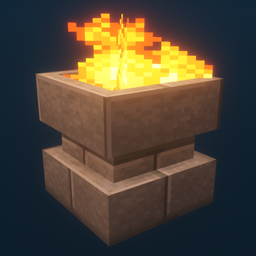
Minecraft 1.12.2, 26.3 کے لیے Additional Lights موڈ
تمام 8 اقسام، 2 اقسام آگ کی، 200 سے زیادہ تغیرات۔
 Fabric
 NeoForge
 Forge
ForgeAdditional Lights موڈ کے بارے میں
Description:
This mod adds over 200 light variations across 6 types, with fire, soul fire, and light versions for select lights.
Updates:
v3.1
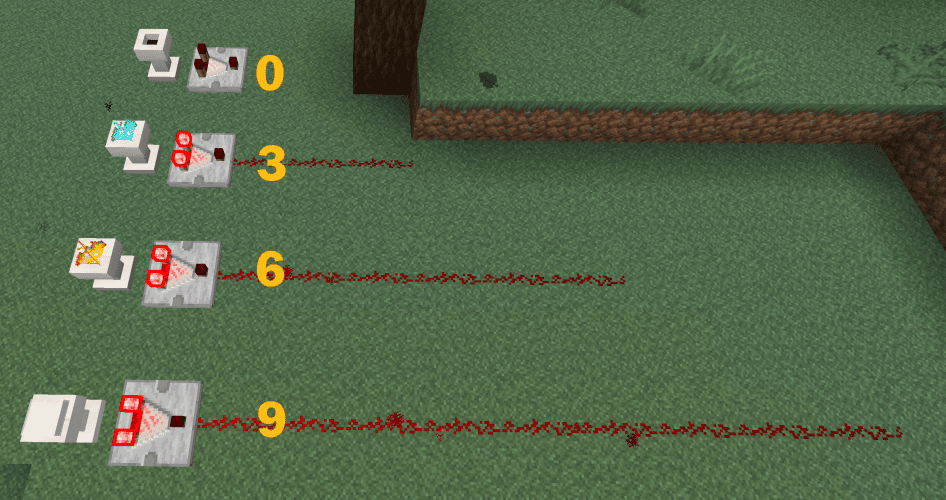
- Pedestals now support comparator output.
v3.0
v2.2
- Added recipe book unlocks (advancements) for all Additional Lights recipes
- Added a config option to enable/disable Fire/Soul Fire crafting recipes (default: OFF)
(Fabric: Mod Menu + Cloth Config are required to change the config, but the mod works without them)
v2.1
v2.0
Note:
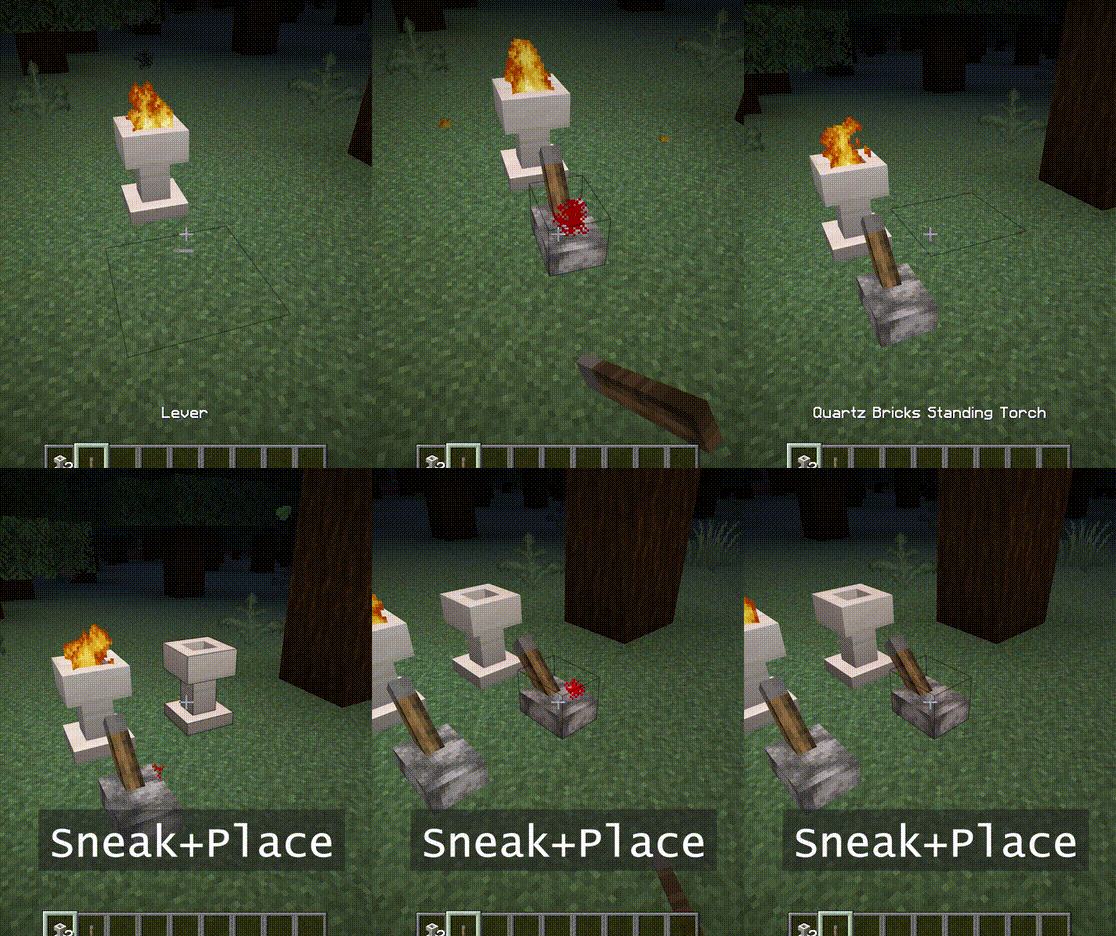
Fire Pit and Standing Torch can be ignited with a right click.
They also need 2 blocks of space.
You can use soul wand to turn it into a soul fire.
Features:
- - Fire does no damage, No fire hazard.
- - The brightness of soul fire is 10.
- - When placed in sneak mode, it will not ignite. Also reject signals until it is broken.
- - [1.16] Piglins are afraid of soul fire. (torch does not work)
Screen Shots:
(Taken in the following environment: Texture Pack: Faithful x32, Shader Pack: BSL v7.1.05p2, Map:Falcon's Rock v2.0.0)
The resource pack for faithful x32 of this mod can be downloaded here. https://www.curseforge.com/minecraft/mc-mods/additional-lights/download/3001273
You are free to include it in modpack.
Additional Lights کیسے انسٹال کریں
With Millida Launcher
Install Millida Launcher
The launcher is free: download it at millida.net/launcher and sign in with any nickname.
Click “Install” on this page
The launcher opens and installs the mod for Minecraft 1.12.2–26.3 on Fabric, Forge or NeoForge automatically.
Launch the game
A profile with it appears in the launcher: click “Play”.
Manually
Install Fabric, Forge or NeoForge
The loader must match the game version of the mod file, for example Minecraft 26.3. After installing it, a separate profile appears in your launcher.
Download the file for your version
In the version list above, pick the file additional_lights-fabric-26.3-3.1.3.jar (830 KB) for your game version and loader.
Put it in the mods folder
The folder is inside .minecraft (Windows: %appdata%\.minecraft\mods). If it does not exist, create it.
Launch the loader profile
Open “Mods” in the main menu: Additional Lights should be in the list.
ورژنز
ڈیپنڈنسیز کے ساتھ
| Minecraft | لوڈر | فائل | تاریخ | اقدامات |
|---|---|---|---|---|
| 26.3 | Fabric | Additional Lights 26.3-3.1.3-Fabric830 KB 28 | ||
| 26.3 | NeoForge | Additional Lights 26.3-3.1.3-NeoForge731 KB | ||
| 1.21.4 | Forge | Additional Lights 1.21.4-2.1.11626 KB 1 | ||
| 1.16.1 | Forge | Additional Lights 1.16.1-2.0.0489 KB | ||
| 1.12.2 | Forge | Additional Lights 1.12.2-1.2.1.2-optional326 KB 4 |
عمومی سوالات
Which Minecraft versions does Additional Lights work on?
There are files for 26.3, 1.21.4, 1.16.1, 1.12.2. The newest is 26.3.
Is Additional Lights for Forge or Fabric?
There are files for Fabric: 26.3, for Forge: 1.12.2–1.21.4 and for NeoForge: 26.3.
Does Additional Lights need other mods?
The author lists no required dependencies: the Fabric, Forge or NeoForge loader is enough.
Where can I download Additional Lights safely?
On this page: the file additional_lights-fabric-26.3-3.1.3.jar (830 KB) is stored on Millida’s server, with no link shorteners. SHA-1 checksum: 197a06d2da92880c5ed0e613db13ba8354c56055.
ریویوز
Additional Lights کو ریٹ کرنے والے پہلے شخص بنیں


