
Minecraft 1.21.11 کے لیے End Remastered Datapack
End Remastered Datapack اس طریقے کو تبدیل کرتا ہے جس سے کھلاڑی End Portal کھولتے ہیں، کھلاڑیوں کو Minecraft کائنات میں مختلف جگہوں پر چھپے 12 خاص eyes of ender جمع کرنے کی ضرورت ہوتی ہے، جس سے مزید تلاش اور مہم جوئی کی ترغیب ملتی ہے۔
End Remastered Datapack ڈیٹا پیک کے بارے میں
End Remastered overhauls the way players get to the End and makes the experience way more interesting by forcing them to fully explore the beautiful world of Minecraft. Adding 16 totally new Ender Eyes hidden all around your world, this datapack will make your playthrough a lot more enjoyable.
What Players need to join an End Remastered Datapack server: click spoiler below
- Nothing! That's the advantage of datapack servers. Player need no prior download to join the server (unlike mods). When a player joins a properly configured server, the player will be prompted to automatically download all the necessary resources.
What Players need to play End Remastered Datapack on their own computer: click spoiler below
- This datapack installed in your world. Instruction on how to install a datapack here.
- The required resource pack found here. Instructions on how to install a resource pack here.
What Admin need to run an End Remastered Datapack server: click the spoiler below
- Server running this datapack. Instruction on how to install a datapack here.
- Server configured to push the required resourcepack to joining players.
As a convenience, server admins can simply add the following two lines of code into their server.properties file if they want a direct link to the End Remastered resourcepack that servers can push automatically to players joining the server:
resource-pack=https://download.mc-packs.net/pack/b3f8d093f09f14afd8851ec66e710b371ef63a68.zip resource-pack-sha1=b3f8d093f09f14afd8851ec66e710b371ef63a68
If you prefer to set up your own server resource pack to push to players when they join, the End Remastered Resource Pack as a download is found here.
How to configure your server to automatically download resources to your players, from the wiki,
A resource pack can be bundled with a world by saving it as a .zip file under the name resources.zip and placing it directly in the world's folder. When playing the world, that resource pack appears as the default right above the default resource pack. A resource pack can be set on a server by adding a link to a .zip file download after the line resource-pack= in the server.properties file. Users then have an option whether to download the resource pack or not. Resource packs can also be forced on a server using resource-pack-required=true in the server.properties file. Rejecting the resource pack will disconnect the player from the server.
Supported Versions: 1.19, 1.19.1, 1.20, 1.21 +
The Datapack Content:
Exploration is the main focus of End Remastered, and to reach the End and beat the Ender Dragon, you will have to find 16 custom eyes by exploring vanilla structures and fighting vanilla bosses. Once you have at least 12 eyes, you can follow them until you reach the Stronghold. You have to put the 12 custom eyes in the portal in order to open it. If there's a vanilla eye of ender in one of the frames, it wil remove itself when you add your first custom eye.
Why a Datapack:
The biggest difference is that vanilla-client players can join a datapack server without having to download anything in advance. If the server is configured properly, players won't even have to hunt for the required resource pack, it should download to the player's resourcepacks folder automatically.
The Eyes are a really important part of End Remastered, just like Vanilla Ender Eyes, they allow you to activate the portal to the End. However, unlike Vanilla Ender Eyes, they are not dropped by Endermen, but must be found by exploring, fighting and mining. The server admin may optionally enable special Ender Pearls which then must be forged into the special Eyes of Ender on the Smithing Table using blaze_powder as a template. For more info, click the spoiler tag below.
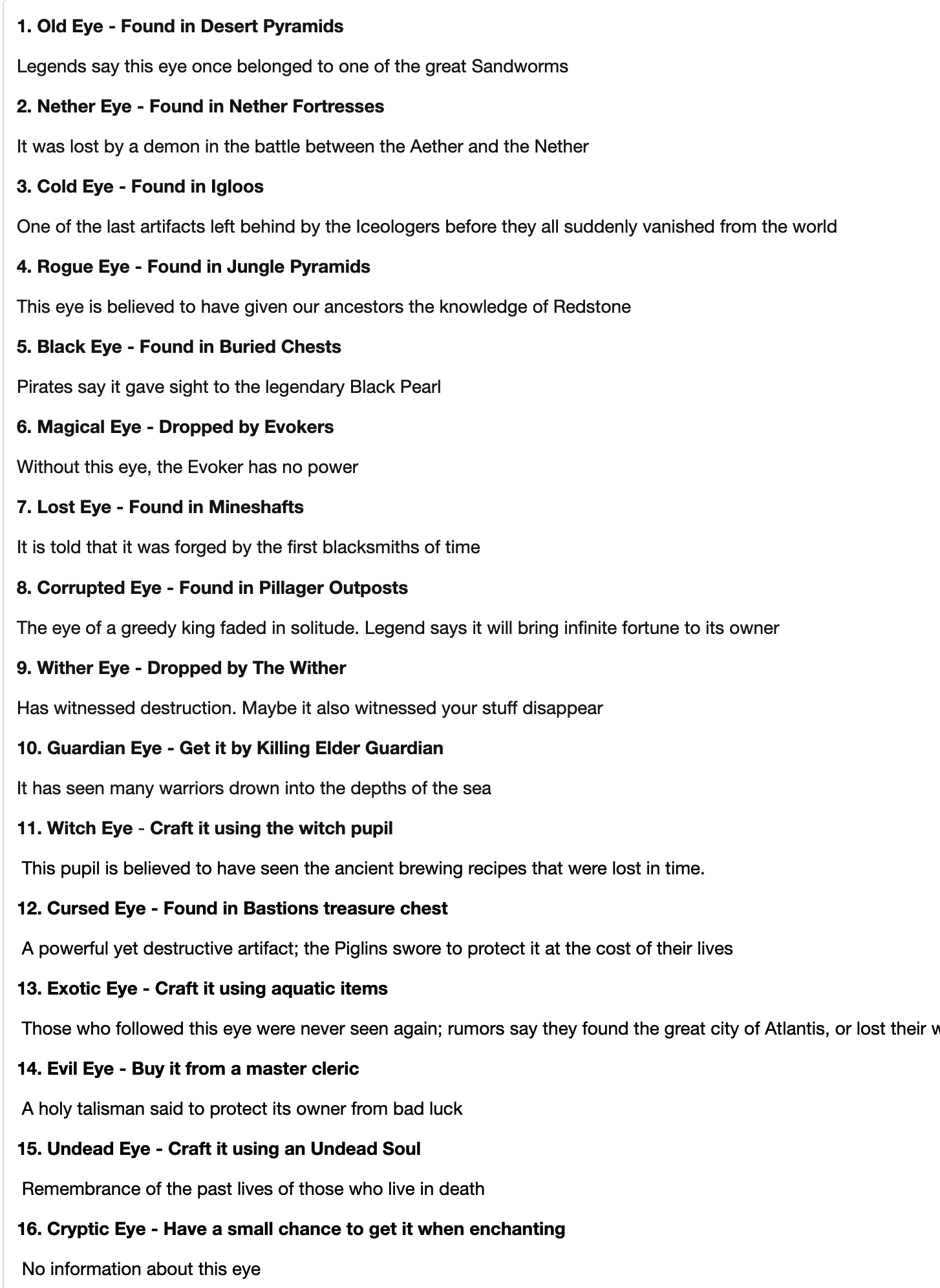
- Old Eye - Found in Desert Pyramids
Legends say this eye once belonged to one of the great Sandworms
- Nether Eye - Found in Nether Fortresses
It was lost by a demon in the battle between the Aether and the Nether
- Cold Eye - Found in Igloos
One of the last artifacts left behind by the Iceologers before they all suddenly vanished from the world
- Rogue Eye - Found in Jungle Pyramids
This eye is believed to have given our ancestors the knowledge of Redstone
- Black Eye - Found in Buried Chests
Pirates say it gave sight to the legendary Black Pearl
- Magical Eye - Dropped by Evokers
Without this eye, the Evoker has no power
- Lost Eye - Found in Mineshafts
It is told that it was forged by the first blacksmiths of time
- Corrupted Eye - Found in Pillager Outposts
The eye of a greedy king faded in solitude. Legend says it will bring infinite fortune to its owner
- Wither Eye - Dropped by The Wither
Has witnessed destruction. Maybe it also witnessed your stuff disappear
- Guardian Eye - Get it by Killing Elder Guardian
It has seen many warriors drown into the depths of the sea
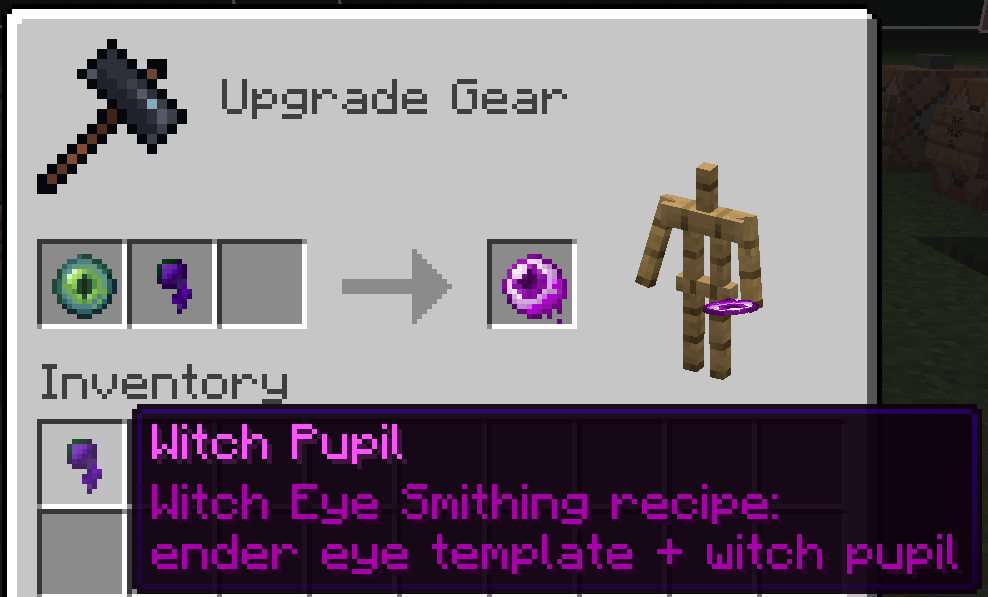
- Witch Eye - Craft it using the witch pupil
This pupil is believed to have seen the ancient brewing recipes that were lost in time.
- Cursed Eye - Found in Bastions treasure chest
A powerful yet destructive artifact; the Piglins swore to protect it at the cost of their lives
- Exotic Eye - Craft it using aquatic items
Those who followed this eye were never seen again; rumors say they found the great city of Atlantis, or lost their way trying
- Evil Eye - Buy it from a master cleric
A holy talisman said to protect its owner from bad luck
- Undead Eye - Craft it using an Undead Soul
Remembrance of the past lives of those who live in death
- Cryptic Eye - Have a small chance to get it when enchanting
No information about this eye
End Remastered also adds some items to the game. Click the spoiler button to see the crafting recipe for all the items.
Players will notice a "Custom Crafting" placeholder when crafting these CustomModel items. This is the best work-around method for vanilla datapacks to accomplish custom nbt crafting.
The Witch Eye:
The Exotic Eye:
The Undead Eye:
*You can get the Undead Soul by killing a skeleton horse.
Admin configurable features: click the spoiler below
The configure settings are located in the datapacks/EndRemastered/data/gatkong/functions/remastered/_config.mcfunction file.
Server admin can enable location tips. When players make certain missteps, the server will provide hints where players can find the necessary special items.
Server admin can enable the special ender pearls, meaning loot tables will contain special ender pearls in lieu of special ender eyes. Players will then need to combine those pearls with blaze powder on a smithing table to upgrade their special pearls to special eyes.
Support:
We always try to be aware of issues in End Remastered, if you experience a bug while playing our datapack, please report it in the comments or the "Issues" section to help us keep the experience fun and enjoyable for all players.
CLICK HERE to join GatKong's discord server to speak, chat, report datapack problems or play with us :)
CLICK HERE to join jack_bagel's discord server to speak, chat, report mod problems or play with us :)
Become a Patreon Supporter of GatKong's datapacks, resources, servers, and more.
End Remastered Datapack کیسے انسٹال کریں
With Millida Launcher
Install Millida Launcher
The launcher is free: download it at millida.net/launcher and sign in with any nickname.
Click “Install” on this page
The launcher opens and installs the data pack for Minecraft 1.21.11 automatically.
Launch the game
A profile with it appears in the launcher: click “Play”.
Manually
Download the archive
Pick the file endremastered_datapack4.2.zip (164 KB) for your game version.
New world: “Data Packs”
When creating a world, click “Data Packs”, drag the archive into the window, then move it to “Selected”.
Existing world: the datapacks folder
Put the archive into saves/<world>/datapacks and type /reload in game.
On a server
Archive goes into the server world’s datapacks
The world/datapacks folder on the server; players do not need to install anything.
Reload the data
Type /reload in the server console or restart the server.
Use the “To server” button
On Millida Hosting, the button at the top of the page uploads the file to your server and restarts it for you.
ورژنز
ڈیپنڈنسیز کے ساتھ
| Minecraft | لوڈر | فائل | تاریخ | اقدامات |
|---|---|---|---|---|
| 1.21.11 | — | End Remsastered 1.21.11 v2164 KB |
عمومی سوالات
Which Minecraft versions does End Remastered Datapack work on?
Only Minecraft 1.21.11: there are no files for other versions.
Does End Remastered Datapack work on a server?
Yes: the data pack goes into the datapacks folder of the server world, and players do not need to install anything.
Where can I download End Remastered Datapack safely?
On this page: the file endremastered_datapack4.2.zip (164 KB) is stored on Millida’s server, with no link shorteners. SHA-1 checksum: 473890b0132fe493fe33579251c5e600c068dde1.
ریویوز
End Remastered Datapack کو ریٹ کرنے والے پہلے شخص بنیں


