
Minecraft 1.21 için SoftRay Kaynak paketi
SoftRay, Minecraft Bedrock için performansı öldürmeden ışıklandırmayı, gölgeleri ve atmosferi geliştiren hafif, yüksek kaliteli bir shader paketidir. Temiz görseller, yumuşak ışınlar, akıcı oynanış.
SoftRay kaynak paketi hakkında
🌤️ SoftRay Shader Pack - Subtle Lighting, Smooth Performance
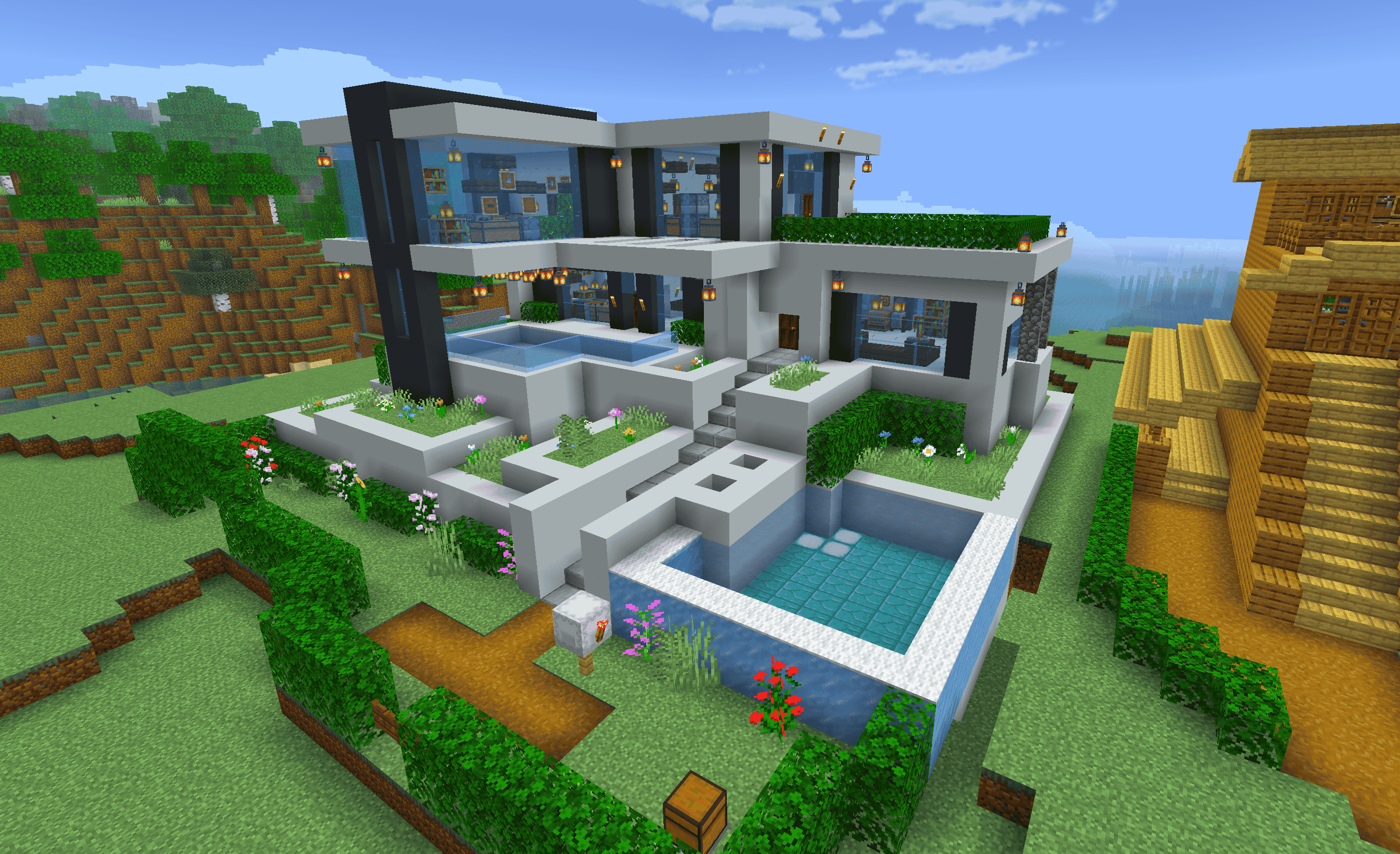
SoftRay is a Minecraft Bedrock shader pack designed for players who want clean, immersive visuals without lag. Focused on soft lighting, ambient shadows, and balanced tones, SoftRay brings a cinematic touch to your world while staying lightweight and smooth on most devices.
✨ Features:
🌞 Soft Dynamic Lighting - Natural day/night transitions with warm glows
🌅 Improved Sky & Atmosphere - Enhanced sunrises, sunsets, and sky tones
🌊 Water Tweaks - Smooth reflections and better clarity
🔦 Subtle Light Bloom - Gentle glow around bright objects and lights
📱 Performance-Friendly - Optimized for phones, tablets, and low-end systems
🔄 Compatible with the latest Minecraft Bedrock versions
📌 Ideal For:
Builders who want clean lighting
Survival players wanting immersion without lag
Content creators and casual players alike
🎮 How to Install:
Download the .mcpack file
Tap or open the file to launch Minecraft
Apply the shader in Settings > Global Resources
Enjoy your upgraded visuals with zero bloat
Created by Mint Dino
SoftRay nasıl kurulur
With Millida Launcher
Install Millida Launcher
The launcher is free: download it at millida.net/launcher and sign in with any nickname.
Click “Install” on this page
The launcher opens and installs the resource pack for Minecraft 1.20–1.21 automatically.
Launch the game
A profile with it appears in the launcher: click “Play”.
Manually
Download the archive
Pick the file SoftRay.mcpack (22 MB) for your game version. No need to unpack it.
Put it in the resourcepacks folder
The easiest way: “Options”, then “Resource Packs”, then “Open Pack Folder”, and drag the archive there.
Enable the pack
In the same window, move the pack to the right-hand “Selected” column and click “Done”.
Sürümler
Bağımlılıklarla
| Minecraft | Yükleyici | Dosya | Tarih | İşlemler |
|---|---|---|---|---|
| 1.20 | — | SoftRay.mcpack22.3 MB |
SSS
Which Minecraft versions does SoftRay work on?
There are files for 1.21, 1.20. The newest is 1.21.
Where can I download SoftRay safely?
On this page: the file SoftRay.mcpack (22 MB) is stored on Millida’s server, with no link shorteners. SHA-1 checksum: a785cf804da41ebff81d3ae4fa6aadde50c36100.
Yorumlar
SoftRay için ilk puanı sen ver



