

Minecraft 1.21.101 için Quick Chat Kaynak paketi
Quick Chat, Minecraft için iletişimi daha hızlı, daha akıcı ve daha verimli hale getiren bir arayüz geliştirme paketidir. Sıradan oyuncular ve komut uzmanları için mükemmeldir, sohbet deneyiminizi geliştirir ve oyun içi etkileşimi iyileştirir.
Quick Chat kaynak paketi hakkında
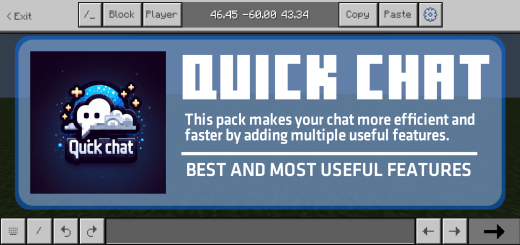
FEATURES:
Undo Message:
- Easily view and restore previously typed messages.
- Switch between past and future chat inputs without retyping.
Command Switcher:
- Quickly cycle through different command variations with a single button.
- No need to manually retype entire commands, saving time and effort.
No Chat Typing Limit:
- The chat input box has no character limit, allowing unlimited text.
- Useful for long messages or complex commands.
Better Coordinates Copy-Paste:
- Easily copy and paste coordinates.
- Improves navigation.
Touch Chat Interaction:
- Select commands directly from the chat box with a simple tap.
- No need to manually type commands like /give @s, just tap and select.
No Auto-Scroll on New Messages:
- When a new message appears, the chat won’t auto-scroll to it.
- This allows you to read past messages without interruptions.
Chat Stays Open When Hurt:
- The chat screen will not close if your player takes damage.
- Ensures seamless communication even in intense situations.
Quick Chat nasıl kurulur
With Millida Launcher
Install Millida Launcher
The launcher is free: download it at millida.net/launcher and sign in with any nickname.
Click “Install” on this page
The launcher opens and installs the resource pack for Minecraft 1.21.101 automatically.
Launch the game
A profile with it appears in the launcher: click “Play”.
Manually
Download the archive
Pick the file Quick_Chat_v1.1.mcpack (871 KB) for your game version. No need to unpack it.
Put it in the resourcepacks folder
The easiest way: “Options”, then “Resource Packs”, then “Open Pack Folder”, and drag the archive there.
Enable the pack
In the same window, move the pack to the right-hand “Selected” column and click “Done”.
Sürümler
Bağımlılıklarla
| Minecraft | Yükleyici | Dosya | Tarih | İşlemler |
|---|---|---|---|---|
| 1.21.101 | — | Quick_Chat_v1.1.mcpack871 KB |
SSS
Which Minecraft versions does Quick Chat work on?
Only Minecraft 1.21.101: there are no files for other versions.
Where can I download Quick Chat safely?
On this page: the file Quick_Chat_v1.1.mcpack (871 KB) is stored on Millida’s server, with no link shorteners. SHA-1 checksum: 80f3ff6cc65fe7971ac7a39820d0b56f1d79910e.
Yorumlar
Quick Chat için ilk puanı sen ver



