
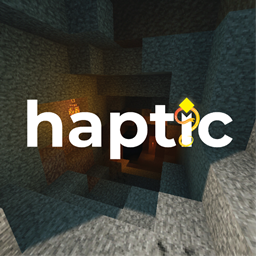
Minecraft 1.21, 1.21.80 için Haptic Visuals Kaynak paketi
Orijinal Haptic estetiğini koruyan, RDVV için ayarlanmış bir görsel paket — artık modern Bedrock aydınlatmasına uyarlandı.
Haptic Visuals kaynak paketi hakkında
From the creators of Haptic Shader and Enlight Shader, Haptic Visuals is a mobile-focused visual enhancement pack for Minecraft Bedrock on iOS, iPadOS, and Android, crafted with a nature-centered design philosophy that emphasizes atmosphere, environmental depth, and organic lighting.
Built upon Minecraft’s modern rendering system, Haptic Visuals refines the game’s default Vibrant Visuals by boosting light, color, and contrast to better reflect natural environments. Rather than prioritizing brightness alone, Haptic Visuals focuses on how landscapes feel-from the softness of morning light across plains, to the dense, filtered glow of sunlight within forests.
Vegetation, terrain, water, and skies are tuned to work together as a cohesive environment. Forests feel deeper and more enclosed, open fields feel warmer and more breathable, and water surfaces reflect light in a calmer, more grounded manner. These adjustments create a world that feels more alive and immersive, while remaining unmistakably Minecraft.
Designed specifically for mobile devices, Haptic Visuals balances visual atmosphere with performance stability, offering a refined, comfortable experience for long play sessions without relying on heavy post-processing or exaggerated effects.
Supported Platforms
- Android : Adreno 640, Mali-G68, Mali-G77, or Xclipse 530 or newer GPUs
- iOS / iPadOS : Apple A12 Bionic or newer
Compatibility Notes
- Texture Packs : Compatible with most texture packs of up to x128, including Marketplace-verified.
- Add-Ons : Limited compatibility to Marketplace-verified with Vibrant Visuals. Learn More
Haptic is designed specifically for mobile Bedrock. Visual output may vary depending on device model, Minecraft version, and rendering settings. This pack is not intended for Windows 10/11 and Console Editions.
Screenshots shown on this page were taken on A16 Bionic with Vibrant Visuals enabled and Visuals Preferred selected.
Learn More from Haptic Visuals! or visit https://hptx.uk
Haptic Visuals nasıl kurulur
With Millida Launcher
Install Millida Launcher
The launcher is free: download it at millida.net/launcher and sign in with any nickname.
Click “Install” on this page
The launcher opens and installs the resource pack for Minecraft 1.21–1.21.80 automatically.
Launch the game
A profile with it appears in the launcher: click “Play”.
Manually
Download the archive
Pick the file Haptic Visuals.mcpack (1020 KB) for your game version. No need to unpack it.
Put it in the resourcepacks folder
The easiest way: “Options”, then “Resource Packs”, then “Open Pack Folder”, and drag the archive there.
Enable the pack
In the same window, move the pack to the right-hand “Selected” column and click “Done”.
Sürümler
Bağımlılıklarla
| Minecraft | Yükleyici | Dosya | Tarih | İşlemler |
|---|---|---|---|---|
| 1.21 | — | 1.0.51020 KB |
SSS
Which Minecraft versions does Haptic Visuals work on?
There are files for 1.21.80, 1.21. The newest is 1.21.80.
Where can I download Haptic Visuals safely?
On this page: the file Haptic Visuals.mcpack (1020 KB) is stored on Millida’s server, with no link shorteners. SHA-1 checksum: e683c31705df353875ec7a0cce853a1f72c4f9f1.
Yorumlar
Haptic Visuals için ilk puanı sen ver



