
Minecraft 26.40 için GLASSY UI Kaynak paketi
GLASSY UI — Size net bir görüş ve taktiksel avantaj sağlayan şeffaf bir GUI/UI yenilemesi. Karanlık Mod, performans artırıcı Particles Core ve temiz menüler içerir.
GLASSY UI kaynak paketi hakkında
GLASSY UI
A fully transparent UI pack designed to completely overhaul your GUI/UI, giving you a clear, tactical advantage while navigating any container.
✦ Normal Mode Showcase ✦
Classic UI
Pocket UI
For a comfortable and eye-friendly nighttime experience, this pack also includes a sleek Dark Mode variant.
✦ Dark Mode Showcase ✦
Classic UI Dark Mode
Pocket UI Dark Mode
✦ Particles Core ✦
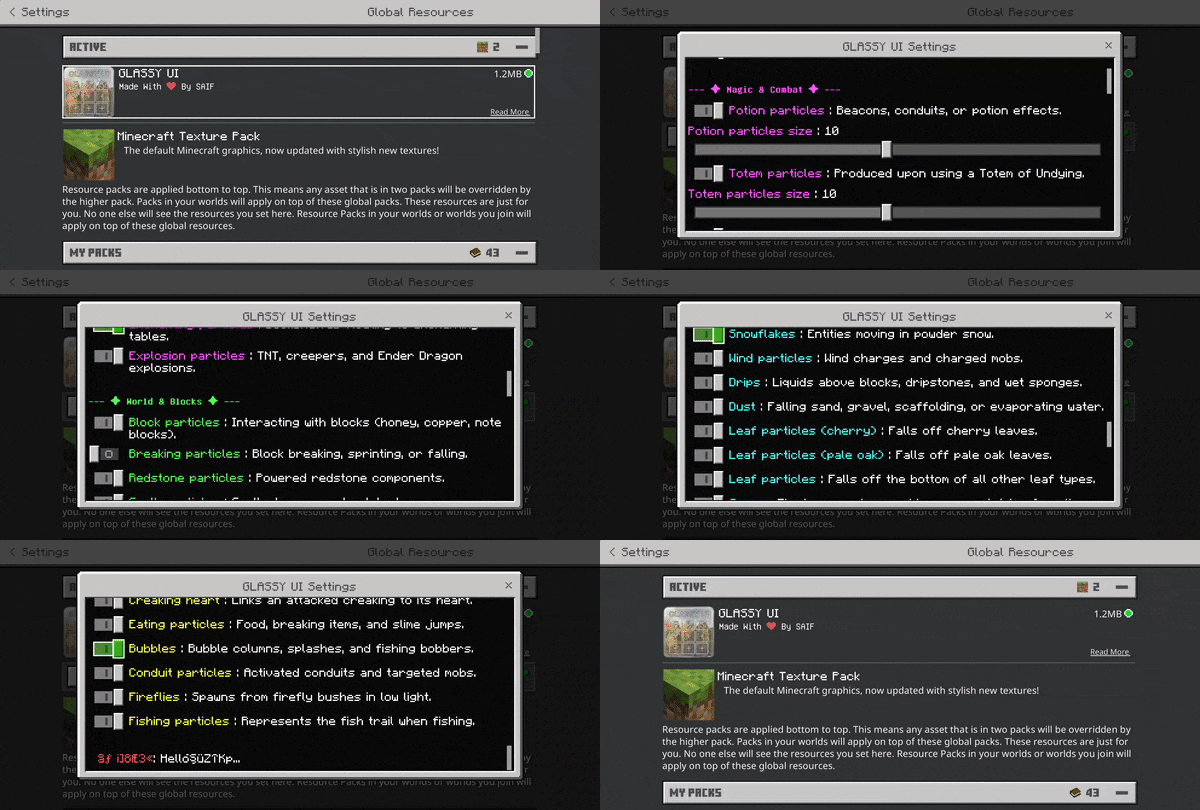
Take full control of your visual effects. Particles Core allows you to easily toggle most particles on or off in-game, significantly boosting performance for a smoother gameplay experience.
⚠️ IMPORTANT WARNING ⚠️
This pack customizes the Start Screen, Marketplace, Skin Dresser, Settings, and more. However, Minecraft's default Ore UI blocks these custom changes.
To see the custom screens below, you MUST use the Force close ore ui mod (available inside Levi launcher or mbloader).
Start Screen
Start Screen Dark Mode
- Highly recommended: Restart your game after applying the pack to ensure all UI elements update properly.
❤︎ Credits & Shout-outs ❤︎
Huge shout-out to ItsCyberRush; their transparent pack gave me the inspiration to create mine and helped me learn a lot. Thank you to notnicto for allowing the use of the Particles Core within this pack. Also, thanks to Bedrock Tweaks for the No how to play button codes.
ITSCYBERRUSH (PROFILE) | NOTNICTO (PROFILE) | BEDROCK TWEAKS (WEBSITE)
⚠️ Terms & Policy ⚠️
You are strictly prohibited from modifying, stealing, or reusing any assets from this pack. If you are making a review, you must link to the original CurseForge or MCPEDL download page in your description. Any violations will result in an immediate copyright strike.
For full details, please read the TERMS & POLICY (LINK).
GLASSY UI nasıl kurulur
With Millida Launcher
Install Millida Launcher
The launcher is free: download it at millida.net/launcher and sign in with any nickname.
Click “Install” on this page
The launcher opens and installs the resource pack for Minecraft 26.10–26.40 automatically.
Launch the game
A profile with it appears in the launcher: click “Play”.
Manually
Download the archive
Pick the file GLASSY UI.mcpack (969 KB) for your game version. No need to unpack it.
Put it in the resourcepacks folder
The easiest way: “Options”, then “Resource Packs”, then “Open Pack Folder”, and drag the archive there.
Enable the pack
In the same window, move the pack to the right-hand “Selected” column and click “Done”.
Sürümler
Bağımlılıklarla
| Minecraft | Yükleyici | Dosya | Tarih | İşlemler |
|---|---|---|---|---|
| 26.10 | — | GLASSY UI.mcpack969 KB 1 |
SSS
Which Minecraft versions does GLASSY UI work on?
There are files for 26.10–26.40, 7 versions in total. The newest is 26.40.
Where can I download GLASSY UI safely?
On this page: the file GLASSY UI.mcpack (969 KB) is stored on Millida’s server, with no link shorteners. SHA-1 checksum: 6054c543fc6dc5ae66f212425197f92bce2a794f.
Yorumlar
GLASSY UI için ilk puanı sen ver



