

Minecraft 1.21, 26.30 için Effects Overlay Kaynak paketi
Efekt görüntüleme ekranını HUD'un üzerine yerleştiren bir kaynak paketi, böylece oyun sırasında efekt sürelerini görebilirsin.
Effects Overlay V-1.0
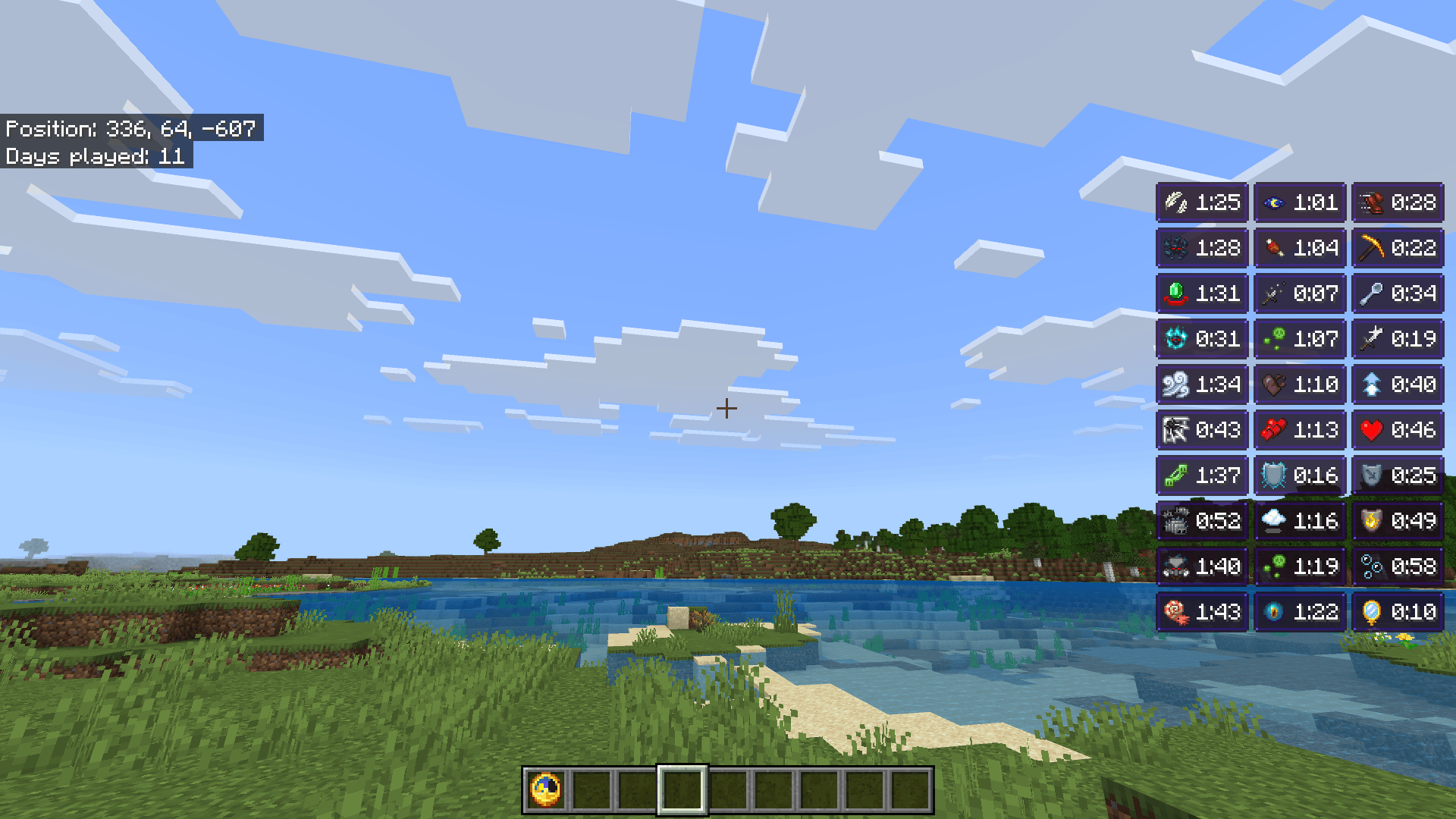
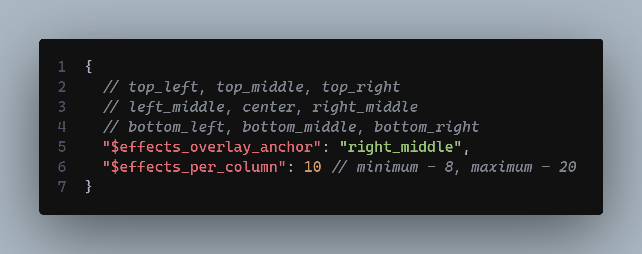
With this pack enabled, you can see effects duration directly on HUD. And you can customize the number of effects displayed per column (Default is 10) by modifying the values in _global_variables.json file in ui folder.
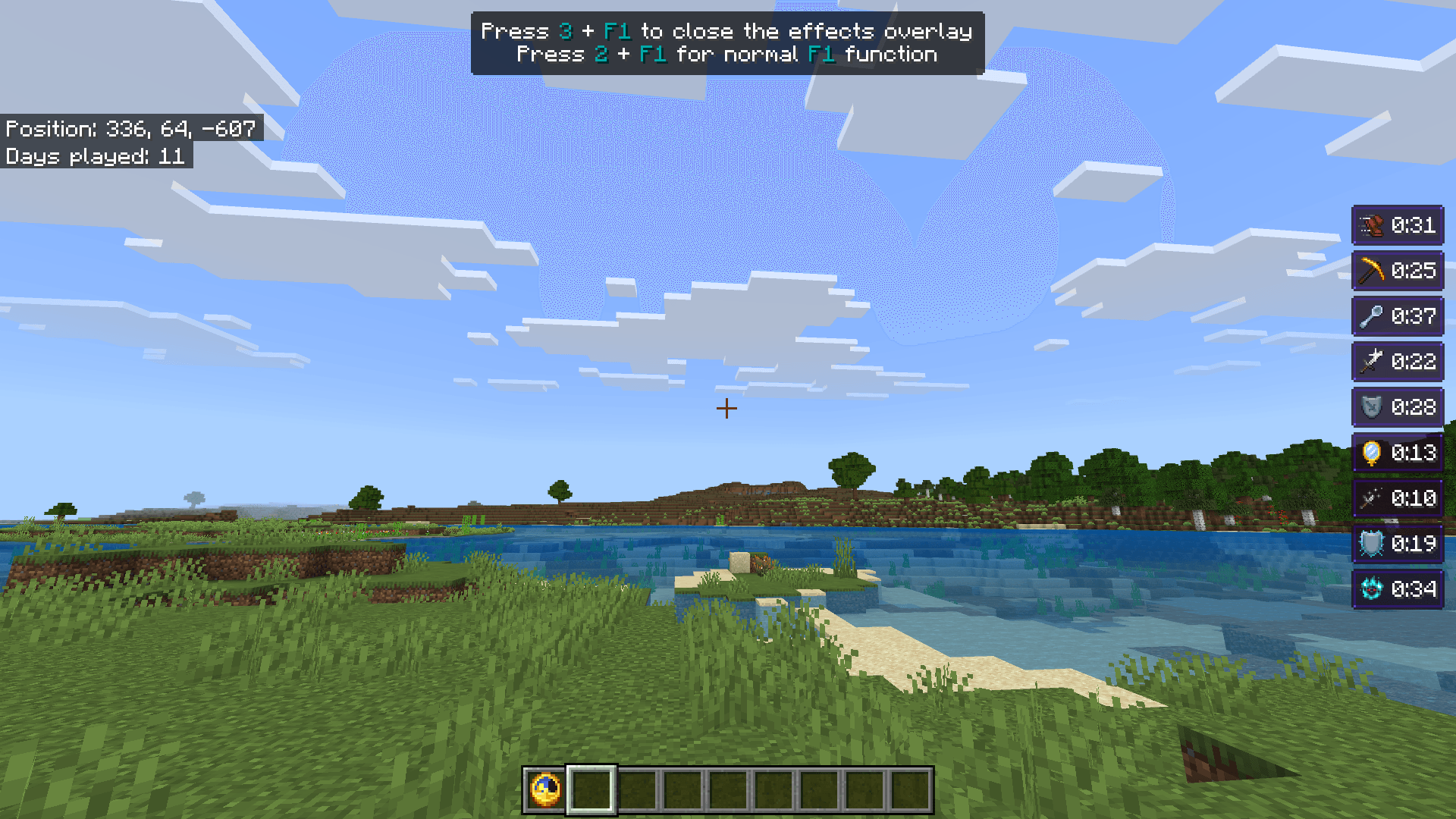
Usage
- Press Z key on PC or (Tap on the area where effects are typically seen on Mobile)
- To close the overlay press 3+F1 on PC (Click on the button on top right corner on Mobile)
- To use normal F1 behavior press 2+F1
- Should work with controllers too (You'll need to change one of the keybinds from Settings)
Check out the Gallery to see how it looks!
Config
You can find some options that you can modify about this pack in _global_variables.json file inside ui folder.
Subpacks
- Default - Hid the default effects display
- With default display - Default mob effects renderer visible
MCPEDL Link: Effects Overlay
- You can modify the pack for your personal use only.
- You cannot use any code without permission or reupload the pack.
- If you find any bugs or have any suggestions for new features, feel free to contact me on Discord or join my Server!
Effects Overlay nasıl kurulur
With Millida Launcher
Install Millida Launcher
The launcher is free: download it at millida.net/launcher and sign in with any nickname.
Click “Install” on this page
The launcher opens and installs the resource pack for Minecraft 1.20–26.30 automatically.
Launch the game
A profile with it appears in the launcher: click “Play”.
Manually
Download the archive
Pick the file Effects Overlay V-1.1.mcpack (8 KB) for your game version. No need to unpack it.
Put it in the resourcepacks folder
The easiest way: “Options”, then “Resource Packs”, then “Open Pack Folder”, and drag the archive there.
Enable the pack
In the same window, move the pack to the right-hand “Selected” column and click “Done”.
Sürümler
Bağımlılıklarla
| Minecraft | Yükleyici | Dosya | Tarih | İşlemler |
|---|---|---|---|---|
| 1.20 | — | Effects Overlay V-1.17.9 KB |
Yorumlar
Effects Overlay için ilk puanı sen ver



