
Minecraft 1.20.1, 1.21 için DurabilityHUD by Tiny Keep Kaynak paketi
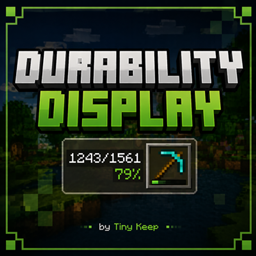
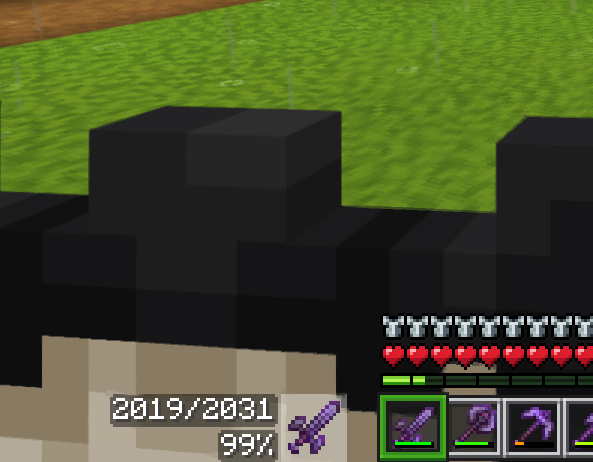
Seçili eşyanın dayanıklılığını hotbar'ın yanında gösterir; mevcut/toplam kullanımı ve bir yüzde gösterir. Tiny Keep tarafından
DurabilityHUD by Tiny Keep kaynak paketi hakkında
🔧 Durability HUD v2.1 - Changelog
New
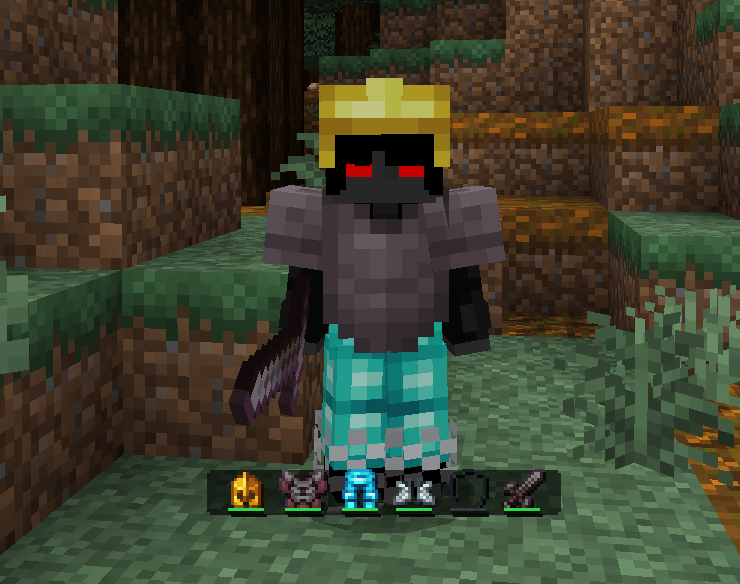
- ⚠️ Critical durability warning: the HUD now alerts you with a sound + on-screen message when an equipped item (helmet, chestplate, leggings, boots, offhand, or your held item) drops to 15% durability or below, so you don't get caught off guard when it breaks mid-fight or mid-mining.
- The warning is smart: it only triggers once per item - repair it or swap it out and the warning resets, ready to fire again if it drops low once more.
Under the hood
- Memory optimization: the addon now clears warning state for players who disconnect, keeping performance solid on servers with a lot of player turnover.
Compatibility
- No changes to the HUD layout or glyphs - fully compatible with worlds already running v2.0.
- Requires Minecraft Bedrock 1.21+.
And for those who are interested, I have to tell you that we're now on Ko-fi. I'll be posting previews of future updates and new add-ons there-just click the link. Ko-FI
DurabilityHUD by Tiny Keep nasıl kurulur
With Millida Launcher
Install Millida Launcher
The launcher is free: download it at millida.net/launcher and sign in with any nickname.
Click “Install” on this page
The launcher opens and installs the resource pack for Minecraft 1.20–26.30 automatically.
Launch the game
A profile with it appears in the launcher: click “Play”.
Manually
Download the archive
Pick the file DurabilityHUD_2_1.mcaddon (66 KB) for your game version. No need to unpack it.
Put it in the resourcepacks folder
The easiest way: “Options”, then “Resource Packs”, then “Open Pack Folder”, and drag the archive there.
Enable the pack
In the same window, move the pack to the right-hand “Selected” column and click “Done”.
Sürümler
Bağımlılıklarla
| Minecraft | Yükleyici | Dosya | Tarih | İşlemler |
|---|---|---|---|---|
| 1.20.40 | — | DurabilityHUD_2_1.mcaddon66 KB 7 |
SSS
Which Minecraft versions does DurabilityHUD by Tiny Keep work on?
There are files for 1.20–26.30, 52 versions in total. The newest is 26.30.
Where can I download DurabilityHUD by Tiny Keep safely?
On this page: the file DurabilityHUD_2_1.mcaddon (66 KB) is stored on Millida’s server, with no link shorteners. SHA-1 checksum: 849e4e8bc3af55c36afd1872cffe80ec5bf88030.
Yorumlar
DurabilityHUD by Tiny Keep için ilk puanı sen ver



