

Colored hotbar UI+ kaynak paketi hakkında
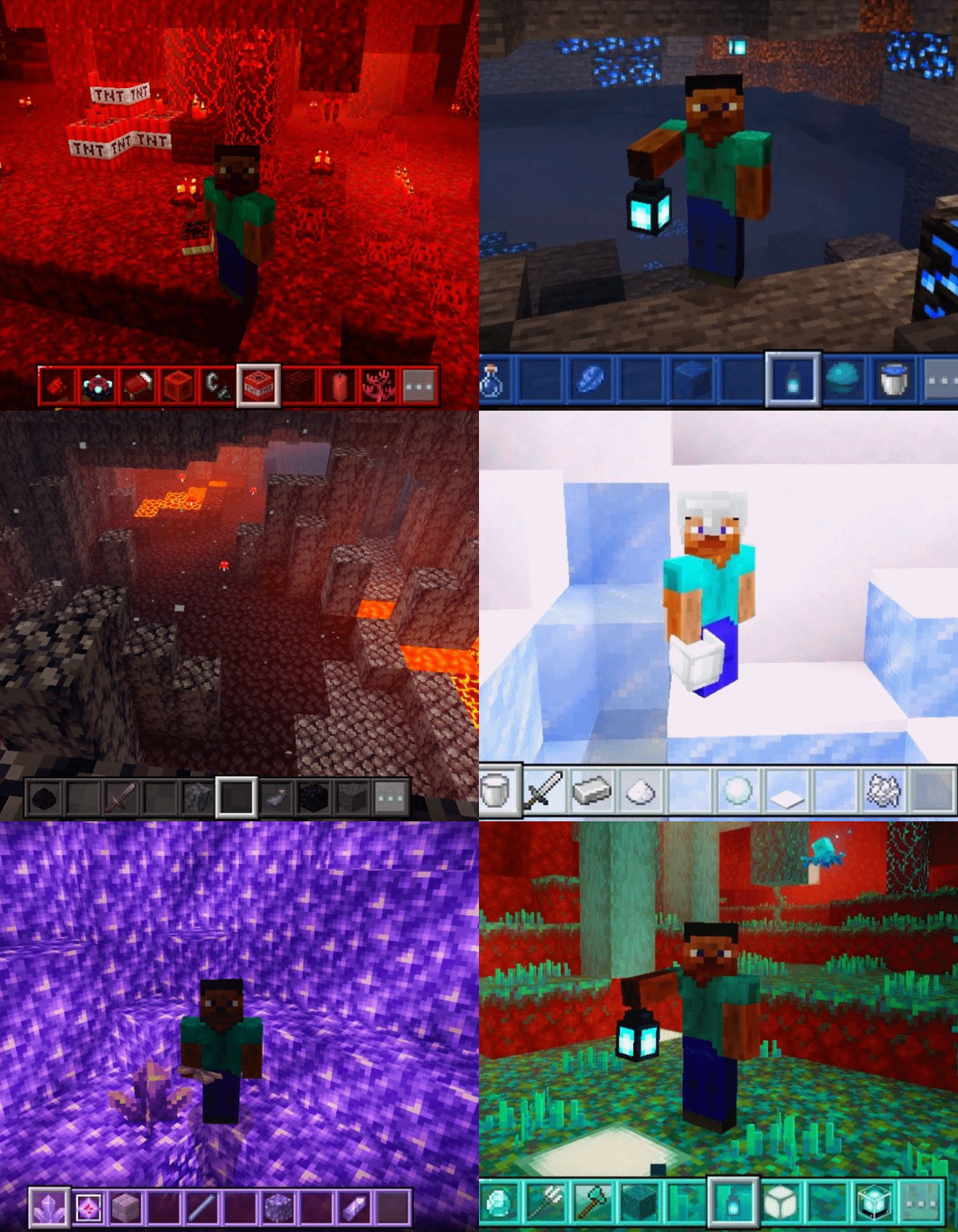
Tired of the same old boring gray hotbar? You came to the right post, this simple texture offers more than 10 different hotbar colors with a design that does not lose the Minecraft essence.
This pack includes 10 unique textures For your hotbar, made from the Minecraft color palette , this makes it bright and consistent with the game, giving it a vanilla appearance, so you can get more of your favorite color in your game without sacrificing the experience.
Available colors:
White
Yellow
Green
Pink
Black
Blue
Cyan
Violet
Orange
Copper
wine
leather

Colored hotbar UI+ nasıl kurulur
With Millida Launcher
Install Millida Launcher
The launcher is free: download it at millida.net/launcher and sign in with any nickname.
Click “Install” on this page
The launcher opens and installs the resource pack for Minecraft 26.0–26.10 automatically.
Launch the game
A profile with it appears in the launcher: click “Play”.
Manually
Download the archive
Pick the file CH_1.2.mcpack (1.0 MB) for your game version. No need to unpack it.
Put it in the resourcepacks folder
The easiest way: “Options”, then “Resource Packs”, then “Open Pack Folder”, and drag the archive there.
Enable the pack
In the same window, move the pack to the right-hand “Selected” column and click “Done”.
Sürümler
Bağımlılıklarla
| Minecraft | Yükleyici | Dosya | Tarih | İşlemler |
|---|---|---|---|---|
| 26.0.02 | — | COLORED HOTBAR 1.21 MB 1 |
SSS
Which Minecraft versions does Colored hotbar UI+ work on?
There are files for 26.10, 26.3, 26.0.02, 26.0. The newest is 26.10.
Where can I download Colored hotbar UI+ safely?
On this page: the file CH_1.2.mcpack (1.0 MB) is stored on Millida’s server, with no link shorteners. SHA-1 checksum: 73ac728cdc419a817d71606e2a83e42e9bf3199f.
Yorumlar
Colored hotbar UI+ için ilk puanı sen ver


