
Minecraft 26.30 için Better Dark UI Kaynak paketi
Better Dark UI, verimliliğe ve estetiğe değer veren oyuncular için nihai "Yaşam Kalitesi" doku paketidir. Premium bir karanlık temayı Quick Chat ve Quick Craft gibi işlevsel düzen iyileştirmeleriyle birleştirir.
Better Dark UI kaynak paketi hakkında
Better Dark UI: Focus on the Game, Not the Glare
Tired of the blinding white menus during your late-night sessions? Better Dark UI is a streamlined utility pack designed to modernize your interface while stripping away the clutter. It transforms the standard aesthetic into a sleek, high-contrast dark mode that’s easier on the eyes and faster under the fingers.
Key Features
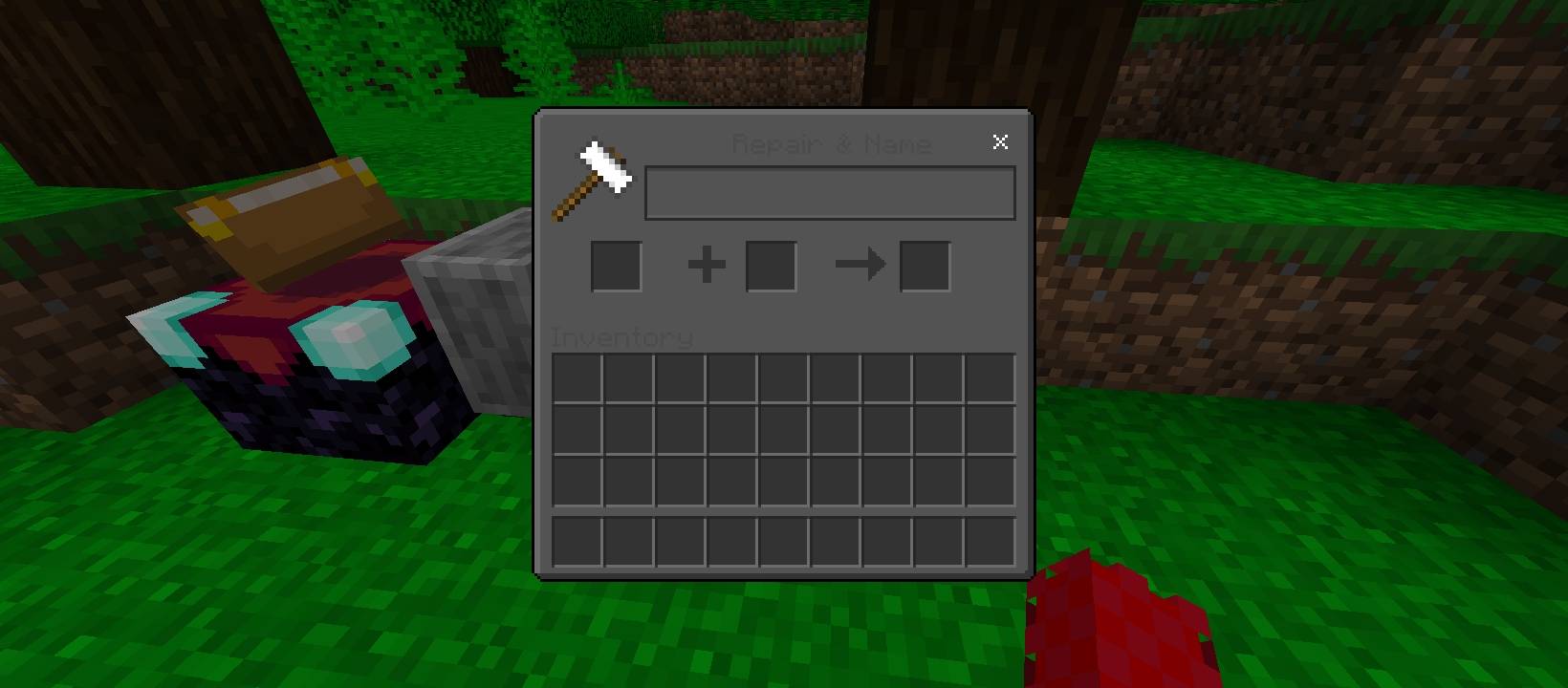
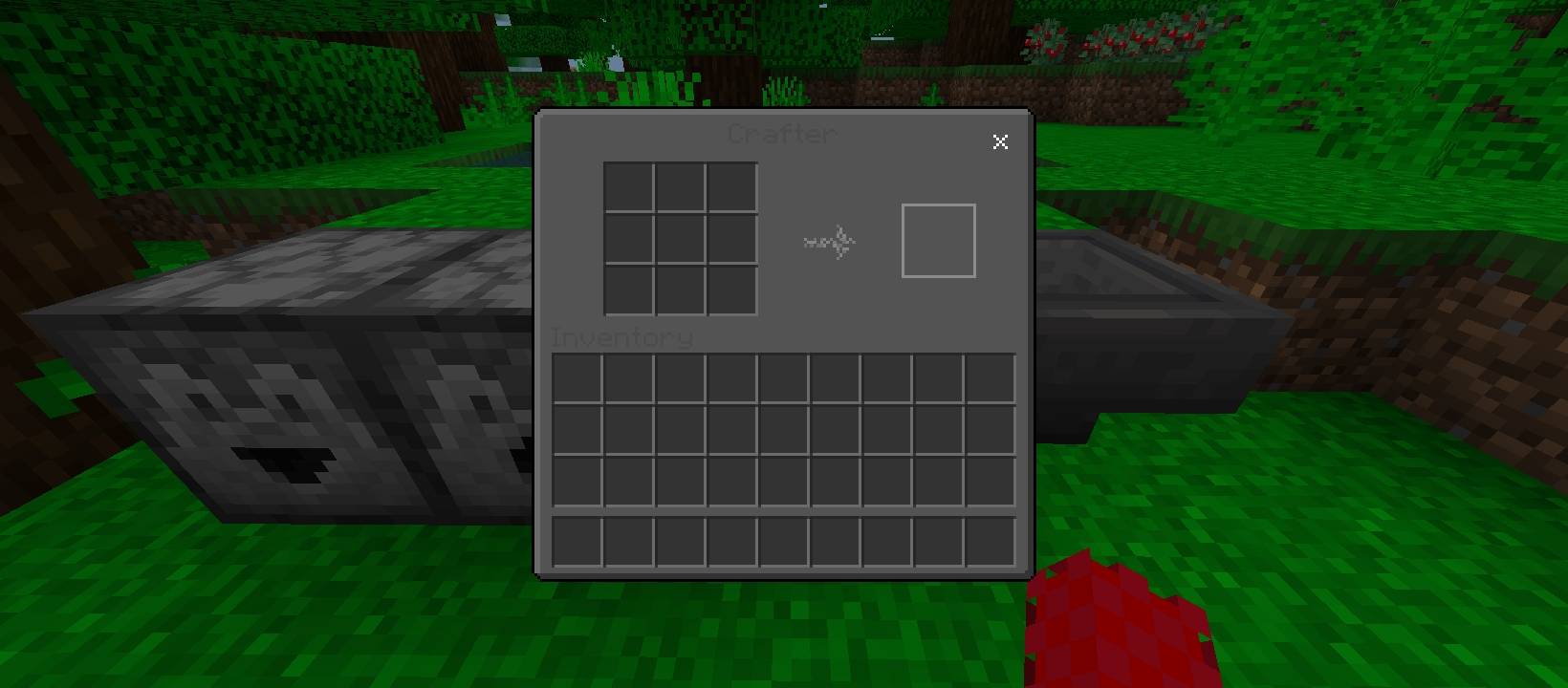
True Dark Mode: Replaces all containers, inventory screens, and menu backgrounds with a refined, charcoal-grey palette. It’s professional, immersive, and saves your eyes from "light mode" fatigue.
Quick Chat Integration: Communicate faster with a redesigned chat interface that prioritizes speed and visibility, helping you stay focused on the action.
Quick Crafting Overhaul: Optimized crafting menus allow for more intuitive navigation, reducing the time you spend clicking through recipes.
Decluttered Menus: We’ve removed the "How to Play" button from the inventory screen to provide a cleaner, more minimalist layout-perfect for veteran players who already know the ropes.
Better Dark UI nasıl kurulur
With Millida Launcher
Install Millida Launcher
The launcher is free: download it at millida.net/launcher and sign in with any nickname.
Click “Install” on this page
The launcher opens and installs the resource pack for Minecraft 26.0–26.30 automatically.
Launch the game
A profile with it appears in the launcher: click “Play”.
Manually
Download the archive
Pick the file Better Dark UI+.mcpack (269 KB) for your game version. No need to unpack it.
Put it in the resourcepacks folder
The easiest way: “Options”, then “Resource Packs”, then “Open Pack Folder”, and drag the archive there.
Enable the pack
In the same window, move the pack to the right-hand “Selected” column and click “Done”.
Sürümler
Bağımlılıklarla
| Minecraft | Yükleyici | Dosya | Tarih | İşlemler |
|---|---|---|---|---|
| 26.0.02 | — | Better Dark UI+.mcpack269 KB 1 |
SSS
Which Minecraft versions does Better Dark UI work on?
There are files for 26.0–26.30, 9 versions in total. The newest is 26.30.
Where can I download Better Dark UI safely?
On this page: the file Better Dark UI+.mcpack (269 KB) is stored on Millida’s server, with no link shorteners. SHA-1 checksum: 6f1fed202b25dda1226341d177a26dba2c9ae7ae.
Yorumlar
Better Dark UI için ilk puanı sen ver



