

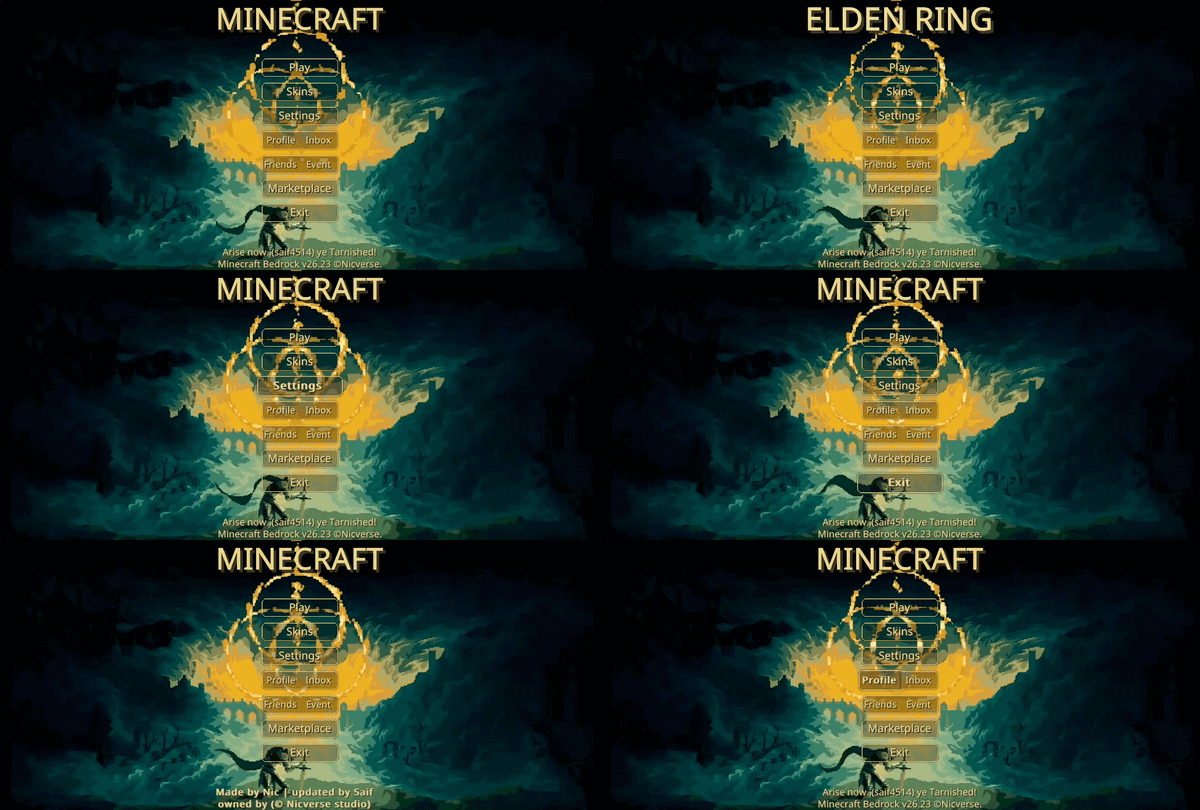
Minecraft 26.30 için Animated Elden Ring UI Kaynak paketi
Armor Reimagined paketinin temiz bir yeniden yapımı! Sade tarzda yeniden tasarlanmış zırh, parlayan zırh süslemeleri ve Action & Stuff ile kusursuz uyumluluk sunar.
Animated Elden Ring UI kaynak paketi hakkında
Bare Bones Armor Reimagined
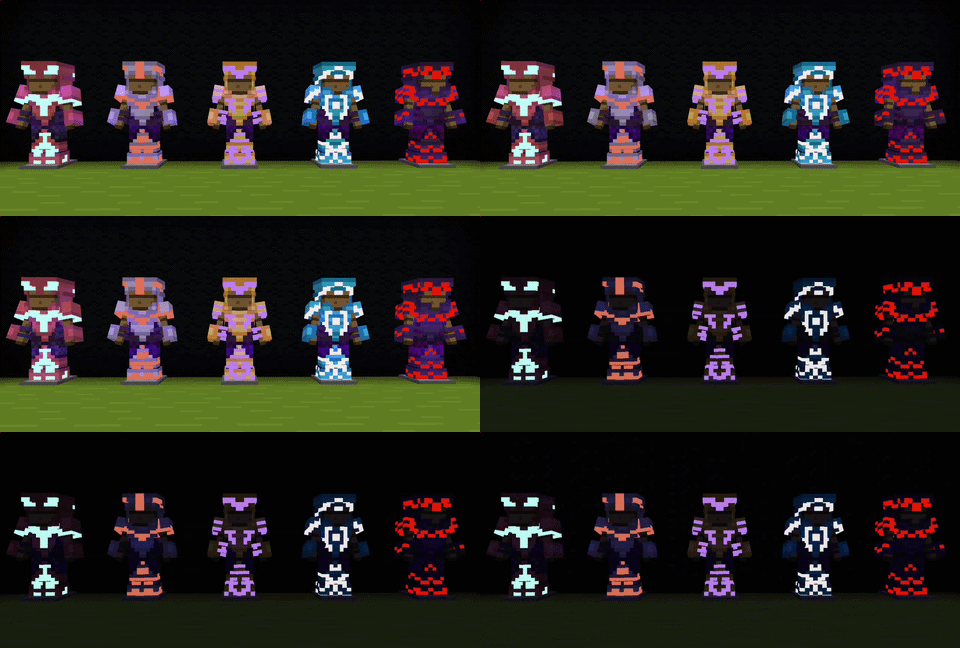
This pack is a Bare Bones styled remake of the classic Armor Reimagined. It gives your armor a fresh, creatively reimagined shape while keeping the beloved, smooth Bare Bones aesthetic. The codes have been entirely fixed, and Glowing Trims have been added to complete the experience!
✨ Fully supports and works perfectly with the Action & Stuff pack! ✨
🛡️ Armor Showcase 🛡️
✨ Glowing Armor Trims ✨
Stand out in the dark! This pack includes glowing armor trims
(Note: Glowing Trims feature does not support Vibrant Visuals)
⭐ Recommended Packs & Add-ons ⭐
Want epic 3D models for your armor? Check out the 3D Edition!
👉 BARE BONES ARMOR REIMAGINED 3D (CLICK HERE) 👈
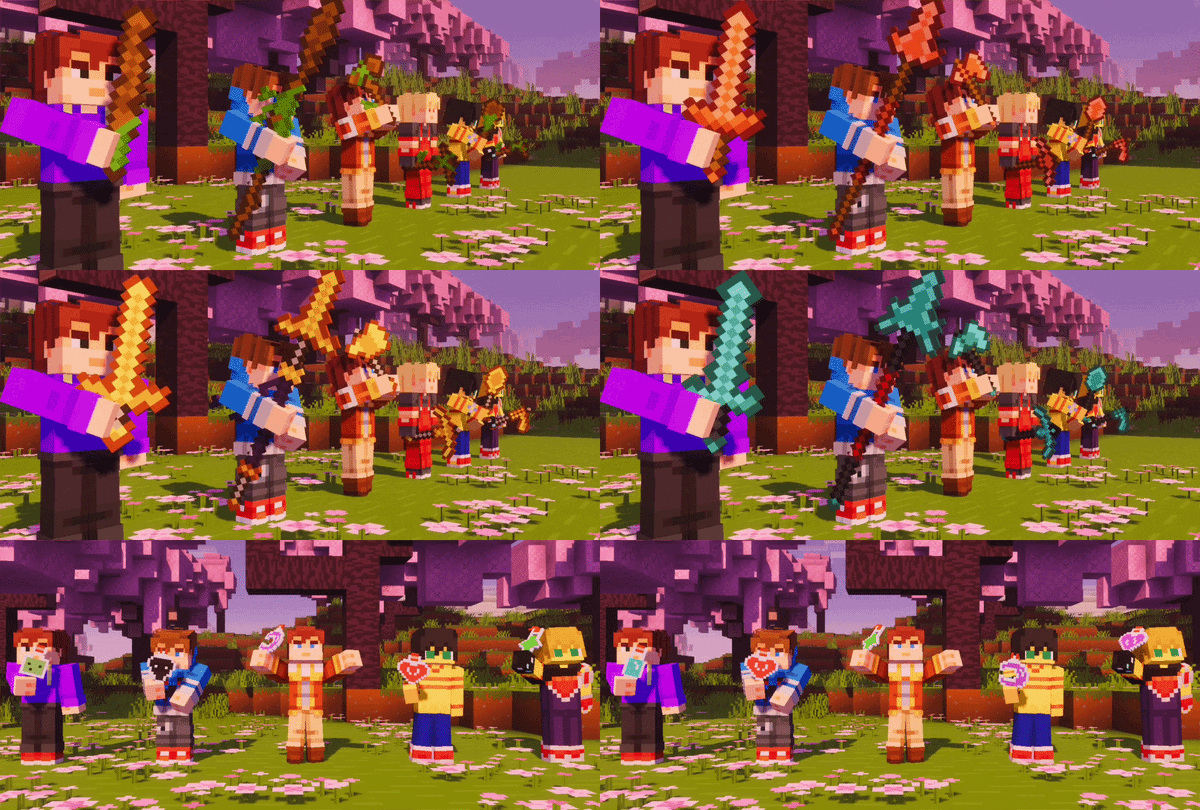
Complete the look with the perfectly matching Tools & Potions pack!
👉 BARE BONES REIMAGINED TOOLS (CLICK HERE) 👈
📌 Recommended Load Order 📌
To ensure everything works flawlessly, place this pack at the TOP of your active packs. It must be above Bare Bones, and if you are using Action & Stuff, make sure this pack is placed above it as well.
❤︎ Special Thanks & Credits ❤︎
• Huge thanks to KhalMika for giving me the permission to create and publish this remake. • Special thanks to Nic for giving me permission to use his codes and for helping me fix the pack's codes to work perfectly.
KHALMIKA (PROFILE) | NIC (PROFILE)
⚠️ Terms & Policy ⚠️
You are strictly prohibited from modifying, stealing, or reusing any assets from this pack. If you are making a review, you must link to the original download page in your description.
For full details, please read the TERMS & POLICY (LINK).
Animated Elden Ring UI nasıl kurulur
With Millida Launcher
Install Millida Launcher
The launcher is free: download it at millida.net/launcher and sign in with any nickname.
Click “Install” on this page
The launcher opens and installs the resource pack for Minecraft 26.10–26.30 automatically.
Launch the game
A profile with it appears in the launcher: click “Play”.
Manually
Download the archive
Pick the file Animated Elden Ring UI.mcpack (28 MB) for your game version. No need to unpack it.
Put it in the resourcepacks folder
The easiest way: “Options”, then “Resource Packs”, then “Open Pack Folder”, and drag the archive there.
Enable the pack
In the same window, move the pack to the right-hand “Selected” column and click “Done”.
Sürümler
Bağımlılıklarla
| Minecraft | Yükleyici | Dosya | Tarih | İşlemler |
|---|---|---|---|---|
| 26.10 | — | Animated Elden Ring UI.mcpack28.4 MB |
SSS
Which Minecraft versions does Animated Elden Ring UI work on?
There are files for 26.30, 26.20, 26.13, 26.12, 26.11, 26.10. The newest is 26.30.
Where can I download Animated Elden Ring UI safely?
On this page: the file Animated Elden Ring UI.mcpack (28 MB) is stored on Millida’s server, with no link shorteners. SHA-1 checksum: 92a923539243c7a99ae9eaf1159cb3de7027aabe.
Yorumlar
Animated Elden Ring UI için ilk puanı sen ver



