

Minecraft 1.20.1, 1.21.1 için Salicylic Shaders
SalicylicShaders, Minecraft'a sinematik ve atmosferik bir görünüm kazandırır.
 Fabric
 OptiFine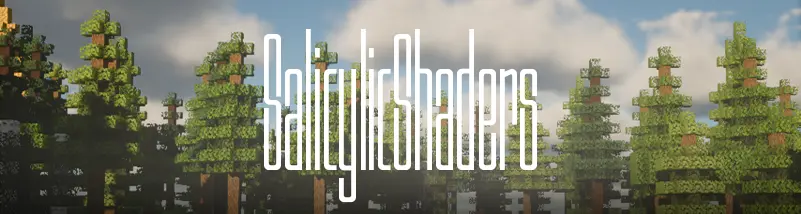
SalicylicShaders
Let's kill your devices..
SalicylicShaders is built around one obsession: reflections that actually feel real. Rivers, lakes, wet farmland, and rain-slicked paths don't just shimmer they pull in the world around them. Foliage, buildings, torches, lightning, moonlight it all bounces back at you with a polish that turns an ordinary walk through the rain into something out of a film.
Layer that on top of soft, sculpted volumetric clouds rolling across a fully tuned lighting, fog, and post-processing stack, and you get a world that feels alive whether it's high noon or the middle of a thunderstorm.

Signature Look
- Dynamic wet reflections - water, mud, and rain-soaked stone reflect ambient and artificial light in real time
- Cinematic storms - nighttime and stormy weather get a slick, moody upgrade
- Volumetric clouds - layered depth that makes the sky feel like part of the terrain, not a backdrop
- Full atmosphere control - fine-tuned lighting, fog, and post-processing for exactly the mood you want

Compatibility
SalicylicShaders is fully compatible with Voxy, Distant Horizons, and Iris, so you can run it alongside extended render-distance mods and performance optimizations without conflicts or visual glitches. Whether you're using Iris for smoother FPS or Distant Horizons/Voxy for far-render terrain, this shader pack integrates cleanly into your setup.
Cool Features
Flip the switch on a dedicated Cool Features panel and turn your realistic renders into something delightfully broken-on-purpose:
Effect - What it does
Old TV - Scanlines, density, and CRT curve strength CRT Flicker - Adjustable flicker + bar sizing Letterbox - Cinematic black bars, adjustable size VHS - Wobble, grain, and color bleed Digital Glitch - Block-count and RGB split distortion
Stack them, tune them, or leave them off entirely — the choice between "cinematic realism" and "haunted VHS tape" is entirely yours.
License
Released under the MIT License - free to use, modify, and distribute.
Salicylic Shaders nasıl kurulur
With Millida Launcher
Install Millida Launcher
The launcher is free: download it at millida.net/launcher and sign in with any nickname.
Click “Install” on this page
The launcher opens and installs the shaders for Minecraft 1.19–26.2 automatically.
Launch the game
A profile with it appears in the launcher: click “Play”.
Manually
Install Iris or OptiFine
Without a shader mod the game cannot see shaders. Install it for the same Minecraft version.
Download the shader archive
Pick the file SalicylicShaders_v1.zip (171 KB) and do not unpack it.
Put it in the shaderpacks folder
“Options”, then “Video Settings”, then “Shader Packs”, then “Open Shader Pack Folder”, and drag the archive there.
Select the shaders
In the same window, click the pack name and “Apply”.
Sürümler
Bağımlılıklarla
| Minecraft | Yükleyici | Dosya | Tarih | İşlemler |
|---|---|---|---|---|
| 26.1 | Iris, OptiFine | 26.1171 KB 5 | ||
| 1.21.11 | Iris, OptiFine | 1.21.11171 KB | ||
| 1.21 | Iris, OptiFine | 1.21171 KB | ||
| 1.20.1 | Iris, OptiFine | 1.20.1171 KB 3 | ||
| 1.19.2 | Iris, OptiFine | 1.19.2171 KB | ||
| 26.2 | Iris, OptiFine | 26.2171 KB 1 | — |
Yorumlar
Salicylic Shaders için ilk puanı sen ver


