

Minecraft 1.20.1, 1.21.1 için Allium Shaders
Allium, bir Complementary Unbound düzenlemesi. Yaratıcılığı sınırlarına kadar zorlayın.
- indirme
- 17 indirme
- görüntülenme
- 79 görüntülenme
- Güncellendi
- Güncellendi 04.09.2026
- 1.8.9 — 1.21.11
 Fabric
- İstemci
Allium Shaders

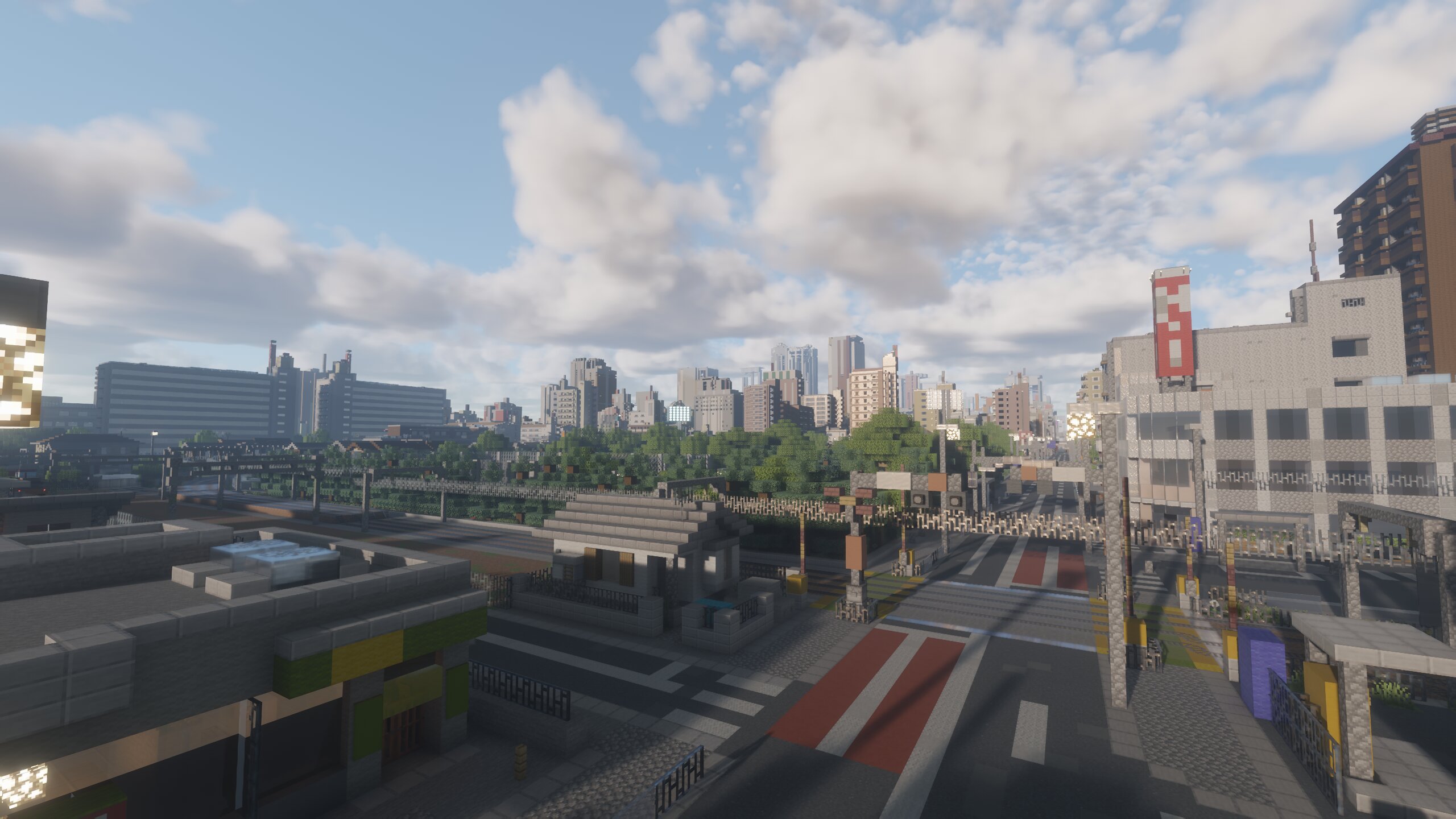
Allium is an edit of Complementary Unbound focused on bringing my creative vision to life. Emphasizing the beauty in colors and effects, all while staying as performant as it can be. With Allium, I hope to deliver a unique style and aesthetic that pushes my creativity to it's limits.
v2.0 has received a massive overhaul on it's overall look, feel and atmospherics. Even though this shader is fairly young and hasn't received much updates, I began to feel as if the appearance was not going in a direction that I had originally intended. So I've spent the past couple of months revisioning what Allium should be, and what should have been. Although it's not perfect, I have been fairly happy with how it has turned out and wanted to share it with you all. Cheers! :)

Huge Thanks
- Emin for using Complementary Unbound as the base shader
- Query for their wonderful LUT code from MollyVX
- Xonk for their RTGI and RTAO implementation

ANNOUNCEMENTS
This shader is going through a complete rewrite and will be based on my other shader Serie, so I am unsure when the next update for this shader will be out.
If you would like to check out serie you can click this link!
About Minecraft 26.x and Vulkan
Support is planned but is not a main priority. As of right now, Serie is my main focus in development, and will ultimately effect when support for 26.x and vulkan comes to Allium. I am planning to update Allium once a rewrite or support has been appliedd to Serie.
Beta & Release Versions
Beta
Beta versions are the most recent builds and are released regularly for public testing. If you encounter any issues, please report them.
Beta Versions here on modrinth are also limited, as they are the most stable build I am able to give out, if you want the most up to date unstable versions for testing you can visit Allium's Github Page
Release
Releases are stable, polished versions that result from thorough testing and iteration during the in-development phase. These builds are intended for general use and offer the best balance of visuals, performance, and reliability.
There are no official releases yet...
Bug Reporting
If you happen to find any bugs, please report them on the Github Page by:
1. Create a New Issue
- Go to the Issues section and click on "New Issue".
2. Provide a Clear Title and Description
- Summarize the problem in the title.
- In the description, include as much detail as possible.
3. Attach Relevant Media and Logs
- Include screenshots or, if applicable, videos to illustrate the issue.
- Upload log files if applicable.
Allium Shaders nasıl kurulur
With Millida Launcher
Install Millida Launcher
The launcher is free: download it at millida.net/launcher and sign in with any nickname.
Click “Install” on this page
The launcher opens and installs the shaders for Minecraft 1.8.9–1.21.11 automatically.
Launch the game
A profile with it appears in the launcher: click “Play”.
Manually
Install Iris
Without a shader mod the game cannot see shaders. Install it for the same Minecraft version.
Download the shader archive
Pick the file Allium v2.1.2.zip (14 MB) and do not unpack it.
Put it in the shaderpacks folder
“Options”, then “Video Settings”, then “Shader Packs”, then “Open Shader Pack Folder”, and drag the archive there.
Select the shaders
In the same window, click the pack name and “Apply”.
Sürümler
Bağımlılıklarla
| Minecraft | Yükleyici | Dosya | Tarih | İşlemler |
|---|---|---|---|---|
| 1.17.1 | Iris | 1.17.113.6 MB 13 | ||
| 1.15.2 | Iris | 1.15.213.6 MB | ||
| 1.14.4 | Iris | 1.14.413.6 MB 3 | ||
| 1.21.11 | Iris | 1.21.1113.6 MB | — | |
| 1.21 | Iris | 1.2113.6 MB | — | |
| 1.20.1 | Iris | 1.20.113.6 MB | — | |
| 1.19.2 | Iris | 1.19.213.6 MB | — | |
| 1.18.2 | Iris | 1.18.213.6 MB | — |
Yorumlar
Allium Shaders için ilk puanı sen ver


