

Minecraft için Bukkit RemoteController Eklenti
Çalışan Bukkit sunucusunu yönetmenizi sağlar.
Bukkit RemoteController
I'm Japanese and I'm not good at English. So I may make mistakes in my English.

Summary
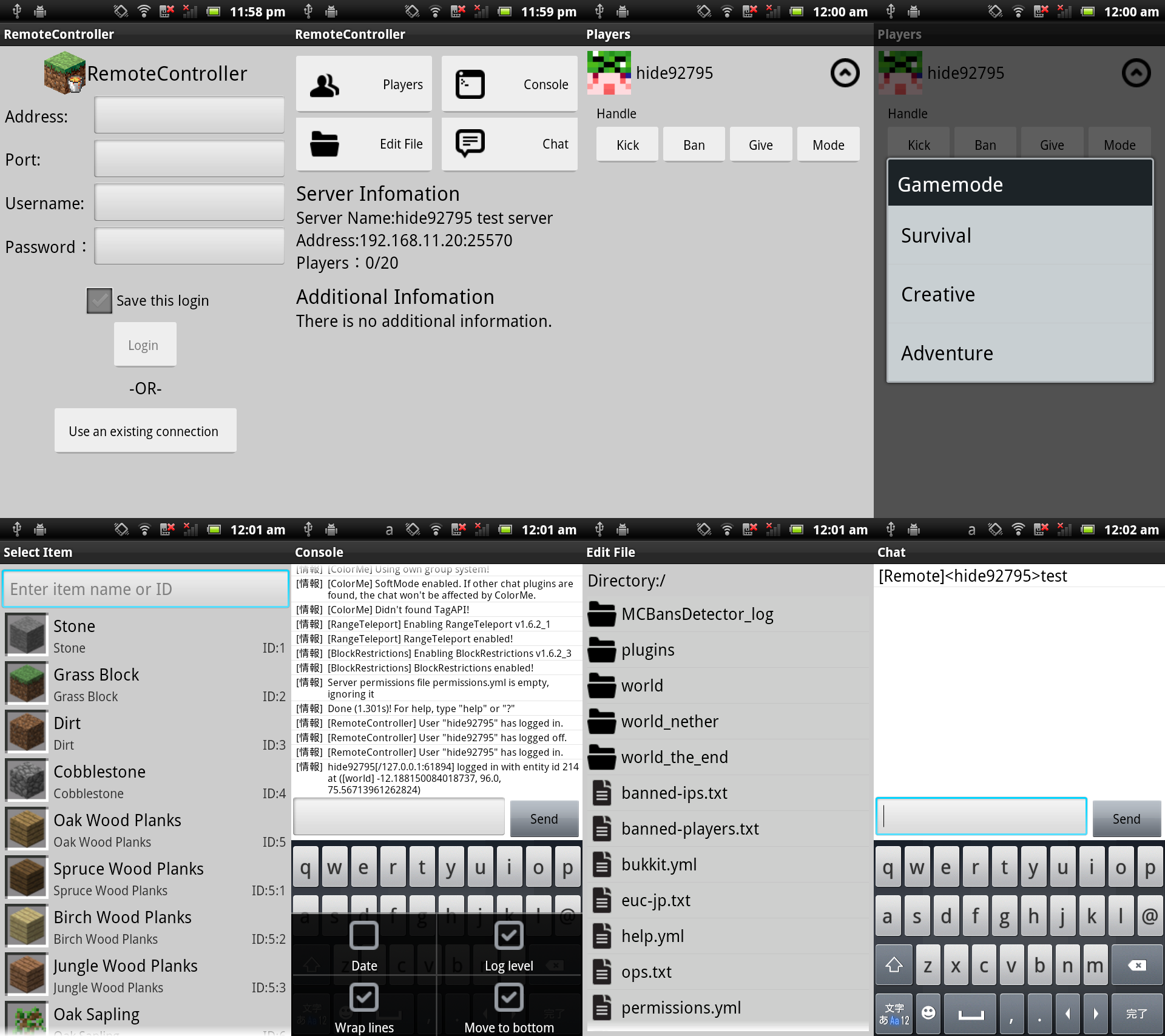
Bukkit RemoteController is a plugin that allows you to operate Bukkit by remote control. You can control player (Kick, Ban, Give and Gamemode commands), show console, chat and dynmap and edit files. Currently, Android client is available.
Installation
This plugin requires JRE7 or later. See the setup guide here.
Server
RemoteController supports following version of Bukkit. CB 1.7.2-R0.2 CB 1.6.4-R2.0 CB 1.6.4-R1.0 CB 1.6.2-R1.0 CB 1.5.2-R1.0 CB 1.4.7-R1.0 CB 1.4.5-R1.0 CB 1.3.2-R2.0 CB 1.2.5-R5.0
Client
RemoteController for android (Client) requires Android 2.3 or later. You can download from Google Play. If you don't have Play store, you can download apk from here.
Config
See the config here.
Languages
See the list of available languages here.
Commands & Permissions
See the commands and permissions here.
License
- RemoteController (Plugin) : General Public License(GPL) v3.0 or later
- RemoteController for Android : Creative Commons Attribution-NonCommercial-ShareAlike 3.0 Unported
Source Code
Source code hosted on Github. See here
API
How to add your plugin's info to "Additional Info" area is here.
Donate
Currently, donation is available on Android app. If you like this app, I'd appreciate it if you donate to me. Please read point to notice that is on app.
TODO
- Add dynmap feature.(v1.6.2_5)
- an show colored strings.(v1.6.2_3)
- Create iOS(Web app) version.
Bukkit RemoteController nasıl kurulur
A server on Paper or Spigot
The plugin runs on the server core; players do not need to install anything.
File goes into the plugins folder
Download the file RemoteController_v1.7.2_3.jar (380 KB) and put it into the server’s plugins folder.
Restart the server
On startup the plugin creates its own settings folder in plugins.
Or use the “To hosting” button
On Millida Hosting, the button at the top of the page uploads the file to your server and restarts it for you.
Sürümler
Bağımlılıklarla
| Minecraft | Yükleyici | Dosya | Tarih | İşlemler |
|---|---|---|---|---|
| — | — | RemoteController v1.7.2_3380 KB | ||
| — | — | RemoteController v1.6.2_356.7 KB |
Yorumlar
Bukkit RemoteController için ilk puanı sen ver


