
Minecraft 1.20.1, 26.1.2 için XyCraft: World Mod
XyCraft için Dünya Üretimi
 NeoForge
 Forge
XyCraft: World modu hakkında
Dünya oluşumu ve cevherler burada! Dünyanın her yerinde ortaya çıkarılacak gizemler var, bunlardan biri de ışıldayan Xychorium!
Özet:
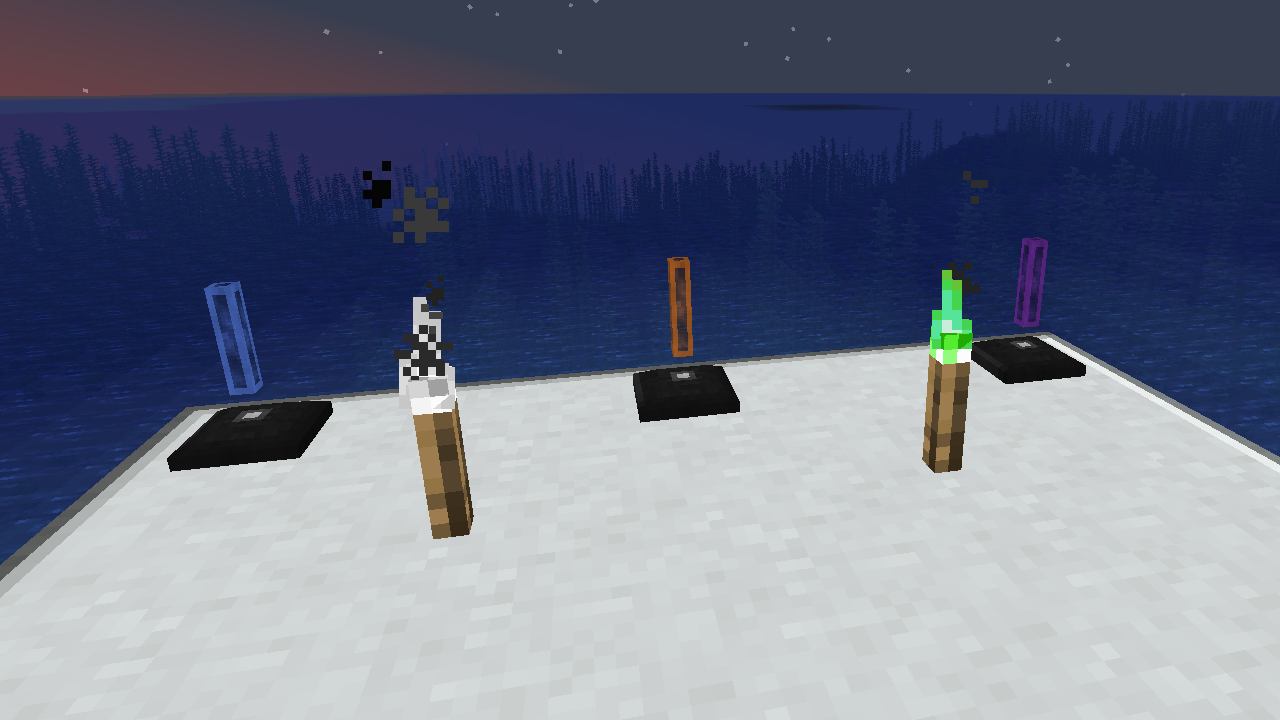
XyCraft World, çoğu modun gerekli bir bileşenidir ve bu muhtemelen Core içine paketlenebilirdi, ancak harici geliştiricilere dünya oluşumu yönünü gerektirmeyen araçlar sağlama konusunda bazı tartışmalar vardı. Tam da bu nedenle bu ayrıldı. Her türlü dünya oluşumu veya keşif bu modülde yer alacaktır.
Özellikler:
- Tüm XyCraft modülleri için dünya oluşumunu sağlar
- Xychorium ve Alüminyum gibi uygun etiketlere sahip malzemeler
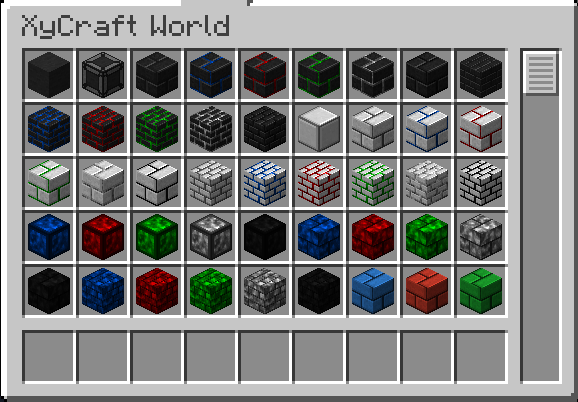
- İkonik XyCraft bulut ve parıltı efektini kullanan dekoratif bloklar ekler
Planlanan:
- Bir konseptte Satisfactory benzeri cevher düğümleri.
- Oyuncu için daha fazla keşif ödülü
- Malzemelerin nerede bulunacağı ve onlarla ne yapılacağına dair oyun içi rehberlik.
- Mısır ve domates gibi yiyecek/bitki öğeleri.
- Muhtemelen bir boyut, ancak gerçekleşirse bu şu anki yol haritasında yok.
- Cevherleri kazmaktan düşen deneyim.
- Daha fazla blok varyasyonu ve seçeneği.
XyCraft: World nasıl kurulur
With Millida Launcher
Install Millida Launcher
The launcher is free: download it at millida.net/launcher and sign in with any nickname.
Click “Install” on this page
The launcher opens and installs the mod for Minecraft 1.20.1–26.1.2 on Forge or NeoForge automatically.
Launch the game
A profile with it appears in the launcher: click “Play”.
Manually
Install Forge or NeoForge
The loader must match the game version of the mod file, for example Minecraft 26.1.2. After installing it, a separate profile appears in your launcher.
Download the file for your version
In the version list above, pick the file xycraft-world-0.9.2.jar (1.8 MB) for your game version and loader.
Put it in the mods folder
The folder is inside .minecraft (Windows: %appdata%\.minecraft\mods). If it does not exist, create it.
Launch the loader profile
Open “Mods” in the main menu: XyCraft: World should be in the list.
Sürümler
Bağımlılıklarla
| Minecraft | Yükleyici | Dosya | Tarih | İşlemler |
|---|---|---|---|---|
| 26.1.2 | NeoForge | XyCraft World 0.9.21.8 MB | ||
| 26.1.2 | NeoForge | XyCraft World 0.9.0-beta.211.8 MB | ||
| 1.20.1 | NeoForge, Forge | XyCraft World v0.6.222.7 MB |
SSS
Which Minecraft versions does XyCraft: World work on?
There are files for 26.1.2, 1.20.1. The newest is 26.1.2.
Is XyCraft: World for Forge or Fabric?
There are files for Forge: 1.20.1 and for NeoForge: 1.20.1–26.1.2. There are no files for Fabric: a mod for another loader will not start.
Does XyCraft: World need other mods?
The author lists no required dependencies: the Forge or NeoForge loader is enough.
Where can I download XyCraft: World safely?
On this page: the file xycraft-world-0.9.2.jar (1.8 MB) is stored on Millida’s server, with no link shorteners. SHA-1 checksum: 7ecf6a0a0efb57e97b1b768e264f444259a325d0.
Yorumlar
XyCraft: World için ilk puanı sen ver


