
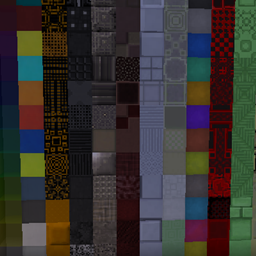
Minecraft 1.20.1, 1.19.2 için Xtones Reworked Mod
Çeşitli modern, fütüristik ve fantastik tarzda dekoratif yapı blokları ekleyen Xtones Modunun portu
 NeoForge
 Forge
ForgeXtones Reworked modu hakkında
Mod güncellemesi durduruldu. Lütfen riciJak tarafından yapılan BetterBlockZ modunu kullanın:
https:/www.curseforge.com/minecraft/mc-mods/betterblockz

Xtones Reworked
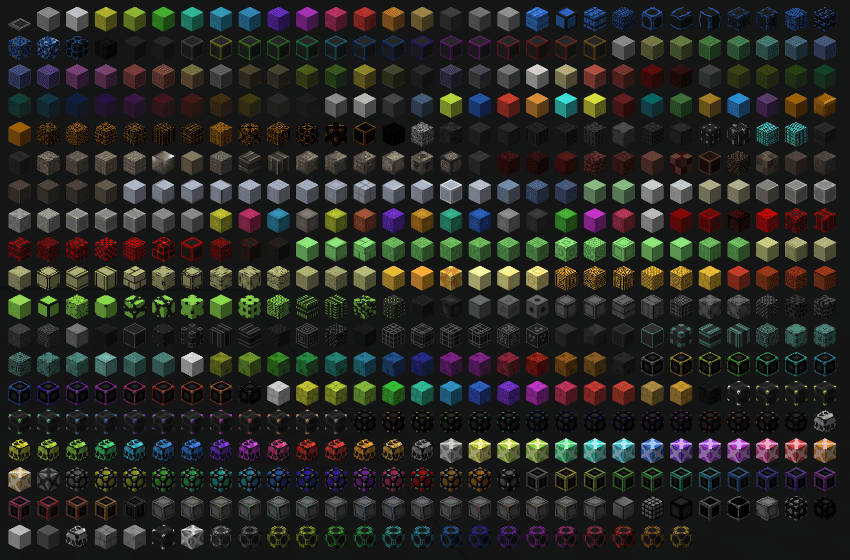
Xtones Reworked, Minecraft 1.19.2 ve üzeri sürümler için çeşitli modern, fütüristik ve fantastik tarzda dekoratif yapı blokları ve bir lamba ekleyen bir moddur!
Bu mod, inşa ve dekorasyon için kullanılabilecek 512 farklı yapı bloğu ekler.. Orijinal Xtones modunda da bulunan 34 orijinal blok çeşidini 15 alt varyantıyla birlikte bulacaksınız.
Agon veya Kryp gibi temel blokları basit bir tarifle üretebilir, ardından bunları boya tarifleriyle veya taş kesiciyle farklı varyantlara dönüştürebilirsiniz.
TehNut'un Xtones Modunun bir portudur. Kod sıfırdan yeniden yazıldı ve mevcut dokular korundu.
Not
Forge desteğine devam etmeyeceğim ve Neoforged'e odaklanacağım, ancak bu mod için bir fabric projesini desteklemeye başlayacağım.
Xtones Reworked nasıl kurulur
With Millida Launcher
Install Millida Launcher
The launcher is free: download it at millida.net/launcher and sign in with any nickname.
Click “Install” on this page
The launcher opens and installs the mod for Minecraft 1.19.2–1.21.10 on Forge or NeoForge automatically.
Launch the game
A profile with it appears in the launcher: click “Play”.
Manually
Install Forge or NeoForge
The loader must match the game version of the mod file, for example Minecraft 1.21.10. After installing it, a separate profile appears in your launcher.
Download the file for your version
In the version list above, pick the file xtonesreworked-1.0.0-1.21.9.jar (1.3 MB) for your game version and loader.
Put it in the mods folder
The folder is inside .minecraft (Windows: %appdata%\.minecraft\mods). If it does not exist, create it.
Launch the loader profile
Open “Mods” in the main menu: Xtones Reworked should be in the list.
Minecraft 1.21.10 runs on Java 21: with a different Java version the game may close right after launch.
Sürümler
Bağımlılıklarla
| Minecraft | Yükleyici | Dosya | Tarih | İşlemler |
|---|---|---|---|---|
| 1.21.9 | NeoForge | xtonesreworked-1.0.0-1.21.9-1.21.x.jar1.3 MB | ||
| 1.20.1 | Forge | xtonesreworked-1.0.4-F_1.20.1-47.2.0.jar1.3 MB | ||
| 1.19.2 | — | xtonesreworked-1.0.1-1.19.2.jar1.3 MB |
Yorumlar
Xtones Reworked için ilk puanı sen ver


