
 NeoForge
 Forge
Tropicraft modu hakkında
Are Vanilla beaches not doing it for you? Are the long hours of mining wearing you down? Get ready for the Minecraft vacation of a lifetime! Introducing...
Tropicraft is a mod that adds a tropical dimension into your Minecraft world.
Founded in 2011, Tropicraft is one of the oldest Minecraft mods still being actively updated.
Explore the dense tropical rainforests, build a sand castle on the vast beaches, or go diving in the deep oceans!
Screenshots
Getting to the Tropics
- Craft a beach chair (available in all 16 wool colors)
- Craft a Piña Colada (All combinations of pineapples, coconuts, and chunks can create this)
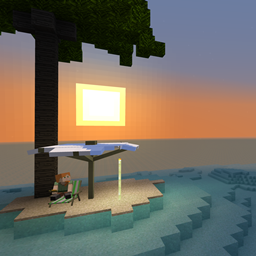
- Sip your drink in your beach chair at sunset
- Find out what happens next for yourself!
Support
We can provide support via our Discord Guild. If you don't want to create a Discord account, reach out via the Discussions tab above! You can also file any issues that you encounter on our GitHub issue tracker.
Modpacks
Tropicraft can be used in any Public & Private Modpack without permission. Feel free to reach out to us via Discord and let us know how you're using Tropicraft!
Love Tropics
Love Tropics is a weekend-long charity livestream founded by the Tropicraft Devs, and is focused on raising funds to fight climate change in the regions impacted the most.
Since inception in 2017, over US$250,000 has been raised for various different causes.
Click on the link above to learn more about the event.
Tropicraft nasıl kurulur
With Millida Launcher
Install Millida Launcher
The launcher is free: download it at millida.net/launcher and sign in with any nickname.
Click “Install” on this page
The launcher opens and installs the mod for Minecraft 1.12.2–26.2 on Forge or NeoForge automatically.
Launch the game
A profile with it appears in the launcher: click “Play”.
Manually
Install Forge or NeoForge
The loader must match the game version of the mod file, for example Minecraft 26.2. After installing it, a separate profile appears in your launcher.
Download the file for your version
In the version list above, pick the file Tropicraft-9.11.3.jar (19 MB) for your game version and loader.
Put it in the mods folder
The folder is inside .minecraft (Windows: %appdata%\.minecraft\mods). If it does not exist, create it.
Launch the loader profile
Open “Mods” in the main menu: Tropicraft should be in the list.
Sürümler
Bağımlılıklarla
| Minecraft | Yükleyici | Dosya | Tarih | İşlemler |
|---|---|---|---|---|
| 26.2 | NeoForge | 9.11.3+26.218.7 MB | ||
| 1.18.2 | Forge | 9.4.1-1.18.218 MB | ||
| 1.16.5 | Forge | Tropicraft - 9.0.1-beta+6417.7 MB | ||
| 1.12.2 | — | Tropicraft - 7.1.9.11524.2 MB | ||
| 1.12.2 | — | Tropicraft - 7.1.8.10524.2 MB |
SSS
Which Minecraft versions does Tropicraft work on?
There are files for 26.2, 1.18.2, 1.16.5, 1.12.2. The newest is 26.2.
Is Tropicraft for Forge or Fabric?
There are files for Forge: 1.16.5–1.18.2 and for NeoForge: 26.2. There are no files for Fabric: a mod for another loader will not start.
Does Tropicraft need other mods?
The author lists no required dependencies: the Forge or NeoForge loader is enough.
Where can I download Tropicraft safely?
On this page: the file Tropicraft-9.11.3.jar (19 MB) is stored on Millida’s server, with no link shorteners. SHA-1 checksum: 24cb07a8937d7efdc09e9ccf02706e6150b66e6d.
Yorumlar
Tropicraft için ilk puanı sen ver


