

Minecraft 1.20.1, 26.1.2 için Trade Refresh Mod
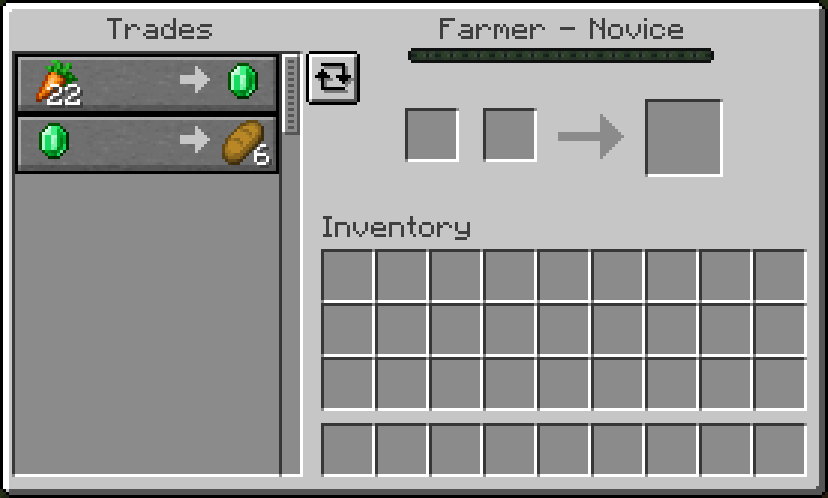
Arayüz içi takas yenileme tuşu
 NeoForge
 Forge
Trade Refresh modu hakkında
Discord: https://discord.gg/BCHNhsDMXz
1.19.4 / 1.20.1 / 1.21.1 / 26.1: No Dependency
1.19.2 Dependency: L2Library
This mod adds a button in the trading menu that allows player to refresh the trade of an un-traded villager with one click. This is equivalent to breaking and placing the workstation again, but saves player some time.
Refresh can also be bound to a key, allowing faster refresh.
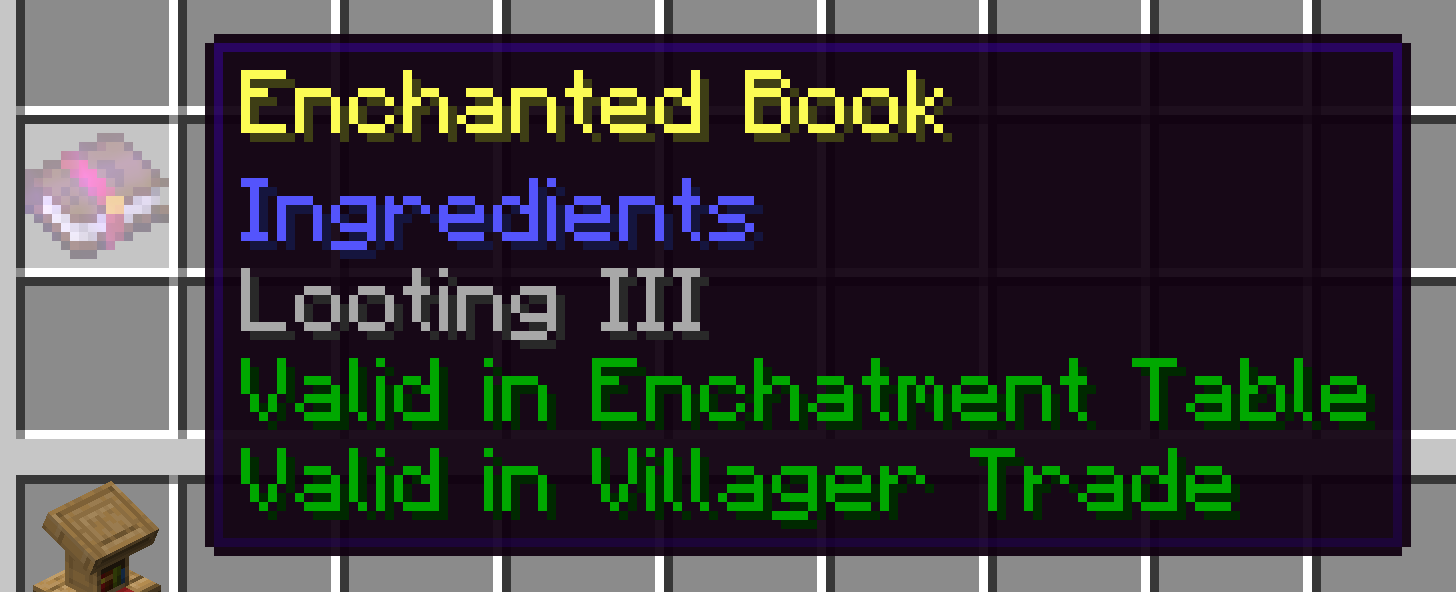
(1.20.1+) If you jave JEI/EMI/REI installed, you can hover over an item in JEI/EMI/REI and press refresh key. It will keep refreshing until the hovered item appears in the trade. Helps you to get the enchantment book you want.
Enchantment Table/Trade Control (1.20.1 only)
In 2.4.2, you can also control whether to allow enchantments to be permitted in enchantment tables and trades (note that you can only restrict them if they are allowed originally. If they are not allowed at the beginning, you cannot do anything about it). It supports whitelist/blacklist in mod ID or enchantment ID, making it easier to control.
Trade Refresh nasıl kurulur
With Millida Launcher
Install Millida Launcher
The launcher is free: download it at millida.net/launcher and sign in with any nickname.
Click “Install” on this page
The launcher opens and installs the mod for Minecraft 1.20.1–26.1.2 on Forge or NeoForge automatically.
Launch the game
A profile with it appears in the launcher: click “Play”.
Manually
Install Forge or NeoForge
The loader must match the game version of the mod file, for example Minecraft 26.1.2. After installing it, a separate profile appears in your launcher.
Download the file for your version
In the version list above, pick the file traderefresh-26.1.0.4.jar (135 KB) for your game version and loader.
Put it in the mods folder
The folder is inside .minecraft (Windows: %appdata%\.minecraft\mods). If it does not exist, create it.
Launch the loader profile
Open “Mods” in the main menu: Trade Refresh should be in the list.
Sürümler
Bağımlılıklarla
| Minecraft | Yükleyici | Dosya | Tarih | İşlemler |
|---|---|---|---|---|
| 1.20.1 | Forge, NeoForge | traderefresh-2.5.2.jar111 KB 11 | ||
| 26.1 | NeoForge | traderefresh-26.1.0.4.jar135 KB |
SSS
Which Minecraft versions does Trade Refresh work on?
There are files for 26.1.2, 26.1.1, 26.1, 1.20.1. The newest is 26.1.2.
Is Trade Refresh for Forge or Fabric?
There are files for Forge: 1.20.1 and for NeoForge: 1.20.1–26.1.2. There are no files for Fabric: a mod for another loader will not start.
Does Trade Refresh need other mods?
The author lists no required dependencies: the Forge or NeoForge loader is enough.
How do I download Trade Refresh?
With Millida Launcher: it installs Trade Refresh into a modpack by itself, for the right game version and loader. The launcher is free.
Yorumlar
Trade Refresh için ilk puanı sen ver


