
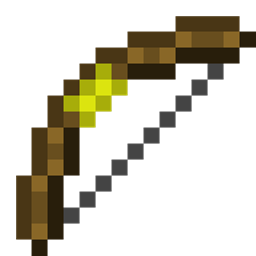
Minecraft 1.20.1, 1.21.11 için TorchBowMod Mod
Meşale atabilen ve yerleştirebilen yay
 Forge
Forge Fabric
 NeoForge
 Quilt
QuiltTorchBowMod
📢 Update Notice
- 2025/09/20
- Forge 1.21.5 support
- NeoForge, Fabric 1.21.5 ~ 1.21.7 support
- 2025/09/15
- Forge, NeoForge, Fabric 1.21.1 and 1.21.8 support
- 2025/02/23
- NeoForge 1.21.4: Added support for Ceiling Torch
- 2023/06/19
- Quilt 1.20.1 support
Note: When requesting addition of other mods compatibility or support for a new Minecraft version, please specify either Forge , NeoForge or Fabric.
📮 Contact Us
🔗 nkun.dev - Contact

🌐 Community
💬 Discord TorchBowMod
🔥 What does this mod do?
This mod adds a bow that can shoot and set up torches.
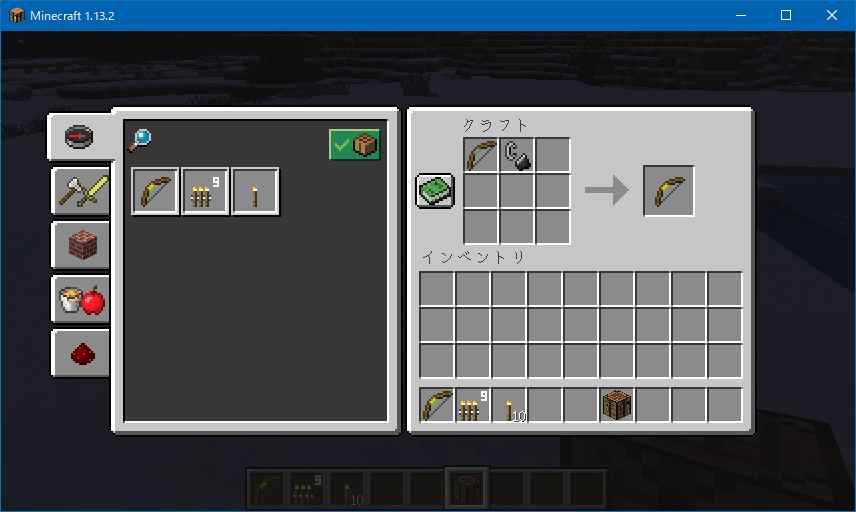
🛠️ Recipes
- Torch Bow
- Multi Torch
- Torch Arrow
🔧 How to repair
You can repair the TorchBow by using Flint and Steel on an anvil. Available on Minecraft 1.14.x and higher only.
🎯 How to use
Requires Forge, NeoForge, Fabric, or Quilt.
Torch Bow
Consumes torches (or multi-torches) from your inventory and shoots them to place torches.
Multi Torch
Shoots and places nine torches at once.
Torch Arrow
Can be shot using a vanilla bow. Places torches on the ground. Of course, it also works with the TorchBow.
🧩 Supported Mods
✅ Minecraft 1.21.1 and later
(only for TorchBowMod version 1.1.0 or higher)
TorchBowMod now automatically supports torch items whose blocks extend WallTorchBlock.
- Verified with the following mods:
- MoreTorchVariants (except Redstone Torch) — 1.21.4 [Fabric]
- Adorn (Stone Torch) — 1.21.1 [NeoForge/Fabric]
- More Beautiful Torches (except Redstone Torch) — 1.21.1 [Forge/NeoForge/Fabric]
- Colored Torches (all torches) — 1.21.4 [NeoForge]
In addition, for NeoForge builds, if Ceiling Torch is installed, you can also place torches on the underside of blocks.
🕹️ Minecraft 1.7.10 ~ 1.16.2
Only the Forge version of TorchBowMod is compatible with these mods.
- StorageBox
- MoreInventoryMod
- Silent's Gems
- Torch Bandoiler
- Galacticraft
- Ceiling Torch
🌍 Language Support
- Japanese (日本語)
- English (英語)
- German (ドイツ語)
- Russian (ロシア語)
- Korean (韓国語)
- Chinese (繁体字)
📎 Other
- Twitter: 🍢🐟煮込みすぎたおでん🐟🍢 @noriokun4649
- Mail: noriokun.official.mail☆gmail.com (☆=@)
🎥 Video
- NicoNico: TorchBowMod
TorchBowMod nasıl kurulur
With Millida Launcher
Install Millida Launcher
The launcher is free: download it at millida.net/launcher and sign in with any nickname.
Click “Install” on this page
The launcher opens and installs the mod for Minecraft 1.7.10–1.21.11 on Fabric, Forge, NeoForge or Quilt automatically.
Launch the game
A profile with it appears in the launcher: click “Play”.
Manually
Install Fabric, Forge, NeoForge or Quilt
The loader must match the game version of the mod file, for example Minecraft 1.21.11. After installing it, a separate profile appears in your launcher.
Download the file for your version
In the version list above, pick the file TorchBowMod-Forge-1.21.11-v1.1.1.jar (39 KB) for your game version and loader.
Put it in the mods folder
The folder is inside .minecraft (Windows: %appdata%\.minecraft\mods). If it does not exist, create it.
Launch the loader profile
Open “Mods” in the main menu: TorchBowMod should be in the list.
Minecraft 1.21.11 runs on Java 21: with a different Java version the game may close right after launch.
Sürümler
Bağımlılıklarla
| Minecraft | Yükleyici | Dosya | Tarih | İşlemler |
|---|---|---|---|---|
| 1.21.11 | Forge | TorchBowMod-Forge-1.21.11-v1.1.1.jar39.4 KB | ||
| 1.21.4 | NeoForge | TorchBowMod-NeoForge-1.21.4-v1.1.1.jar42 KB | ||
| 1.21.11 | Fabric | TorchBowMod-Fabric-1.21.11-v1.1.0.jar42.1 KB 1 | ||
| 1.20.1 | Quilt | [1.20][Quilt]TorchBowMod_v1.0.jar39.9 KB | ||
| 1.16.3 | Forge | [1.16.1-1.16.3][Forge]TorchBowMod_v1.2-Beta.jar32.8 KB | ||
| 1.16.1 | Fabric | [1.16.x][fabric]TorchBowMod_v1.0-Beta.jar35.5 KB | ||
| 1.15.1 | Forge | [1.15.1]TorchBowMod_v1.1-Alpha.jar32.2 KB | ||
| 1.7.10 | — | [1.7.10]TorchBowMod_v1.428.3 KB |
Yorumlar
TorchBowMod için ilk puanı sen ver


