

Minecraft 1.20.1, 1.19.2 için The Pale Hound Mod
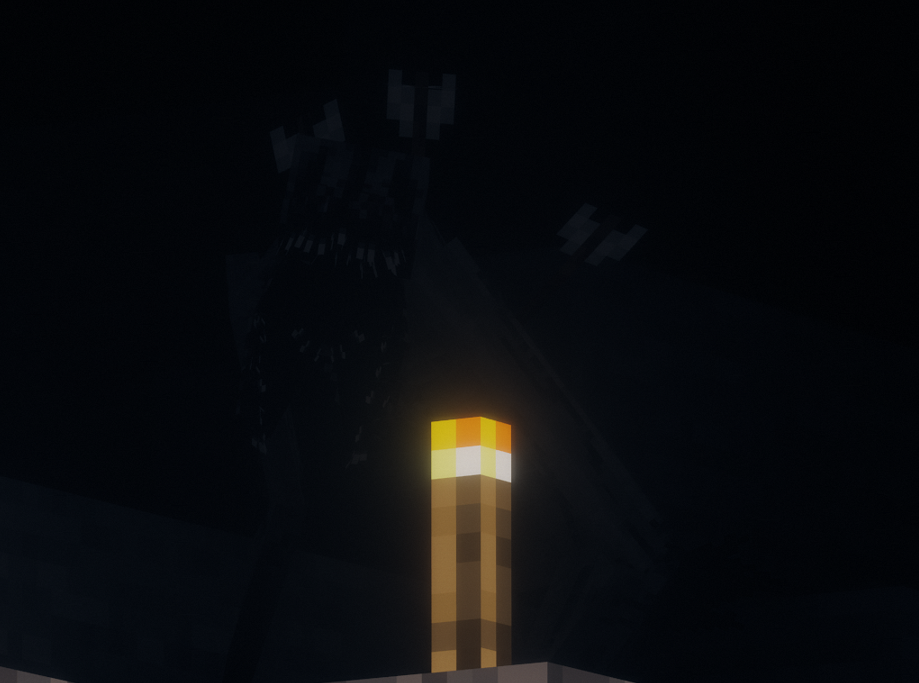
Sırtına hâlâ saplanmış oklarıyla, korkutucu doğasının bir hatırlatıcısı olarak duruyor. Soğuğun onu yavaşlatmadığı, "Yuva" dediği buzlu manzarada pusuya yatıyor.
- indirme
- 1 indirme
- görüntülenme
- 48 görüntülenme
- Güncellendi
- Güncellendi 29.10.2026
- 1.19.2 — 1.20.1
 Forge
- İstemci ve sunucu
The Pale Hound modu hakkında
"With arrows still lodged in its back, they serve as a reminder of its fearsome nature. Lurking in the icy landscape it calls "Home" where the cold has not slowed it down."
Hiding behind the blizzard and the darkness, this creature will hunt you down the moment you enter its domain. You won't know where it lurks... You won't know where the footsteps come from... But you will feel the starving void in its eyes piercing the back of your neck.

This mod greatly enhances the fearsome Cave Dweller, giving him better animations to make him feel more alive and a better texture to fit this creature's name. Making some changes in the model to create this terrifying entity.
I give huge credit to Gargin, Schpalrbo and Cadentem for making the great Cave Dweller. And to Llamii_Llama for helping me out with the AI!

Have fun! And remember... There are all sorts of things lurking in the dark.
Curseforge page
When updating, remember to delete the "pale_hound-server.toml" file from
your world folder to avoid malfunctions!
The file should be in:
" .minecraft\saves\"your_world"\serverconfig "
The Pale Hound nasıl kurulur
With Millida Launcher
Install Millida Launcher
The launcher is free: download it at millida.net/launcher and sign in with any nickname.
Click “Install” on this page
The launcher opens and installs the mod for Minecraft 1.19.2–1.20.1 on Forge automatically, together with its dependencies: Geckolib.
Launch the game
A profile with it appears in the launcher: click “Play”.
Manually
Install Forge
The loader must match the game version of the mod file, for example Minecraft 1.20.1. After installing it, a separate profile appears in your launcher.
Download the file for your version
In the version list above, pick the file Pale_Hound-1.20.1-1.10.0.jar (5.2 MB) for your game version.
Put it in the mods folder
The folder is inside .minecraft (Windows: %appdata%\.minecraft\mods). If it does not exist, create it. Required dependencies go there too: Geckolib.
Launch the loader profile
Open “Mods” in the main menu: The Pale Hound should be in the list.
On a server
A server on Forge
The mod only works on a server with the same loader and game version, for example 1.20.1.
File goes into the server’s mods folder
Stop the server, put the mod file into the mods folder and start the server again.
Use the “To server” button
On Millida Hosting, the button at the top of the page uploads the file to your server and restarts it for you.
Minecraft 1.20.1 runs on Java 17: with a different Java version the game may close right after launch.
Sürümler
Bağımlılıklarla
| Minecraft | Yükleyici | Dosya | Tarih | İşlemler |
|---|---|---|---|---|
| 1.20.1 | Forge | 1.20.15.2 MB | ||
| 1.19.2 | Forge | 1.19.25.2 MB 1 | ||
| 1.19.2 | Forge | 1.19.25.2 MB |
Çalışması için gerekenler
- Geckolibzorunlu
- Bliss Shadersisteğe bağlı
SSS
Which Minecraft versions does The Pale Hound work on?
There are files for 1.20.1, 1.19.2. The newest is 1.20.1.
Is The Pale Hound for Forge or Fabric?
Only for Forge: 1.19.2–1.20.1. There are no files for Fabric or NeoForge: a mod for another loader will not start.
What does The Pale Hound need to work?
Required: Geckolib. Without it the mod will not start: dependencies go into the same mods folder. Optional: Bliss Shaders.
Does The Pale Hound work on a server?
Yes. The Pale Hound works both in singleplayer and on a server.
Which Java does The Pale Hound need?
Minecraft 1.20.1 runs on Java 17. If the game closes right after launch, the usual cause is the wrong Java version in the profile settings.
Where can I download The Pale Hound safely?
On this page: the file Pale_Hound-1.20.1-1.10.0.jar (5.2 MB) is stored on Millida’s server, with no link shorteners. SHA-1 checksum: 45c91eb33f09e6545d3db815052fc3f5aaa603dc.
Yorumlar
The Pale Hound için ilk puanı sen ver


