
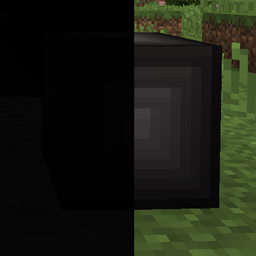
Minecraft 1.12.2 için The Beneath Mod
Bir Deep Dark alternatifi, son derece yapılandırılabilir ve kötücül.
The "grue" mode requires Grue to be present. Make sure you've installed it along with this if you plan on using that mode!
Overview
The Beneath is a mod that adds a massive mining dimension (roughly based off of the Deep Dark from Extra Utilities, with some additions not present in that dimension). It started out as a replacement (since the Deep Dark hadn't been ported to 1.10.2 by the time this mod's development began), and can be used as one, as it's a highly configurable mining dimension.
It comes with a Teleporter block used to teleport to the dimension, which has a configurable crafting recipe you can enable and customize in the config file (or you could use something like CraftTweaker instead).
Features
This mod comes packed with the following:
- A massive mining dimension (imagine if you raised the roof of the Nether to 256, then squeezed in another Nether in that empty space, that's the size we're talking here)
- Any mobs spawning inside the dimension (vanilla mobs are set to spawn in there, and it is possible for mobs from other mods to spawn in there) have twice the health and damage they normally would
- The ability to configure whether or not you can use the teleporter block in dimensions outside the Overworld (enabling this allows you to for example place a Beneath Teleporter in the Nether, then use that teleporter to go back and forth between The Beneath and the Nether, instead of automatically going back to the Overworld)
- A built-in JSON-based ore generator (JSON file generated at first startup with a default configuration, and this system can be disabled if you have another mod that handles ore generation)
- Different modes to toggle how the dimension behaves in situations (switching modes requires a restart to take effect):
- "grue": Grues will spawn in dark areas when you've been exposed to the darkness for long enough (use the config file in Grue to configure the various things there).
- "darkness": Being in the darkness hurts you (amount of damage dealt and the amount of time between each hit is configurable)
- "none": Disables the darkness damage.
- Ability to configure whether or not dungeons should generate in the dimension, and how frequent (works like the dungeon setting in vanilla, except 0 stops all generation)
- Beings lurking in the darkness, ready to pull you out of the light at any second, allowing the Grue, other mobs and/or the darkness itself to devour you
- Mildly unnerving sounds you might hear from time to time while inside the dimension
Configuration
Here's a breakdown on the configuration options provided in The Beneath:
Additional Dimension Teleportation:
Toggles whether or not to allow teleporting back and forth between the Beneath and dimensions that aren't the Overworld B:"Additional Dimension Teleportation"=false
Beneath Teleporter Crafting Recipe:
Configurable crafting recipe for the Beneath Teleporter. If you have CraftTweaker installed, you can use that instead!
The first 3 Strings in the array are the recipe formula, where each symbol represents an Item. The Items are defined by the character being in the array before the Item in question (check the default).
Format for Items: modid:name:meta (where meta is optional, and * can be used to speficy the metadata wildcard). The OreDictionary can also be used, where you just specify the ore name (ingotIron for Iron Ingots, stone for Stone)
Only used if Use Crafting Recipe is enabled!
S:"Beneath Teleporter Crafting Recipe" <
minecraft:stone:*
cobblestone
minecraft:nether_star
Blue Night Vision sky color:
Changes the red part of the Beneath sky color while affected by Night Vision. Client side only! Minimum is 0.0, and maximum is 10.0.
D:"Blue Night Vision sky color"=1.5
Damage Multiplier:
Sets how much mob damage is multiplied by inside The Beneath. Minimum is 1.0, and maximum is 10.0.
D:"Damage Multiplier"=2.0
Darkness damage:
The amount of damage (half hearts) you take from the darkness (when the mode is set to darkness). Minimum is 2 half hearts, maximum is 20. I:"Darkness damage"=2
Darkness damage timer:
The amount of seconds before the darkness damages you (when the mode is set to darkness). Minimum is 1 second, maximum is 10 seconds. I:"Darkness damage timer"=5
Dimension ID:
Dimension ID for The Beneath. Minecraft restart required! I:"Dimension ID"=10
Dungeon spawn chance:
The chance that a dungeon generates in The Beneath (same logic as the vanilla setting). Setting it to 0 stops dungeon generation. Minimum is 0 (disabled), and maximum is 100. I:"Dungeon spawn chance"=8
Green Night Vision sky color:
Changes the green part of the Beneath sky color while affected by Night Vision. Client side only! Minimum is 1.0, and maximum is 10.0.
D:"Green Night Vision sky color"=0.0
Health Multiplier:
Sets how much mob health is multiplied by inside The Beneath. Minimum is 1.0, and maximum is 10.0.
D:"Health Multiplier"=2.0
Internal Ore Generator:
Toggles whether or not to use the built-in Ore Generator. Can be disabled if you have another mod that handles Ore Generation. Minecraft restart required! B:"Internal Ore Generator"=true
Keep Loaded:
Toggles whether or not The Beneath should be prevented from automatically unloading (might affect performance if enabled). Minecraft restart required! B:"Keep Loaded"=false
Lake Fluid Blocks:
Any fluid blocks added to this list will randomly generate as part of lakes inside The Beneath (format is "modid:name"). Minecraft restart required!
S:"Lake Fluid Blocks" <
minecraft:water
minecraft:lava
Lake Spawn Chance:
The chance that a lake generates in The Beneath (same logic as the vanilla setting). Setting it to 0 stops lake generation. Minimum is 0, and maximum is 100.
I:"Lake spawn chance"=10
Mode:
What mode The Beneath is set to. Current modes are: grue: Grues spawn in the darkness darkness: You take damage while in dark areas none: Disables darkness damage Minecraft restart required! S:Mode=grue
Other Mod World Generation:
Toggles whether or not other mods should be able to interfere with the terrain generation of The Beneath.
B:"Other Mod World Generation"=false
Red Night Vision sky color:
Changes the red part of the Beneath sky color while affected by Night Vision. Client side only! Minimum is 0.0, and maximum is 10.0.
D:"Red Night Vision sky color"=1.1
Shadow Hands:
Toggles whether or not shadows will be able to drag you into the dark with their hands.
B:"Shadow Hands"=true
Shadow Spawn Weight:
Spawn Weight for the shadows, increase to increase the chance of them spawning, or decrease to decrease the chance of them spawning. Minimum is 10, and maximum is 100.
I:"Shadow Spawn Weight"=50
Stalactite spawn chance:
The chance that a stalactite generates in The Beneath (higher number increases the chance, lower decreases it). Setting it to 0 stops stalactite generation. Minimum is 0, and maximum is 100.
I:"Stalactite spawn chance"=20
Stalagmite spawn chance:
The chance that a stalagmite generates in The Beneath (higher number increases the chance, lower decreases it). Setting it to 0 stops stalagmite generation. Minimum is 0, and maximum is 100.
I:"Stalagmite spawn chance"=20
Teleporter Torches:
Whether or not torches should spawn on the platform generated when entering The Beneath.
B:"Teleporter Torches"=true
Terrain Block:
This determines which block the terrain of The Beneath should be made out of. If you want it to be something other than stone, you can change this instead of jerry-rigging the block decorator to replace all stone.
Format is "modid:name:meta", where meta is optional
Minecraft Restart Required!
S:"Terrain Block"=minecraft:stone
Use Block Decorator:
Toggles whether or not to use the built-in Block Decorator (functions like the Ore Generator, except it runs before it, and is intended for things like dirt, gravel, stone types).
Minecraft Restart Required!
B:"Use Block Decorator"=true
Use Crafting Recipe:
Toggles whether or not to use the configurable crafting recipe.
Minecraft Restart Required!
B:"Use Crafting Recipe"=false
Check the spoiler below for some potentially tormenting configuration settings
If you really want your players to hate you (or me, since I'm the one giving you this suggested configuration), here's a few tweaks that will make The Beneath somewhat nightmarish:
The Beneath nasıl kurulur
Install Millida Launcher
The launcher is free: download it at millida.net/launcher and sign in with any nickname.
Click “Install” on this page
The launcher opens and installs the mod for Minecraft 1.12.2 automatically.
Launch the game
A profile with it appears in the launcher: click “Play”.
Minecraft 1.12.2 runs on Java 8: with a different Java version the game may close right after launch.
Sürümler
Bağımlılıklarla
| Minecraft | Yükleyici | Dosya | Tarih | İşlemler |
|---|---|---|---|---|
| 1.12.2 | — | The Beneath-1.12.2-1.7.1.jar5.9 MB |
SSS
Which Minecraft versions does The Beneath work on?
Only Minecraft 1.12.2: there are no files for other versions.
Which Java does The Beneath need?
Minecraft 1.12.2 runs on Java 8. If the game closes right after launch, the usual cause is the wrong Java version in the profile settings.
How do I download The Beneath?
With Millida Launcher: it installs The Beneath into a modpack by itself, for the right game version and loader. The launcher is free.
Yorumlar
The Beneath için ilk puanı sen ver


