

Minecraft 1.20.1, 1.21.1 için Surveyor Map Framework Mod
Arkadaşlarla haritalar! Çok oyunculu paylaşım, otomatik yapı/ilgi noktası işaretleme ve birleşik mod uyumluluğu sunan bir dünya haritası arka ucu.
 Fabric
 NeoForge
 Quilt
Quilt Forge
ForgeSurveyor Map Framework modu hakkında
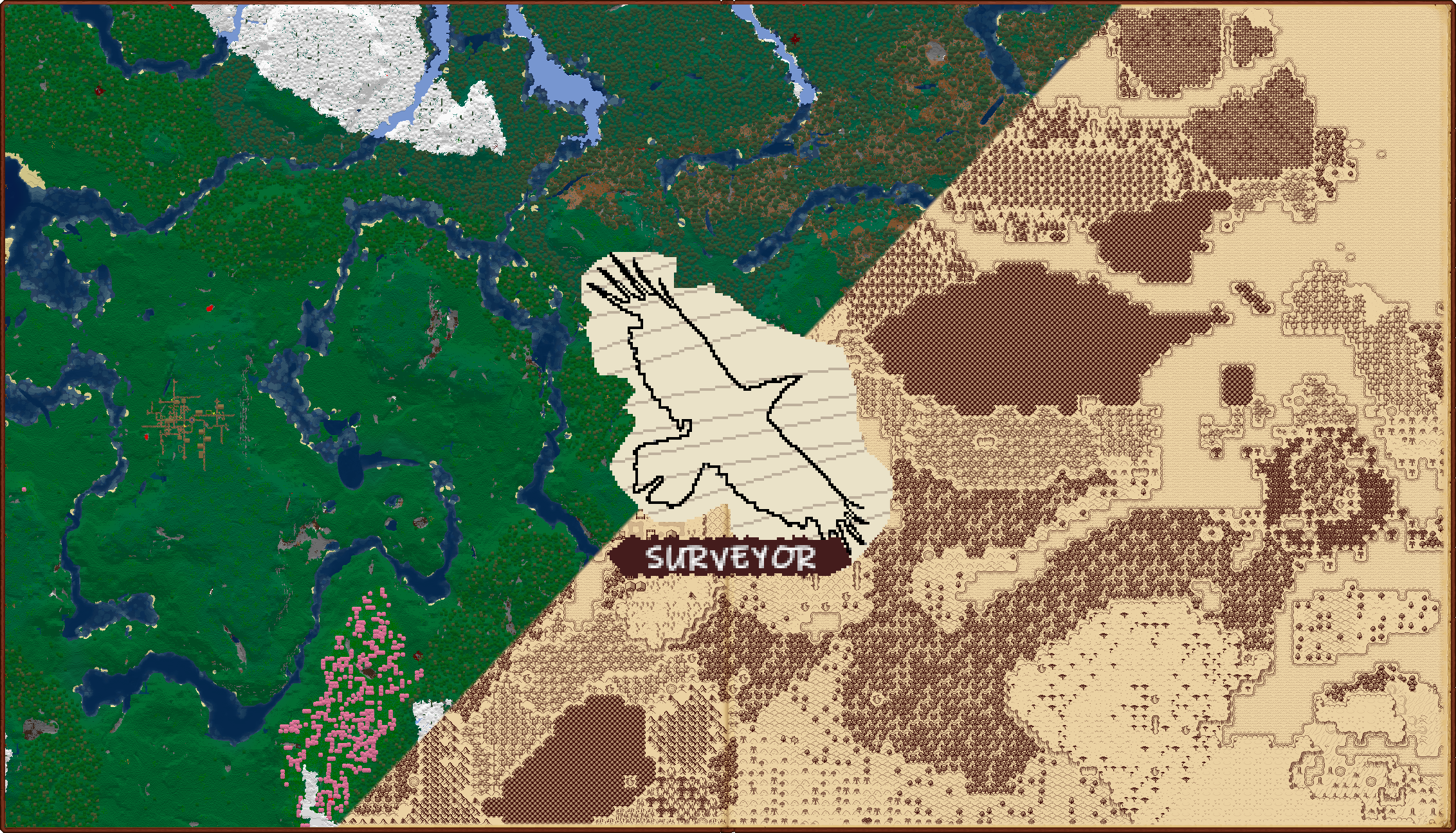
An open-source backend (and API) for co-op-enabled world map and waypoint mods!
Requires Connector and FFAPI on (neo)forge.
Surveyor is the backend for map mods like Antique Atlas 4, Hoofprint, and Dead Reckoning.
When installed client-side, Surveyor allows you to:
- View explored terrain and mark points of interest with waypoints
- See on-map landmarks for other mods via compatibility addons, like for Waystones and OPAC
- Swap map frontends at any time, retaining all map data
- Automatically migrate waypoints directly from an existing Xaero's Minimap save
When installed on both sides, Surveyor allows you to:
- Explore map terrain and edit waypoints in co-operative groups (server-wide by default)
- See other players on your map, even far away or in other dimensions
- Swap instances or computers, with your map data restored from the server
- Use op commands to create server-wide landmarks for POIs like spawn, shops, warp hubs, etc.
- Copy exploration from and to vanilla maps by sneak+using a cartography table (style configurable)

As a mod developer, Surveyor allows you to:
- Create pure map frontends by handling all map data itself - terrain, structures, and waypoints
- Create addons for custom on-map landmarks, with a flexible component-style data system
- Create any kind of frontend - server-optional, ingame/mixed-side, external/browser-based, etc
- Utilize the waypoint system on its own, for small, lightweight waypoint/compass mods

Configuration
Surveyor can be configured via config/surveyor.toml, McQoy, or QoMC. Most changes require a restart.
- Disable server-wide co-op by setting globalSharing=false (recommended for public servers)
- Tweak what data is synchronized between players, groups, and the server in the Networking section
- Toggle builtin automatic waypoints (e.g. nether portals, grave markers) in the Builtins section

Commands
Surveyor can mostly be interacted with via map frontends, but comes with a few useful commands:
- When globalSharing=false, use /surveyor share/unshare to form groups to share waypoints and map data
- Use /surveyor, /waypoints, and /landmarks to review your waypoints and explored map data
- Use /waypoints new/remove to create/edit custom waypoints (e.g. if a frontend is not installed)
- Use /landmarks new/remove (op 2) to create/edit operator-level global waypoints (e.g. for server spawn)
Troubleshooting
Report any unique replicable issue to the issues page with logs, screenshots, and replication steps where possible.
Client data is stored in .minecraft/data/surveyor/[world]/[dim], singleplayer/server data in [world]/[dim]/data/surveyor
c.X.X files contain terrain regions, s.X.X files contain structures, and landmarks.dat contains waypoint data.
When encountering issues, you might like to try any of the following:
- Backing up the affected data and deleting it (e.g. for a structure-related error, wipe structure data)
- Disabling networking for a subsystem (e.g. for a terrain packet client kick, set networking.terrain to NONE)
- Disabling a subsystem (e.g. for extreme server memory usage, set terrain to DISABLED on the server)
Contributions / Addons
Feel free to reach out if you'd like to develop something with surveyor - or just go for it! We appreciate:
- PRs making shots at surveyor enhancements and bugs)
- PRs containing ports to an older established versions (1.4.7, 1.17.10, 1.12.2, 1.16.5, 1.18.2) - or latest, per policy
- PRs containing API features that you'd benefit from - ideally post an issue first, and we can workshop it
- Compat addons, world maps, minimaps, and waypoint frontends utilizing surveyor!
Check out the frontend dev guide for a breakdown of the complicated parts of the internals.
Licensing / Credit
Please match your addon licenses to LGPLv3 if possible - it helps improve the surveyor ecosystem!
(LGPLv3 is a copyleft license, so this is required for anything directly adapted from Surveyor)
If you've written something, hit us up and we might link it here! We'll also answer questions for in-progress projects.
Devs can reach out on mastodon or via email.
Afterword
Surveyor was built on the thoughts, advice, opinions, and past works of many modders in the community.
Thanks to everyone who helped make this project happen, even just by fluttering on the sidelines - it means a lot.
We made surveyor because it sounded cool - we hope it helps other artists/modders to make cool things!
Surveyor Map Framework nasıl kurulur
With Millida Launcher
Install Millida Launcher
The launcher is free: download it at millida.net/launcher and sign in with any nickname.
Click “Install” on this page
The launcher opens and installs the mod for Minecraft 1.20.1–26.1.2 on Fabric, Forge, NeoForge or Quilt automatically, together with its dependencies: Fabric API, Dependency.
Launch the game
A profile with it appears in the launcher: click “Play”.
Manually
Install Fabric, Forge, NeoForge or Quilt
The loader must match the game version of the mod file, for example Minecraft 26.1.2. After installing it, a separate profile appears in your launcher.
Download the file for your version
In the version list above, pick the file surveyor-1.2.4+26.1.jar (597 KB) for your game version and loader.
Put it in the mods folder
The folder is inside .minecraft (Windows: %appdata%\.minecraft\mods). If it does not exist, create it. Required dependencies go there too: Fabric API, Dependency.
Launch the loader profile
Open “Mods” in the main menu: Surveyor Map Framework should be in the list.
On a server
A server on Fabric, Forge, NeoForge or Quilt
The mod only works on a server with the same loader and game version, for example 26.1.2.
File goes into the server’s mods folder
Stop the server, put the mod file into the mods folder and start the server again.
Or use the “To hosting” button
On Millida Hosting, the button at the top of the page uploads the file to your server and restarts it for you.
Sürümler
Bağımlılıklarla
| Minecraft | Yükleyici | Dosya | Tarih | İşlemler |
|---|---|---|---|---|
| 26.1.2 | Fabric | 26.1.2597 KB | ||
| 1.21.1 | Fabric, NeoForge, Quilt | 1.21.1588 KB 1 | ||
| 1.20.1 | Fabric, Forge, Quilt | 1.20.1588 KB 2 | ||
| 26.1.2 | Fabric | 26.1.2597 KB | ||
| 1.21.1 | Fabric, NeoForge, Quilt | 1.21.1588 KB | ||
| 1.20.1 | Fabric, Forge, Quilt | 1.20.1588 KB | ||
| 26.1.2 | Fabric | 26.1.2598 KB | ||
| 26.1.2 | Fabric | 26.1.2597 KB |
Çalışması için gerekenler
- Fabric APIzorunlu
- Dependencyzorunlu
SSS
Which Minecraft versions does Surveyor Map Framework work on?
There are files for 26.1.2, 1.21.1, 1.20.1. The newest is 26.1.2.
Is Surveyor Map Framework for Forge or Fabric?
There are files for Fabric: 1.20.1–26.1.2, for Forge: 1.20.1, for NeoForge: 1.21.1 and for Quilt: 1.20.1–1.21.1.
What does Surveyor Map Framework need to work?
Required: Fabric API, Dependency. Without them the mod will not start: dependencies go into the same mods folder.
Does Surveyor Map Framework work on a server?
Yes. Surveyor Map Framework works both in singleplayer and on a server.
Where can I download Surveyor Map Framework safely?
On this page: the file surveyor-1.2.4+26.1.jar (597 KB) is stored on Millida’s server, with no link shorteners. SHA-1 checksum: 554b76b638470147274908578e246b6c5fcf1930.
Yorumlar
Surveyor Map Framework için ilk puanı sen ver


