
Minecraft 1.21.5 için Stackable Items Mod
İstediğiniz herhangi bir eşyanın maksimum yığın boyutunu değiştirin, herhangi bir eşya yığını boyutunu düzenlemek için komutları kullanın
 NeoForge
 Forge
Forge Fabric
 Quilt
QuiltStackable Items modu hakkında
📖 About
Note: the v1.1 it wipe your items if you add the mod in a created world, the v1.2 fixed that issue
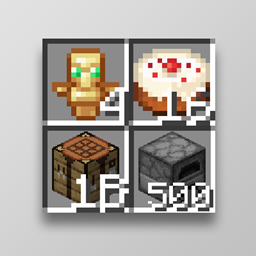
Stackable Items can modify the stack max size of any item, you can use commands or your config file to modify the item size.
⚙️ Configuration Options
Explore and tweak options in the config file to suit your needs:
- Config Common and Client Files
- Add Command
- Edit Command - List
- Edit Command - Group
- Edit Command - MaxDefault
- Client Command - CountType
- Client Command - ShowHeldItem
- Remove Command
- Help Command
⚙️ Default Config
Sign Group:
Boat Group:
Music Disc Group:
Shulker Box Group:
Bed Group:
Banner Group:
Banner Pattern Group:
Bucket Group:
Minecart Group:
Horse Armor Group:
Potion Group:
Config List (Individual Stackable):
Other Configs (The items can go over millions. Maximum 1 Billion):
❓ F.A.Q.s
Q: Is Stackable Items a client or server-side mod? A: It’s a both-side mod, you have to installed in client and server. Q: Can I include Stackable Items in my modpack? A: Yes! Just credit the mod properly and include it in the related projects. Q: It works stack max size with external item mods? A: Yes! You can use the command to add any item, vanilla and external mods items will work, another example if you add a mod who adds musical discs or more enchantments the group type will increase the max stack size. Q: How can I use the commands? A: Only admins can use the commands, you can go to another world with cheats and use the commands, the config file will work globally.
Stackable Items nasıl kurulur
With Millida Launcher
Install Millida Launcher
The launcher is free: download it at millida.net/launcher and sign in with any nickname.
Click “Install” on this page
The launcher opens and installs the mod for Minecraft 1.21.2–1.21.5 on Fabric, Forge, NeoForge or Quilt automatically.
Launch the game
A profile with it appears in the launcher: click “Play”.
Manually
Install Fabric, Forge, NeoForge or Quilt
The loader must match the game version of the mod file, for example Minecraft 1.21.5. After installing it, a separate profile appears in your launcher.
Download the file for your version
In the version list above, pick the file StackableItems-neoforge-1.21.[5]-v1.2.jar (63 KB) for your game version and loader.
Put it in the mods folder
The folder is inside .minecraft (Windows: %appdata%\.minecraft\mods). If it does not exist, create it.
Launch the loader profile
Open “Mods” in the main menu: Stackable Items should be in the list.
Minecraft 1.21.5 runs on Java 21: with a different Java version the game may close right after launch.
Sürümler
Bağımlılıklarla
| Minecraft | Yükleyici | Dosya | Tarih | İşlemler |
|---|---|---|---|---|
| 1.21.5 | NeoForge | Stackable Items NeoForge 1.21.[5] - v1.263.5 KB | ||
| 1.21.5 | Forge | Stackable Items Forge 1.21.[5] - v1.263.1 KB | ||
| 1.21.4 | Fabric, Quilt | Stackable Items Fabric 1.21.[2-4] - v1.265.6 KB 3 |
SSS
Which Minecraft versions does Stackable Items work on?
There are files for 1.21.5, 1.21.4, 1.21.3, 1.21.2. The newest is 1.21.5.
Is Stackable Items for Forge or Fabric?
There are files for Fabric: 1.21.2–1.21.4, for Forge: 1.21.5, for NeoForge: 1.21.5 and for Quilt: 1.21.2–1.21.4.
Does Stackable Items need other mods?
The author lists no required dependencies: the Fabric, Forge, NeoForge or Quilt loader is enough.
Which Java does Stackable Items need?
Minecraft 1.21.5 runs on Java 21. If the game closes right after launch, the usual cause is the wrong Java version in the profile settings.
Where can I download Stackable Items safely?
On this page: the file StackableItems-neoforge-1.21.[5]-v1.2.jar (63 KB) is stored on Millida’s server, with no link shorteners. SHA-1 checksum: 08734a6be008c44067042e8ac5edd2e040a371c2.
Yorumlar
Stackable Items için ilk puanı sen ver


