
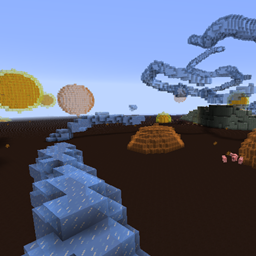
Minecraft 1.20.1, 1.21.1 için RFTools Dimensions Mod
Bu, boyutların oluşturulmasını yöneten RFTools için bir eklenti modudur
 NeoForge
 Forge
ForgeRFTools Dimensions modu hakkında
Bu mod RFTools gerektirir. RF gücü kullanarak boyutlar oluşturmak için makineler ve araçlar ekler.
Not! Yorumlar devre dışı bırakıldı çünkü bunu çok fazla yerde kontrol etmek benim için zor. Hata bildirmek isterseniz 'Issues' sekmesine veya buraya gidin: RFTools Dimensions Issue Tracker. Genel olarak RFTools hakkında tartışmak isterseniz bunu burada yapabilirsiniz: RFTools on MC Forums
Bana https://www.patreon.com/McJty adresinde bağış yaparak destek olabilirsiniz
Tanıtım videosu:
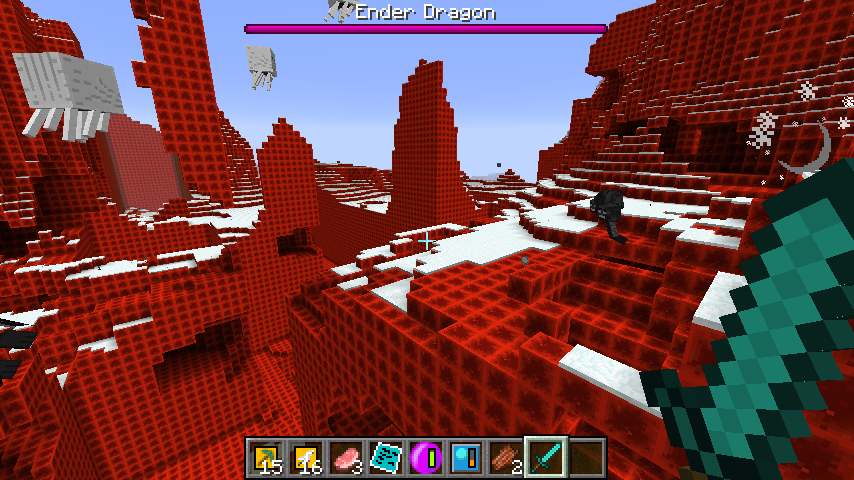
Ekran görüntüleri:
Teşekkürler!

RFTools Dimensions nasıl kurulur
With Millida Launcher
Install Millida Launcher
The launcher is free: download it at millida.net/launcher and sign in with any nickname.
Click “Install” on this page
The launcher opens and installs the mod for Minecraft 1.12–1.21.1 on Forge or NeoForge automatically.
Launch the game
A profile with it appears in the launcher: click “Play”.
Manually
Install Forge or NeoForge
The loader must match the game version of the mod file, for example Minecraft 1.21.1. After installing it, a separate profile appears in your launcher.
Download the file for your version
In the version list above, pick the file rftoolsdim-1.21-12.0.4.jar (1.7 MB) for your game version and loader.
Put it in the mods folder
The folder is inside .minecraft (Windows: %appdata%\.minecraft\mods). If it does not exist, create it.
Launch the loader profile
Open “Mods” in the main menu: RFTools Dimensions should be in the list.
Minecraft 1.21.1 runs on Java 21: with a different Java version the game may close right after launch.
Sürümler
Bağımlılıklarla
| Minecraft | Yükleyici | Dosya | Tarih | İşlemler |
|---|---|---|---|---|
| 1.21.1 | NeoForge | RFToolsDimensions - 1.21-12.0.41.7 MB 2 | ||
| 1.20.1 | Forge | RFToolsDimensions - 1.20-11.0.111.7 MB 1 | ||
| 1.19.2 | Forge | RFToolsDimensions - 1.19.2-9.1.101.7 MB | ||
| 1.16.5 | Forge | RFToolsDimensions - 1.16-7.0.0-alpha1.5 MB | ||
| 1.12.2 | — | RFToolsDimensions - 1.12-5.711.6 MB 1 | ||
| 1.12.2 | — | RFToolsDimensions - 1.12-5.60-alpha1.6 MB | ||
| 1.12 | — | rftoolsdim-1.12-5.02beta3.jar1.6 MB |
SSS
Which Minecraft versions does RFTools Dimensions work on?
There are files for 1.12–1.21.1, 7 versions in total. The newest is 1.21.1.
Is RFTools Dimensions for Forge or Fabric?
There are files for Forge: 1.16.4–1.20.1 and for NeoForge: 1.21.1. There are no files for Fabric: a mod for another loader will not start.
Does RFTools Dimensions need other mods?
The author lists no required dependencies: the Forge or NeoForge loader is enough.
Which Java does RFTools Dimensions need?
Minecraft 1.21.1 runs on Java 21. If the game closes right after launch, the usual cause is the wrong Java version in the profile settings.
Where can I download RFTools Dimensions safely?
On this page: the file rftoolsdim-1.21-12.0.4.jar (1.7 MB) is stored on Millida’s server, with no link shorteners. SHA-1 checksum: ca3c112550d28db9f15236d9d29641f34420853f.
Yorumlar
RFTools Dimensions için ilk puanı sen ver


