

Minecraft 1.12.2, 1.19.2 için ReAuth Mod
Oturumunuz geçersiz olduğunda İstemcinizi yeniden başlatmak zorunda kalma sorununu düzeltir
- indirme
- 1 indirme
- görüntülenme
- 20 görüntülenme
- Güncellendi
- Güncellendi 17.10.2026
- 1.7.2 — 1.19.3
 Forge
Forge
ReAuth modu hakkında
Bu, ReAuth'un Forge sürümüdür; Fabric sürümü ayrılmıştır ve burada mevcuttur.
Artık ReAuth ile 1.7.10'dan 1.19'a kadar Microsoft hesapları kullanmak mümkün; 1.4.7-1.7.2 sürümleri daha sonra gelebilir
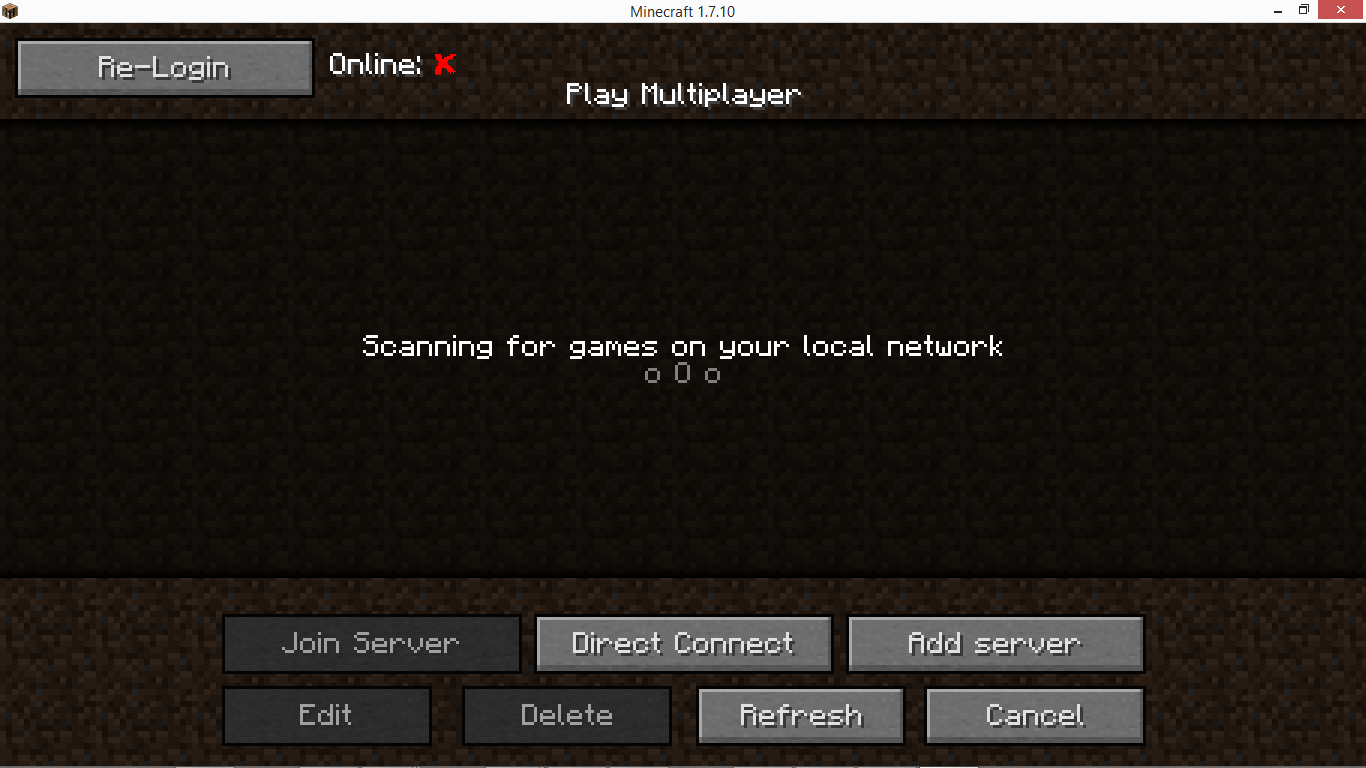
Genel Bakış:
- Oturumunuz geçersiz olduğunda İstemcinizi yeniden başlatma sorununu çözer
- Oturumunuzun geçerli olup olmadığını gösterir
- Başarısız bağlantı denemeleri için giriş yapın ve yeniden deneyin
- Minecraft çalışırken Hesap Değiştirin
- Çevrimdışı oynamak için Kullanıcı Adını Değiştirin
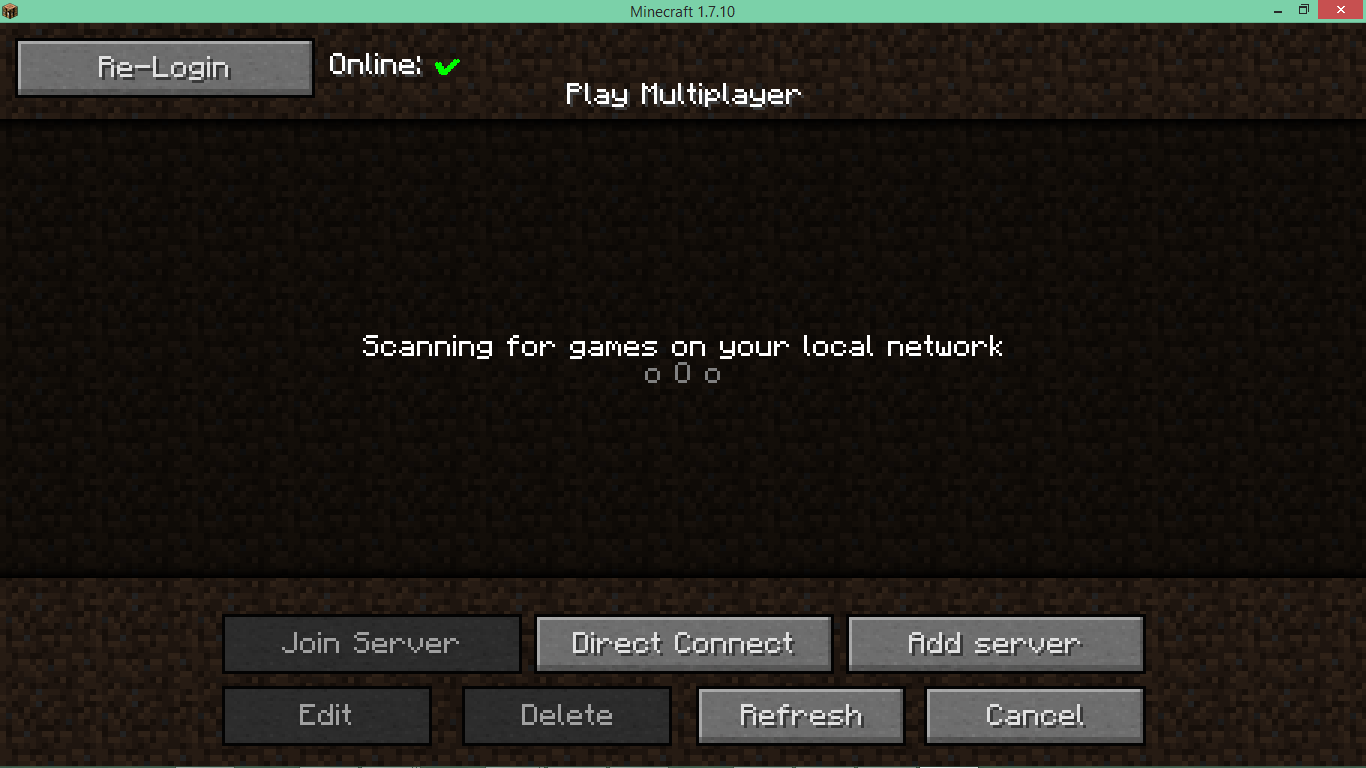
Açıklama:
Bu Mod yalnızca İstemci tarafındadır - bir sunucunun mod klasöründe hiçbir etkisi olmaz.
Giriş bilgilerinizi "rastgele" bir Moda girmek riskli gelebilir, ancak kodu kendiniz incelemeye davetlisiniz. Bu amaçla Kod Github'da görülebilir; bir Java-Decompiler (JD-GUI) burada mevcuttur.
Mod değiştirilmediği ve ModPaketi ücretsiz olarak ve Mojang'ın EULA'sına uygun şekilde dağıtıldığı sürece bu Modu herhangi bir Modpaketine dahil etmekte özgürsünüz.
Özellikler:
- Çok Oyunculu Ekranı artık üst kısımda bir Oturum göstergesi içeriyor: Kırmızıysa tekrar giriş yapmanız gerekir.
- Giriş Ekranında giriş yapabilir ve isteğe bağlı olarak şifrenizi yapılandırmaya kaydedebilirsiniz. Lütfen unutmayın ki, kimlik bilgileri yapılandırmaya kaydedilmeden önce şifrelense de, kötü niyetli programlar bu yolla şifrenize erişebilir. Şifreleme, Anahtarı Dosya Konumundan türetilen AES tabanlıdır; yapılandırmayı taşımak veya örnekler arasında paylaşmak için Symlink'ler kullanılabilir.
- Geçersiz bir oturum nedeniyle bir sunucuya bağlantı başarısız olursa, hata ekranına iki düğme eklenir. İlki Giriş Ekranını açmaya olanak tanır. Diğeri, kimlik bilgileri yapılandırmaya kaydedildiğinde hızlı bir "giriş yap ve yeniden dene" işlevi sağlar.
- 1.7.2'den itibaren, CustomMainMenu ile kullanılmak üzere AnaMenü'de gizli bir düğme (id 17325) mevcuttur.

ReAuth nasıl kurulur
With Millida Launcher
Install Millida Launcher
The launcher is free: download it at millida.net/launcher and sign in with any nickname.
Click “Install” on this page
The launcher opens and installs the mod for Minecraft 1.7.2–1.19.3 on Forge automatically.
Launch the game
A profile with it appears in the launcher: click “Play”.
Manually
Install Forge
The loader must match the game version of the mod file, for example Minecraft 1.19.3. After installing it, a separate profile appears in your launcher.
Download the file for your version
In the version list above, pick the file ReAuth-1.19-Forge-4.0.7.jar (169 KB) for your game version.
Put it in the mods folder
The folder is inside .minecraft (Windows: %appdata%\.minecraft\mods). If it does not exist, create it.
Launch the loader profile
Open “Mods” in the main menu: ReAuth should be in the list.
Minecraft 1.19.3 runs on Java 17: with a different Java version the game may close right after launch.
Sürümler
Bağımlılıklarla
| Minecraft | Yükleyici | Dosya | Tarih | İşlemler |
|---|---|---|---|---|
| 1.19.3 | Forge | ReAuth-4.0.7 Forge 1.19169 KB 1 | ||
| 1.12.1 | — | ReAuth-3.6.0 1.1229.7 KB | ||
| 1.7.2 | — | ReAuth-3.4.1 1.7.225.6 KB |
SSS
Which Minecraft versions does ReAuth work on?
There are files for 1.7.2–1.19.3, 7 versions in total. The newest is 1.19.3.
Is ReAuth for Forge or Fabric?
Only for Forge: 1.19–1.19.3. There are no files for Fabric or NeoForge: a mod for another loader will not start.
Does ReAuth need other mods?
The author lists no required dependencies: the Forge loader is enough.
Which Java does ReAuth need?
Minecraft 1.19.3 runs on Java 17. If the game closes right after launch, the usual cause is the wrong Java version in the profile settings.
Where can I download ReAuth safely?
On this page: the file ReAuth-1.19-Forge-4.0.7.jar (169 KB) is stored on Millida’s server, with no link shorteners. SHA-1 checksum: a77cdb9dda452c0b7e3ef225d04c1aa0bf99e3b7.
Yorumlar
ReAuth için ilk puanı sen ver


