
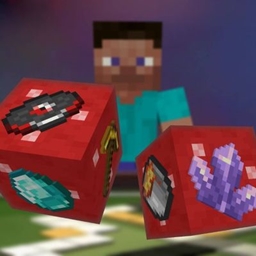
Minecraft 26.3 için Random Item Speedrun Mod
Oyun bilginizi ve eşyaları hızlıca bulma yeteneğinizi test etmenizi sağlar
 Forge
Forge NeoForge
 Fabric
 Quilt
QuiltRandom Item Speedrun
This mod tests the player's gear by forcing them to collect one randomly selected item
Usage
After installing the mod, press the Y key (default) to open the run start screen. This screen displays a list of speedruns and additional information about each run by tapping on the desired run. To start a speedrun, press the corresponding button, and the item you need to collect will appear on the screen. For more accurate run information, the item name and elapsed time will be displayed in the corner of the screen.
The mod has settings where you can change the HUD parameters (more customization options are planned for the future).

Since version 2.0, the mod has been running on the server. This means all players can participate in the same run simultaneously. The name of the player who finds the item will also be saved in the run list.
You can specify the difficulty of drop items in the mod settings:
- Easy - items that don't require entering the Nether,
- Normal - items that don't require entering the End,
- Hard - all items except those that take too long to obtain,
- Hardcore - all items.
To start/stop the game without entering the mod screen, you can assign a key in the binding settings. Pressing the key will then instantly change the game status.
Settings

Random Item Speedrun nasıl kurulur
With Millida Launcher
Install Millida Launcher
The launcher is free: download it at millida.net/launcher and sign in with any nickname.
Click “Install” on this page
The launcher opens and installs the mod for Minecraft 26.1–26.3 on Fabric, Forge, NeoForge or Quilt automatically.
Launch the game
A profile with it appears in the launcher: click “Play”.
Manually
Install Fabric, Forge, NeoForge or Quilt
The loader must match the game version of the mod file, for example Minecraft 26.3. After installing it, a separate profile appears in your launcher.
Download the file for your version
In the version list above, pick the file random-item-speedrun-2.2.3-forge+26.3.jar (226 KB) for your game version and loader.
Put it in the mods folder
The folder is inside .minecraft (Windows: %appdata%\.minecraft\mods). If it does not exist, create it.
Launch the loader profile
Open “Mods” in the main menu: Random Item Speedrun should be in the list.
Sürümler
Bağımlılıklarla
| Minecraft | Yükleyici | Dosya | Tarih | İşlemler |
|---|---|---|---|---|
| 26.3 | Forge | Random Item Speedrun Forge 26.3 v2.2.3226 KB 2 | ||
| 26.3 | NeoForge | Random Item Speedrun Neoforge 26.3 v2.2.3227 KB | ||
| 26.3 | Fabric, Quilt | Random Item Speedrun Fabric 26.3 v2.2.3227 KB 8 | ||
| 26.1 | Fabric, Quilt | Random Item Speedrun Fabric 26.1 v2.0-beta.1334 KB | ||
| 26.1 | NeoForge | Random Item Speedrun Neoforge 26.1 v2.0-beta.1332 KB | ||
| 26.1 | Forge | Random Item Speedrun Forge 26.1 v2.0-beta.1325 KB 1 |
Yorumlar
Random Item Speedrun için ilk puanı sen ver


