

Minecraft 26.2 için Prefab Mod
Anında yapılar sağlamanın yollarını oluşturur
 NeoForge
 Fabric
 Forge
ForgePrefab modu hakkında

Whats New?
In order to keep development time down as Minecraft 1.21.1, we will no longer be supporting Forge. We will continue to support Fabric and NeoForge.
Discord: Want the latest news on Prefab? Want to yell at us? Want to share your creations with other likeminded players? We've got a Discord that you can use to reach out to us with problems, solutions, ideas, musings, thoughts, commentary and anything else you may want to share with us and the community of Prefab users. Just remember to keep your contributions constructive and friendly for all ages.
Let's build something cool together! https://discord.gg/qpkPnfays5
Prefab is a collection of functional and aesthetic buildings that you can place into your world instantly! With our instant houses and structures, you can skip over the time-consuming job of landscaping, and trying to build without a creeper undoing your work. Our preview function lets you see the structure in the world and move through a projection of it in real time. Just pick the place you want to put it, and the Prefab Blueprints do the rest! Whether you haven't got the time, patience or will, we've got structures that are guaranteed to please some of you, but not all of you. :)
More structures are being developed and added as the mod progresses (and we have ideas/time!), so be on the lookout. Feel free to share requests and constructive criticism in the comments.
Note: Since this has been asked so many times in the past. There are no plans to create a feature for custom blueprints or loading custom structures outside of the ones provided by this mod.
This functionality already exists with Structurize and we highly recommend it.
Mod Spotlights
Mod Spotlight from Lava Temptress!
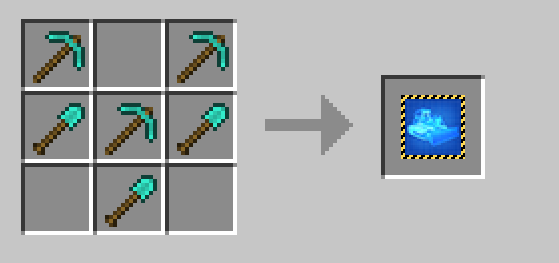
Blocks and Items Added
For a complete list of blocks and items added by this mod, please view the CurseForge Pages Wiki here:
Home Page - Pages - Prefab - Mods - Projects - CurseForge
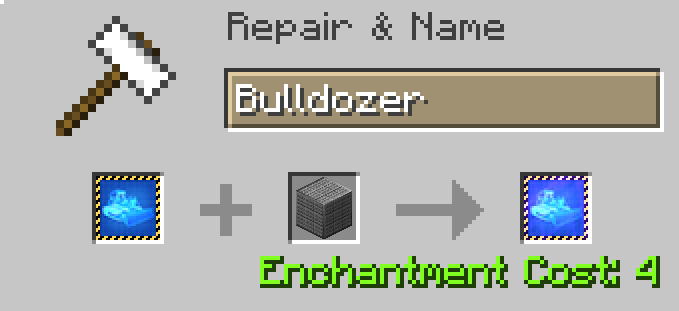
Structure Preview
All structure GUIs include a "preview" button. This will create a shadow structure in the world for you to see what it will look like when it's placed. This will give you the opportunity to make sure that you have enough space for the structure or to make sure that it will be placed where you want it to be placed.
Block facings for fences, torches and other similar blocks will most likely not have their proper facing when rendered in this fashion, they will look correct when placed.
Note: This functionality was adapted from Botania's Visualize functionality. The mod info and source code has been updated to state as such as well. http://botaniamod.net/license.php.
Note: Make sure your graphics setting is set to "Fancy" otherwise this functionality will not work
Translation Contributors
Thank you to all of the people (found below) which have contributed to the translation of this mod! These translations make this mod more accessible to more people.
Kellixon(Github) - Russian
Snowee(Github) - Chinese (Simplified)
blackblank_1973 (Curse User) - Japanese
Emirhangg (Github) - Turkish
HJ-zhtw(Github) - Chinese (Traditional)
Dqu1J (GitHub) - Russian, Ukrainian
BlackWolf00 (GitHub) - Italian
PinguinmikeGamer (Discord) - German
Google Translate - French, Spanish
Kettumasa (Discord) - Finnish
Structure Contributors
Thank you to all of the people (found below) which have contributed structures to this mod!
These contributions are what keep this mod alive and exciting!
Yashjit - Modern Everything, we're only out of the dark ages because of these contributions!
Dqu1J - Textures, Library, Code Updates, General Awesomness
AVeryNerdySpider - Workshop, Ski Lodge, Nether Moderate House, Mountain Moderate House, Ideas
Kaojinn - Original Recipe Contributor, Textures, Ideas, Models
Contributing Structures
If you want to contribute a cool custom structure for others to enjoy, we have some guidelines.
- You must use vanilla blocks or blocks added through this mod. If you think you need a custom block for the design; let us know and we can create that too.
- We reserve the right to change the design as necessary for balance or aesthetics.
- If you want, you will be credited for contributions on the mod page.
- Provide your sample world through the Discord server. Please be sure to include pictures so the community can be excited about it!
- Provide a description of this building. What would it be used for or is this just an aesthetic building?
In The Works
Working on updating to 26.1 but it is slow going since we never upgraded past 1.21.1. We will be updating in stages, so you will see releases for some intermediate Minecraft versions (like 1.21.4!) before 26.1 so stay tuned!
Notes
Feel free to use this mod in any Modpack, we just ask that you please link back to this mod page in your description.
Prefab nasıl kurulur
With Millida Launcher
Install Millida Launcher
The launcher is free: download it at millida.net/launcher and sign in with any nickname.
Click “Install” on this page
The launcher opens and installs the mod for Minecraft 1.11.2–26.2 on Fabric, Forge or NeoForge automatically.
Launch the game
A profile with it appears in the launcher: click “Play”.
Manually
Install Fabric, Forge or NeoForge
The loader must match the game version of the mod file, for example Minecraft 26.2. After installing it, a separate profile appears in your launcher.
Download the file for your version
In the version list above, pick the file prefab-neoforge-2.1.0.jar (8.8 MB) for your game version and loader.
Put it in the mods folder
The folder is inside .minecraft (Windows: %appdata%\.minecraft\mods). If it does not exist, create it.
Launch the loader profile
Open “Mods” in the main menu: Prefab should be in the list.
Sürümler
Bağımlılıklarla
| Minecraft | Yükleyici | Dosya | Tarih | İşlemler |
|---|---|---|---|---|
| 26.2 | NeoForge | prefab-neoforge-2.1.0.jar8.8 MB 4 | ||
| 26.2 | Fabric | prefab-fabric-7.1.0.jar8.8 MB 27 | ||
| 1.19.3 | Forge | prefab-1.9.3.1.jar10.7 MB 3 | ||
| 1.11.2 | — | prefab-1.2.0.19.jar2.5 MB |
SSS
Which Minecraft versions does Prefab work on?
There are files for 26.2, 1.19.3, 1.11.2. The newest is 26.2.
Is Prefab for Forge or Fabric?
There are files for Fabric: 26.2, for Forge: 1.19.3 and for NeoForge: 26.2.
Does Prefab need other mods?
The author lists no required dependencies: the Fabric, Forge or NeoForge loader is enough.
Where can I download Prefab safely?
On this page: the file prefab-neoforge-2.1.0.jar (8.8 MB) is stored on Millida’s server, with no link shorteners. SHA-1 checksum: 896276dc0ded6dd94a15d15bf27273b08425f6a2.
Yorumlar
Prefab için ilk puanı sen ver


