
Minecraft 1.21.1 için Platforms Mod
Güverteler, köprüler, maden kuyuları ve hatta ahşap hız trenleri yapın
 NeoForge
 Forge
ForgePlatforms modu hakkında
- ShetiPhianCore Gerekli!
Güverteler, köprüler, çatılar, maden kuyuları ve hatta ahşap hız trenleri inşa edin.
Neredeyse herhangi 2 bloğu veya eşyayı birleştirin (modlu veya vanilya).
Kullanılan bloklardan biri ışık yayıyorsa üretilen eşya da ışık yayar.
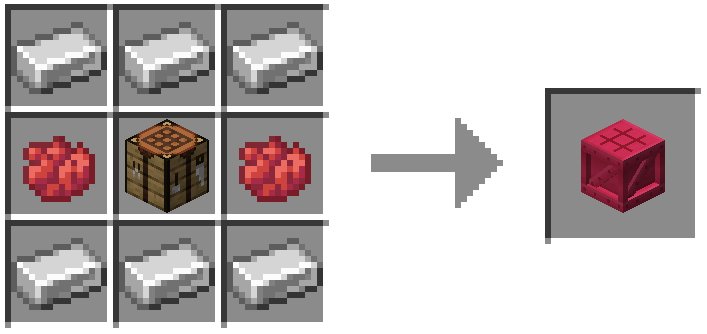
Çerçeveler, Zeminler ve Platformlar
Çerçevelere ruh/redstone/meşale uygulanabilir.
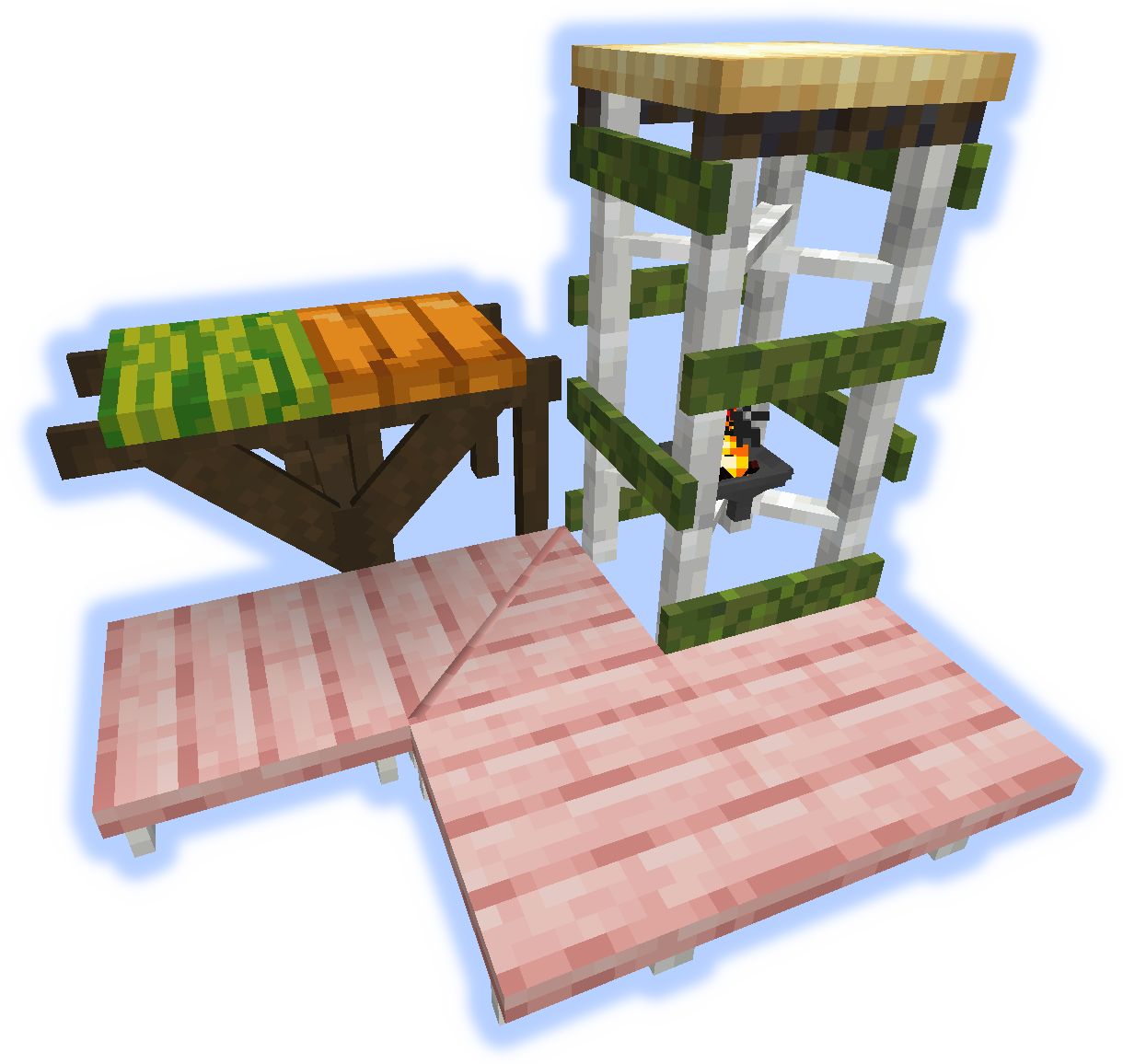
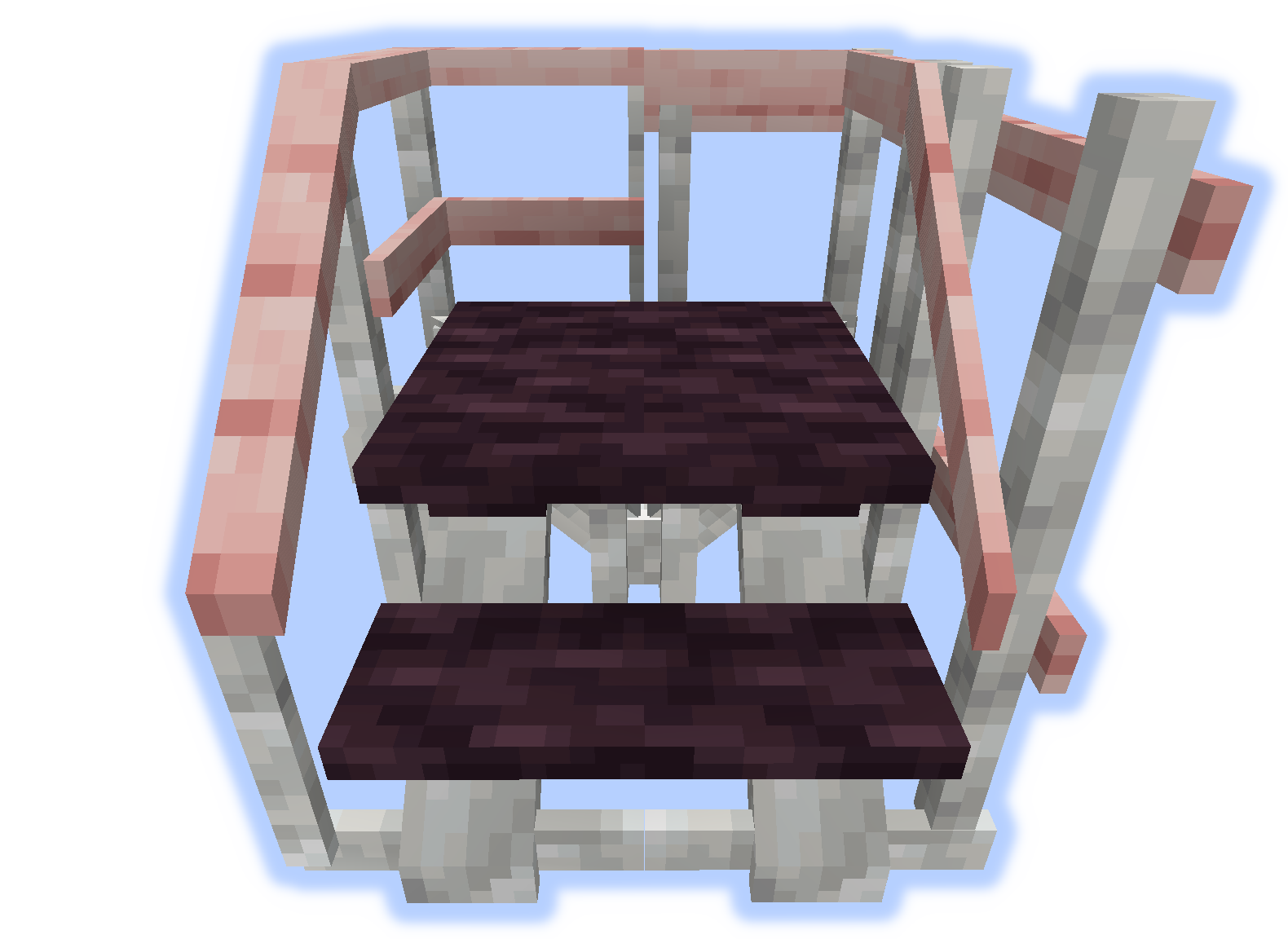
Rampalar, Basamaklar ve Merdivenler
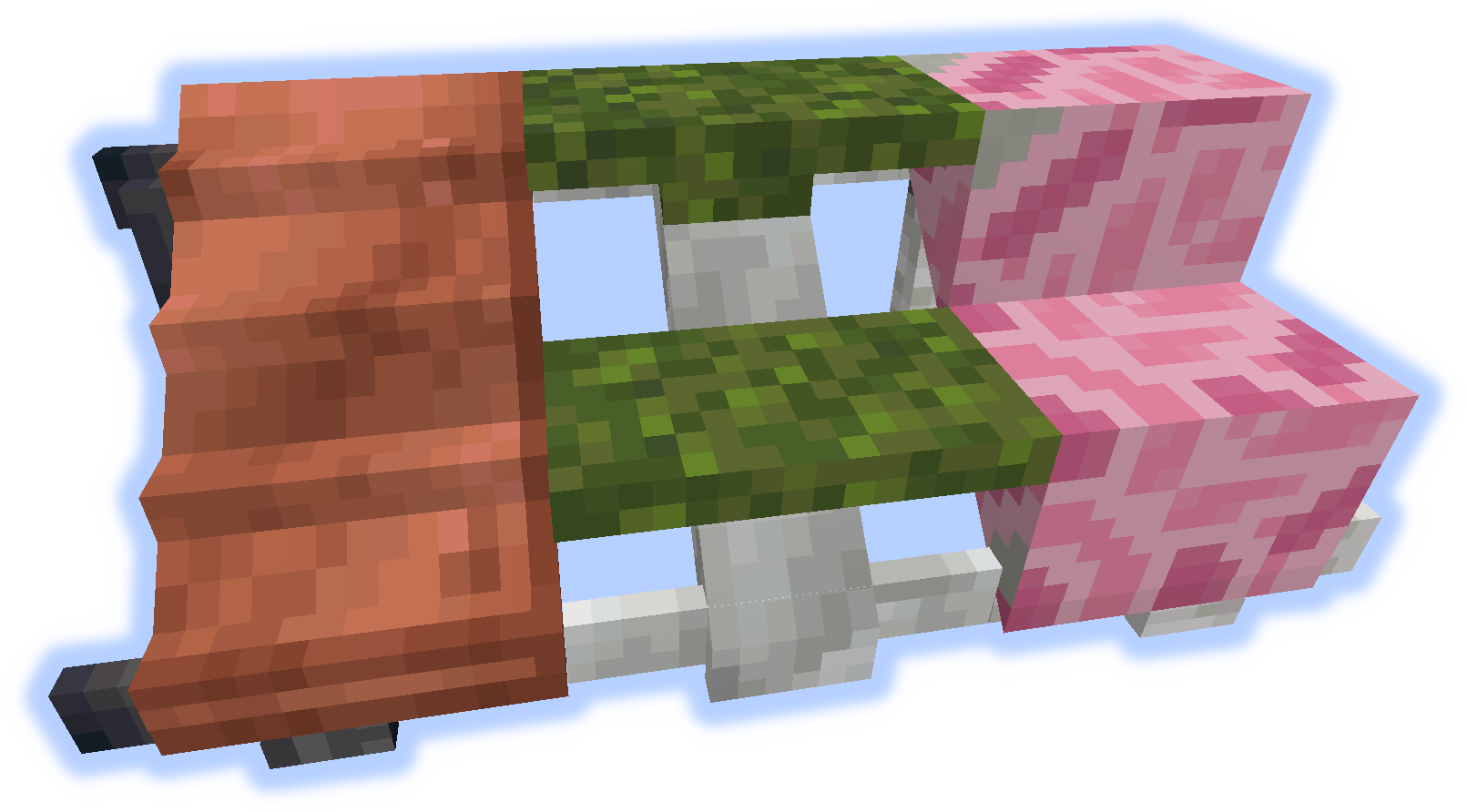
Tırabzanlar ve Yükseltiler
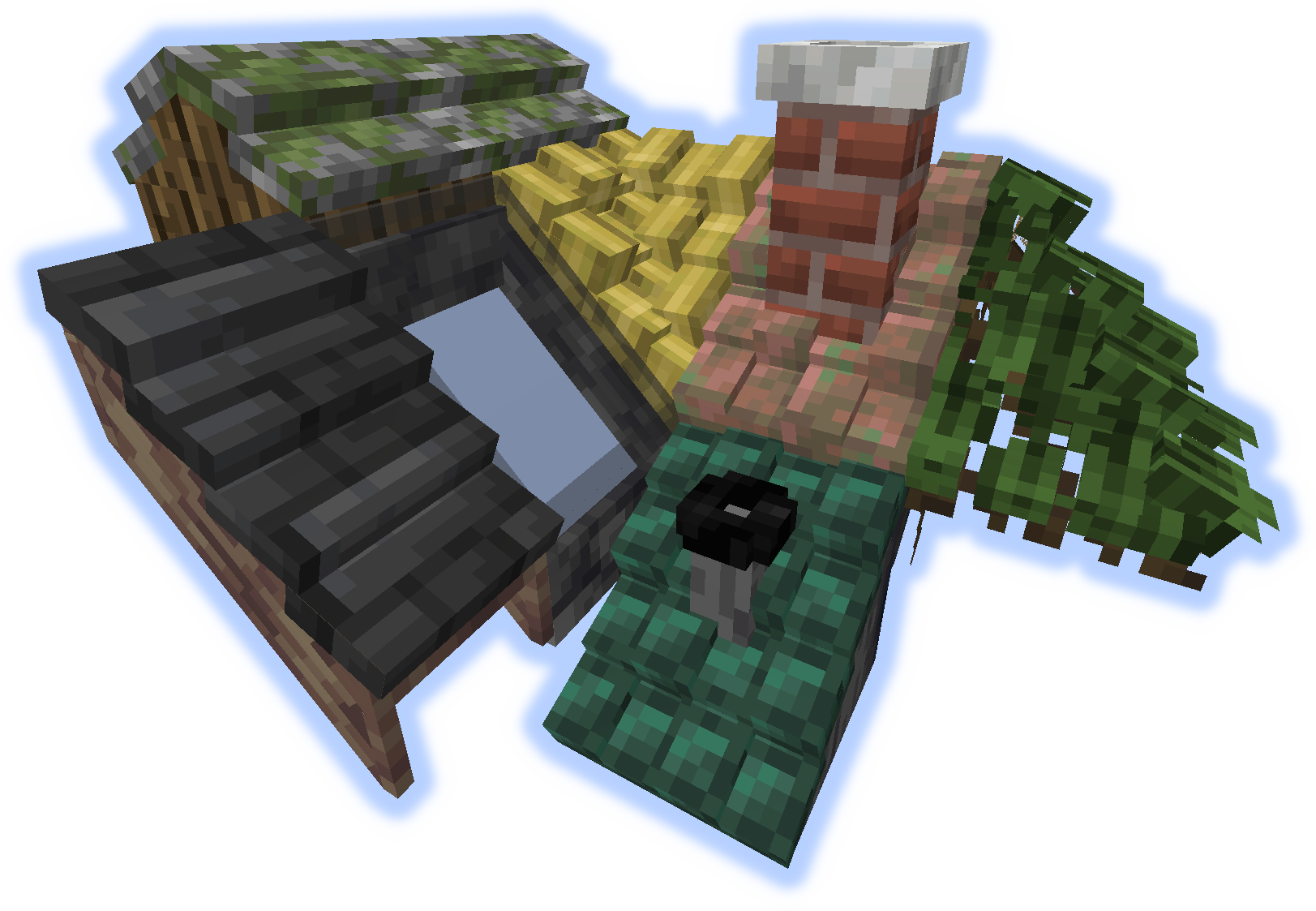
Çatılar
Bir çatıya "yükselti" veya "tırabzan" yerleştirildiğinde baca veya boruya dönüşür.
Araçlar
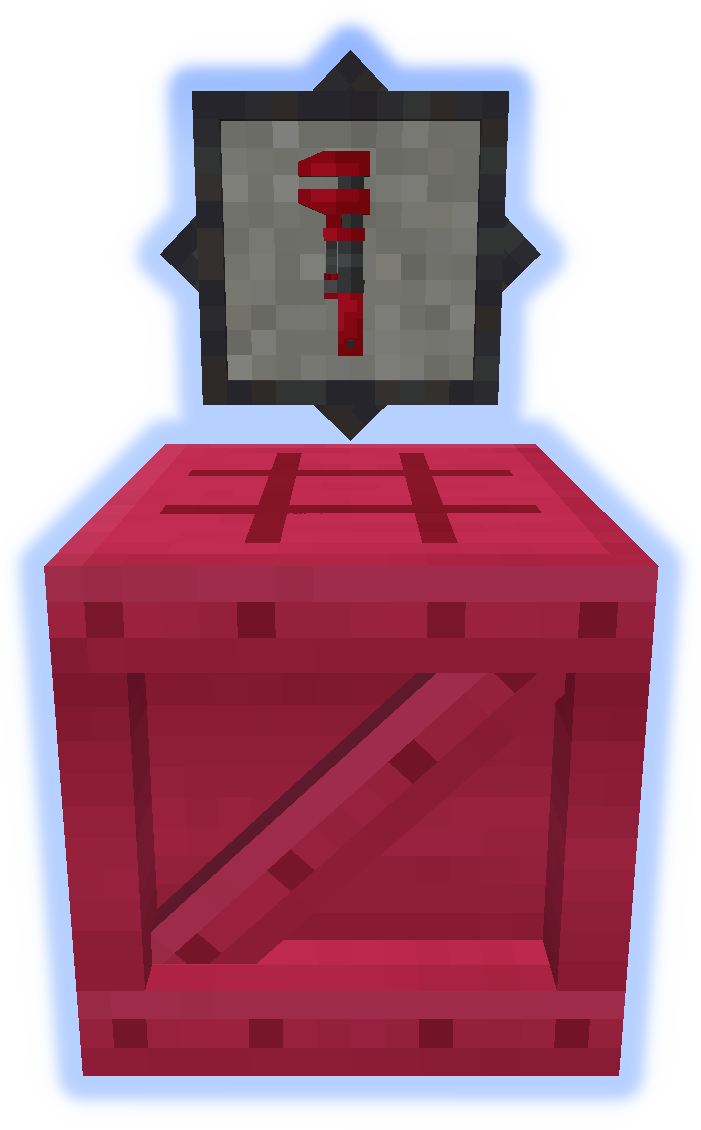
İngiliz anahtarı çok önemli bir araçtır. Diğer elinizde deneyin. (Daha Fazla Bilgi)
Platformer, moddaki diğer her şeyi üretmek için kullanılır. (Daha Fazla Bilgi)
Özel Özellikler
Halı platformlara yerleştirilebilir.
Kar veya Kum, kendi biyomlarında birikir.
Bacalar ve Borular parçacık yayar (açılıp kapatılabilir).
Yerelleştirme dosyalarını github üzerinden gönderin.
Hataları yorumlarda bildirmeyin, Sorun Takipçisini kullanın.
Platforms nasıl kurulur
With Millida Launcher
Install Millida Launcher
The launcher is free: download it at millida.net/launcher and sign in with any nickname.
Click “Install” on this page
The launcher opens and installs the mod for Minecraft 1.14.4–1.21.1 on Forge or NeoForge automatically.
Launch the game
A profile with it appears in the launcher: click “Play”.
Manually
Install Forge or NeoForge
The loader must match the game version of the mod file, for example Minecraft 1.21.1. After installing it, a separate profile appears in your launcher.
Download the file for your version
In the version list above, pick the file platforms-neoforge-1.21.1-1.0.jar (808 KB) for your game version and loader.
Put it in the mods folder
The folder is inside .minecraft (Windows: %appdata%\.minecraft\mods). If it does not exist, create it.
Launch the loader profile
Open “Mods” in the main menu: Platforms should be in the list.
Minecraft 1.21.1 runs on Java 21: with a different Java version the game may close right after launch.
Sürümler
Bağımlılıklarla
| Minecraft | Yükleyici | Dosya | Tarih | İşlemler |
|---|---|---|---|---|
| 1.21.1 | NeoForge | platforms-neoforge-1.21.1-1.0.jar808 KB 2 | ||
| 1.21.1 | Forge | platforms-forge-1.21.1-1.0.jar804 KB 4 | ||
| 1.21.1 | NeoForge | platforms-neoforge-1.21.1-0.1.jar808 KB | ||
| 1.21.1 | Forge | platforms-forge-1.21.1-0.1.jar804 KB | ||
| 1.14.4 | — | platforms-1.14-1.5.13.jar497 KB 1 |
SSS
Which Minecraft versions does Platforms work on?
There are files for 1.21.1, 1.14.4. The newest is 1.21.1.
Is Platforms for Forge or Fabric?
There are files for Forge: 1.21.1 and for NeoForge: 1.21.1. There are no files for Fabric: a mod for another loader will not start.
Does Platforms need other mods?
The author lists no required dependencies: the Forge or NeoForge loader is enough.
Which Java does Platforms need?
Minecraft 1.21.1 runs on Java 21. If the game closes right after launch, the usual cause is the wrong Java version in the profile settings.
Where can I download Platforms safely?
On this page: the file platforms-neoforge-1.21.1-1.0.jar (808 KB) is stored on Millida’s server, with no link shorteners. SHA-1 checksum: 4597d439a87ed57aa38ddbe935071c9398057557.
Yorumlar
Platforms için ilk puanı sen ver


