
Minecraft 1.20.1, 26.3 için PingHUD Mod
Sekme listesinde geliştirilmiş ping göstergesi
 NeoForge
 Forge
ForgePingHUD modu hakkında
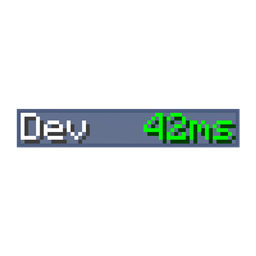
PingHUD replaces the default bar graph ping display in the player list with a proper numerical display of the current ping of all players.
PingHUD nasıl kurulur
With Millida Launcher
Install Millida Launcher
The launcher is free: download it at millida.net/launcher and sign in with any nickname.
Click “Install” on this page
The launcher opens and installs the mod for Minecraft 1.20.1–26.3 on Forge or NeoForge automatically.
Launch the game
A profile with it appears in the launcher: click “Play”.
Manually
Install Forge or NeoForge
The loader must match the game version of the mod file, for example Minecraft 26.3. After installing it, a separate profile appears in your launcher.
Download the file for your version
In the version list above, pick the file PingHUD-7.0.jar (5 KB) for your game version and loader.
Put it in the mods folder
The folder is inside .minecraft (Windows: %appdata%\.minecraft\mods). If it does not exist, create it.
Launch the loader profile
Open “Mods” in the main menu: PingHUD should be in the list.
Sürümler
Bağımlılıklarla
| Minecraft | Yükleyici | Dosya | Tarih | İşlemler |
|---|---|---|---|---|
| 26.3 | NeoForge | PingHUD-7.0.jar4.9 KB 2 | ||
| 1.20.1 | NeoForge, Forge | PingHUD-3.0.jar6.2 KB |
SSS
Which Minecraft versions does PingHUD work on?
There are files for 26.3, 1.20.1. The newest is 26.3.
Is PingHUD for Forge or Fabric?
There are files for Forge: 1.20.1 and for NeoForge: 1.20.1–26.3. There are no files for Fabric: a mod for another loader will not start.
Does PingHUD need other mods?
The author lists no required dependencies: the Forge or NeoForge loader is enough.
Where can I download PingHUD safely?
On this page: the file PingHUD-7.0.jar (5 KB) is stored on Millida’s server, with no link shorteners. SHA-1 checksum: 3cfb37db5071fc4630b5c2bbe99c9425898e2378.
Yorumlar
PingHUD için ilk puanı sen ver


