
Minecraft 1.20.1, 1.19.2 için Ochetgenyo Mod
Duvarlarınızı kadim bir dille süsleyin
 Fabric
 Quilt
QuiltOchetgenyo modu hakkında
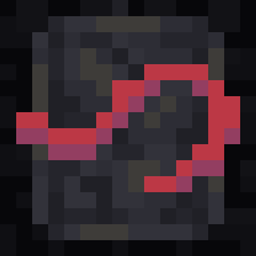
This mod adds blocks an items to construct sentences in Ochetgenyo, a language long lost.
To get started, craft Glyph Base blocks, upon which you can write the language's script. You can either use a stonecutter to create individual blocks, or craft a Glyph Chisel to easily cycle through all the symbols!
Additional Features
- You can use any dye on a glyph block; they all have unique color palettes!
- Use a Glow Ink Sac on a glyph block to make it shine when it's dark
- Shift-right-click a vowel glyph with the Glyph Chisel to turn it left or right
- Placing new glyphs below existing ones will copy the color and glowing status from above; this also applies to glyphs created with the Glyph Chisel
- Shift-right-click a glyph block with an empty hand to display the full vertical sentence in chat
Language
Ochetgenyo is a conlang, or constructed language, with very little defined content. There are words and grammar rules you can follow, but feel free to mess around with it however you'd like!
To learn more about the language and potentially contribute to its development, see the Language Info page.
License
MIT (c) spadeteam
Ochetgenyo nasıl kurulur
With Millida Launcher
Install Millida Launcher
The launcher is free: download it at millida.net/launcher and sign in with any nickname.
Click “Install” on this page
The launcher opens and installs the mod for Minecraft 1.19–1.20.1 on Fabric or Quilt automatically.
Launch the game
A profile with it appears in the launcher: click “Play”.
Manually
Install Fabric or Quilt
The loader must match the game version of the mod file, for example Minecraft 1.20.1. After installing it, a separate profile appears in your launcher.
Download the file for your version
In the version list above, pick the file ochetgenyo-1.2.0+1.20.jar (154 KB) for your game version and loader.
Put it in the mods folder
The folder is inside .minecraft (Windows: %appdata%\.minecraft\mods). If it does not exist, create it.
Launch the loader profile
Open “Mods” in the main menu: Ochetgenyo should be in the list.
Minecraft 1.20.1 runs on Java 17: with a different Java version the game may close right after launch.
Sürümler
Bağımlılıklarla
| Minecraft | Yükleyici | Dosya | Tarih | İşlemler |
|---|---|---|---|---|
| 1.20.1 | Fabric, Quilt | 1.2.0 Fabric for 1.20-1.20.1154 KB | ||
| 1.19.2 | Fabric, Quilt | 1.1.0 Fabric for 1.19-1.19.2 (Hotfix)154 KB | ||
| 1.19.3 | Fabric, Quilt | 1.1.0 Fabric for 1.19.3 (Hotfix)154 KB | ||
| 1.19.2 | Quilt | 1.0.0 Quilt148 KB |
SSS
Which Minecraft versions does Ochetgenyo work on?
There are files for 1.20.1, 1.20, 1.19.3, 1.19.2, 1.19.1, 1.19. The newest is 1.20.1.
Is Ochetgenyo for Forge or Fabric?
There are files for Fabric: 1.19–1.20.1 and for Quilt: 1.19–1.20.1. There are no files for Forge or NeoForge: a mod for another loader will not start.
Does Ochetgenyo need other mods?
The author lists no required dependencies: the Fabric or Quilt loader is enough.
Which Java does Ochetgenyo need?
Minecraft 1.20.1 runs on Java 17. If the game closes right after launch, the usual cause is the wrong Java version in the profile settings.
Where can I download Ochetgenyo safely?
On this page: the file ochetgenyo-1.2.0+1.20.jar (154 KB) is stored on Millida’s server, with no link shorteners. SHA-1 checksum: 47e48eebc24d45d76b97355a525534214f6f55ee.
Yorumlar
Ochetgenyo için ilk puanı sen ver


