

Minecraft 1.20.1, 1.21.1 için NiftyCarts Mod
AstikorCarts modunun bir Fabric portu. Seyahat, nakliye ve çiftçilik için arabalar ekler.
- indirme
- 1 indirme
- görüntülenme
- 35 görüntülenme
- Güncellendi
- Güncellendi 29.09.2026
- 1.20.1 — 1.21.11
 Fabric
- İstemci ve sunucu
NiftyCarts
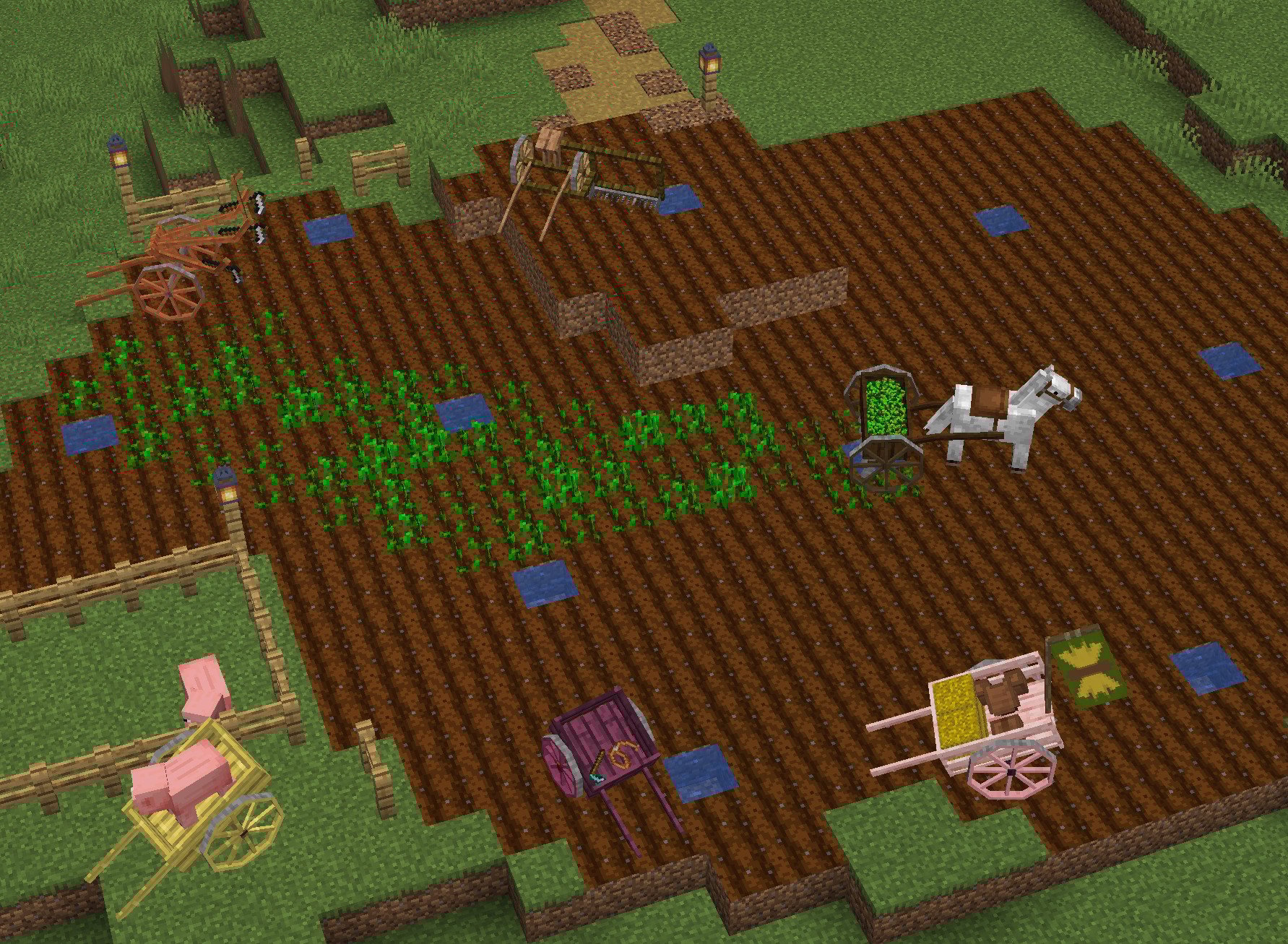
A mod that adds horse drawn carts to Minecraft.

Links
- This Project: On CurseForge and On Github
- AstikorCarts (Forge 1.12.2, 1.16.4/5, 1.18.2, 1.19.2): On CurseForge (Original Mod)
- AstikorCarts Redux (Forge 1.19.4-1.20.1): On Modrinth and On CurseForge

Carts
This mods adds six different carts:
Supply Cart
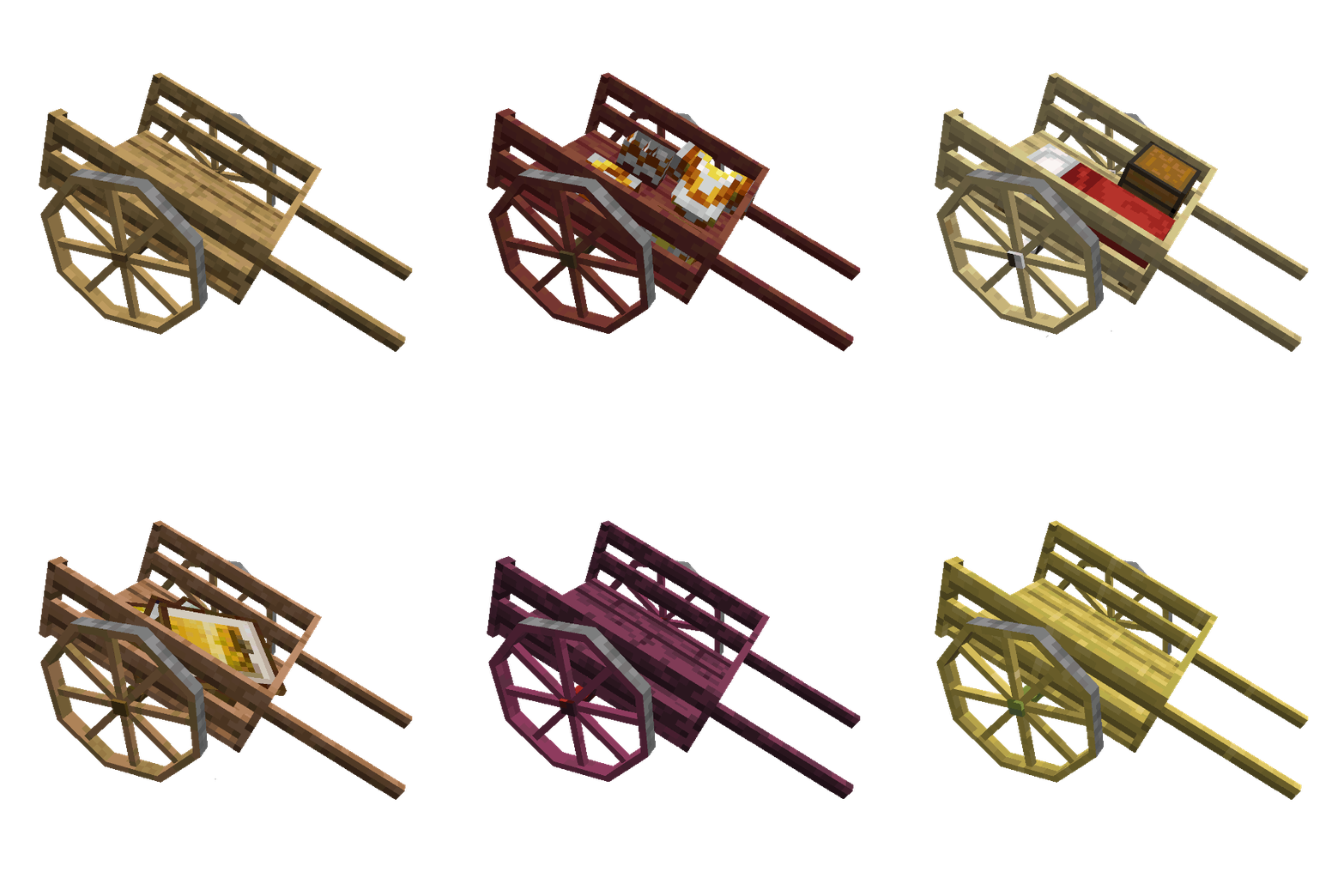
- Double Chest worth of inventory space
- one seat in the back
Plow
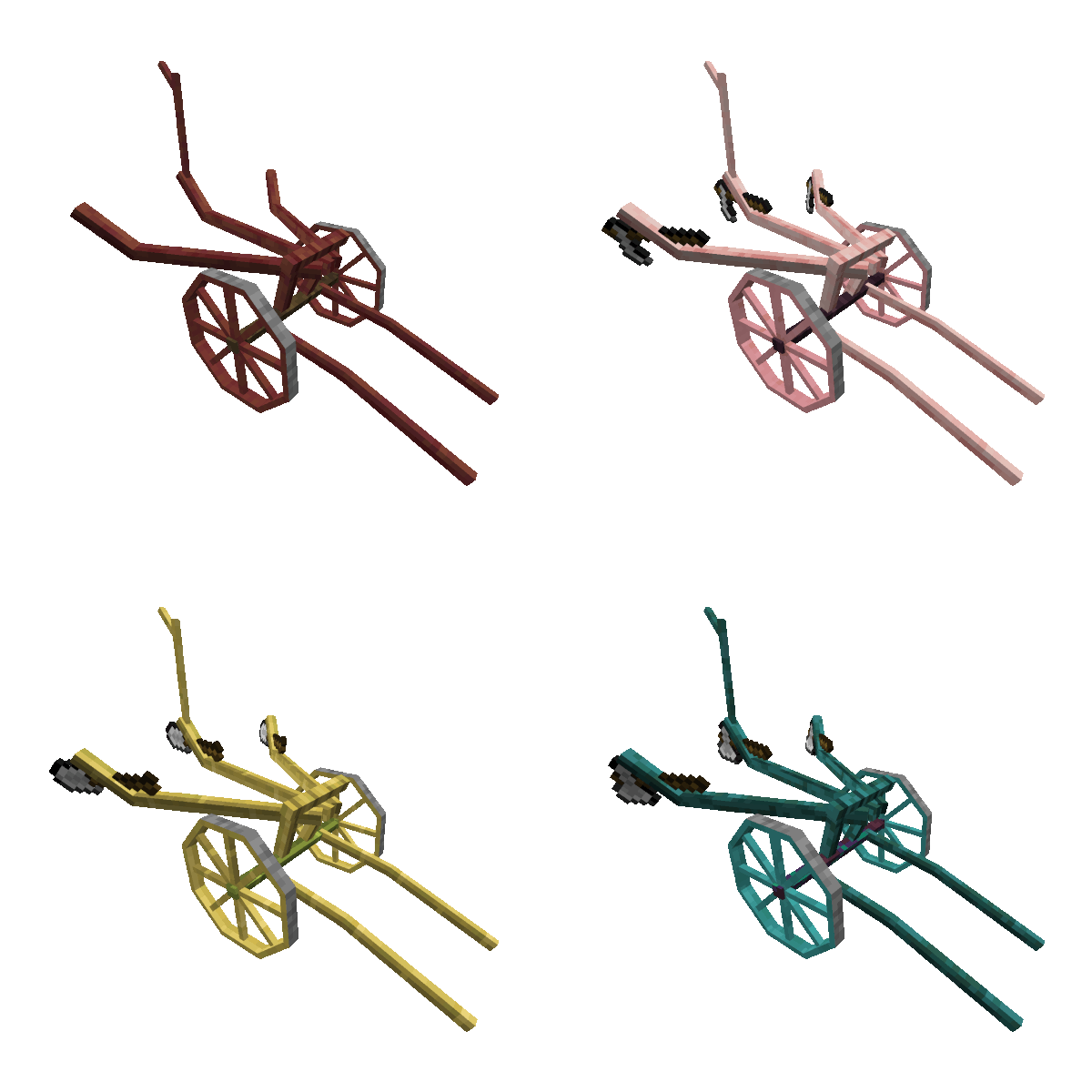
- Has space for 3 tools (hoes, shovels, axes)
- Uses these tools on the block beneath (tills, makes path, strips logs)
Animal Cart
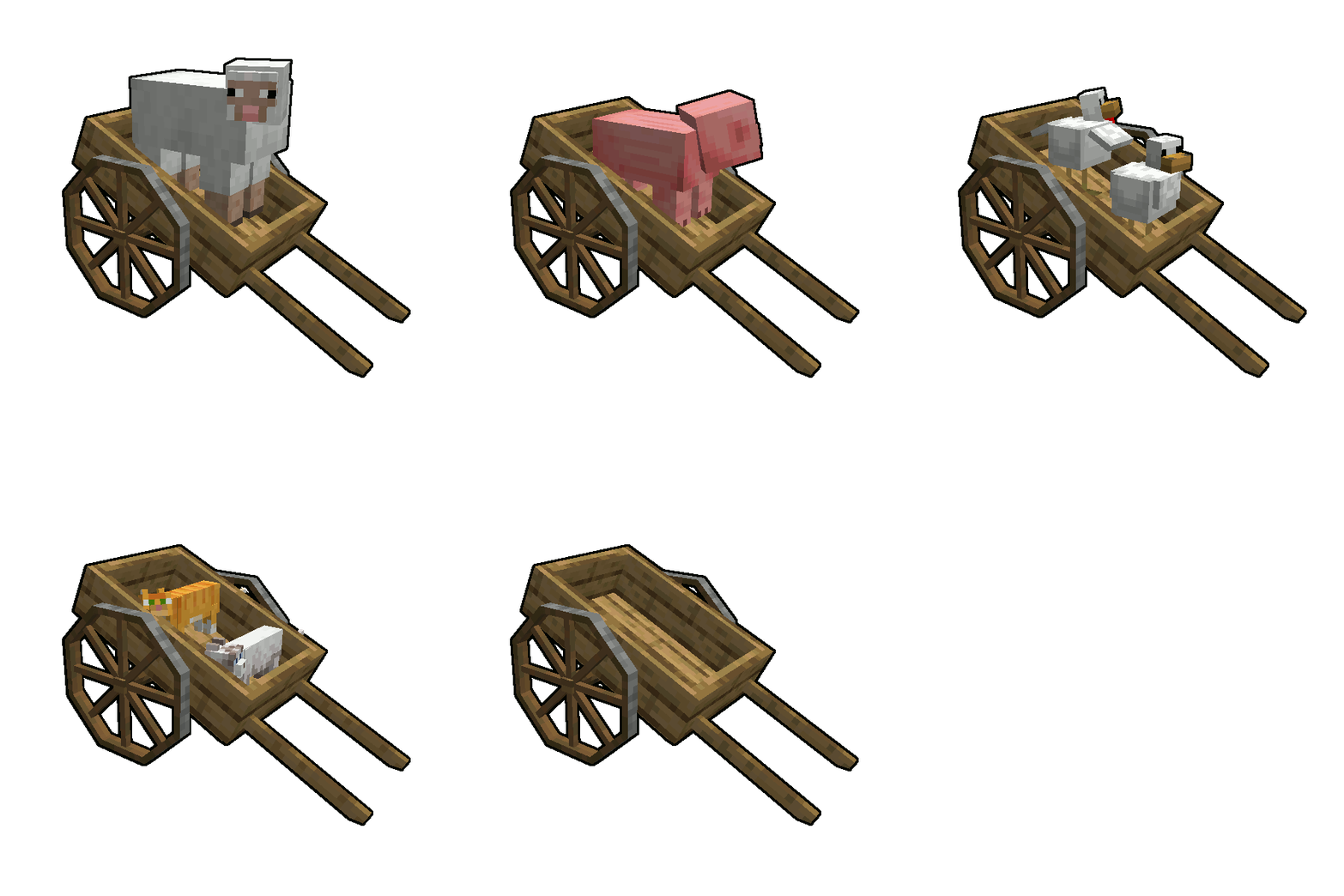
- two seats for both players on mobs
Hand Cart
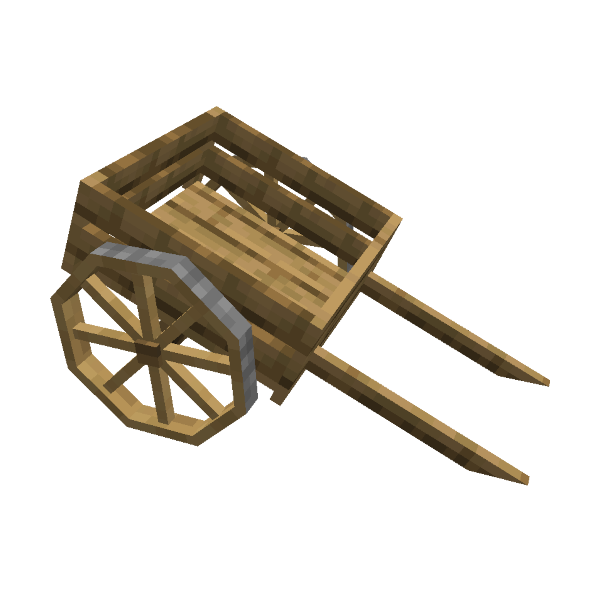
- Smaller version of supply cart
- 27 slots of inventory space
- can only be pulled by players
Seed Drill
- Has 9 slots for seeds
- Plants seeds on farmland when pulled
Reaper
- Harvest crops
- Use seat on the reaper to operate
Usage
Nearby Carts can be attached and detached from the entity you're riding by pressing the 'Action Key' hotkey (default 'R'). Pressing the Sprint button once toggles the 'Slow Mode'. Your mount and cart will be slower.
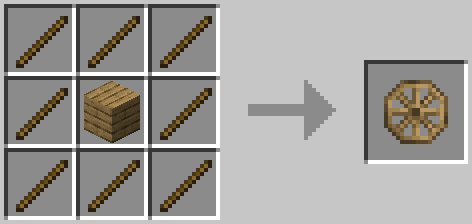
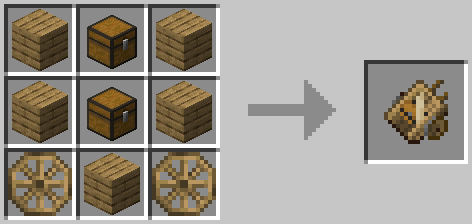
Recipes
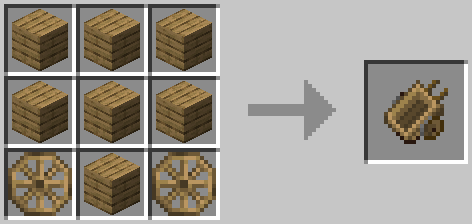
Wheel
Supply Cart
Plow
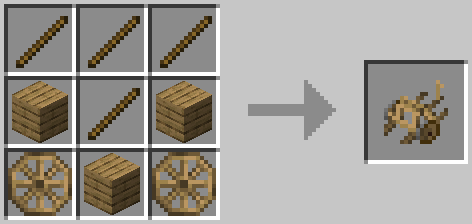
Animal Cart
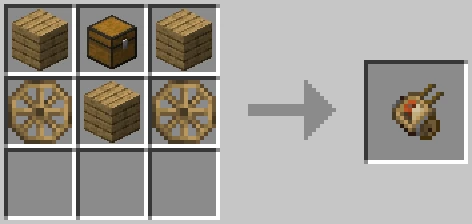
Hand Cart
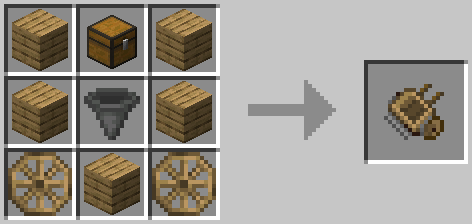
Reaper
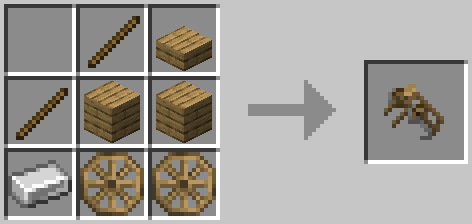
Seed Drill
NiftyCarts nasıl kurulur
With Millida Launcher
Install Millida Launcher
The launcher is free: download it at millida.net/launcher and sign in with any nickname.
Click “Install” on this page
The launcher opens and installs the mod for Minecraft 1.20.1–1.21.11 on Fabric automatically, together with its dependencies: Fabric API, Forge Config API Port.
Launch the game
A profile with it appears in the launcher: click “Play”.
Manually
Install Fabric
The loader must match the game version of the mod file, for example Minecraft 1.21.11. After installing it, a separate profile appears in your launcher.
Download the file for your version
In the version list above, pick the file niftycarts-21.11.0.jar (623 KB) for your game version.
Put it in the mods folder
The folder is inside .minecraft (Windows: %appdata%\.minecraft\mods). If it does not exist, create it. Required dependencies go there too: Fabric API, Forge Config API Port.
Launch the loader profile
Open “Mods” in the main menu: NiftyCarts should be in the list.
On a server
A server on Fabric
The mod only works on a server with the same loader and game version, for example 1.21.11.
File goes into the server’s mods folder
Stop the server, put the mod file into the mods folder and start the server again.
Use the “To server” button
On Millida Hosting, the button at the top of the page uploads the file to your server and restarts it for you.
Minecraft 1.21.11 runs on Java 21: with a different Java version the game may close right after launch.
Sürümler
Bağımlılıklarla
| Minecraft | Yükleyici | Dosya | Tarih | İşlemler |
|---|---|---|---|---|
| 1.21.11 | Fabric | 1.21.11623 KB | ||
| 1.21.8 | Fabric | 1.21.8614 KB | ||
| 1.21.5 | Fabric | 1.21.5616 KB | ||
| 1.21.1 | Fabric | 1.21.1607 KB 1 | ||
| 1.20.1 | Fabric | 1.20.1562 KB | ||
| 1.21.8 | Fabric | 1.21.8569 KB | ||
| 1.21.5 | Fabric | 1.21.5569 KB | ||
| 1.21.1 | Fabric | 1.21.1563 KB |
Çalışması için gerekenler
- Fabric APIzorunlu
- Forge Config API Portzorunlu
Yorumlar
NiftyCarts için ilk puanı sen ver


