
Minecraft 1.12.2 için Multi Mob Library Mod
Daveyx0'ın yaratık modları için temel dosyaları içeren bir kütüphane modu
Multi Mob Library modu hakkında
Updating from an older version to 1.0.4? Please refresh your config files!! Sorry for the inconvenience!
If you are having a crash related to SpawnPlacementType, then please update your Optifine :) Thanks!
This mod contains all necessary files for my other mob mods to function; which are Primitive Mobs and The Summoner mod. However, it is mainly setup for my upcoming mod: Atmosmobs. Seeing as all my mob mods will have similar infrastructure, I figured it would be better to not have people essentially download the same code twice and it also allows me to update only this framework for both mods if big changes are to be made.
Also, other modders could use this library mod as a dependency to use some of it's features if they want to. :) It has some fun spawning config code that Primitive Mobs uses and a lot of useful utility classes for Entities in particular.
What can I do with this mod?
Well, the following:
- Install it and use it as dependency for Primitive Mobs and The Summoner
- Adjust mob spawns for my mods, like Primitive Mobs, as briefly explained here
- Add NEW spawns for mobs with specific settings as explained here as well
- Increase the amount of mob spawns in general (vanilla, my mobs and modded mobs) as explained here
- Check all relevant IDs for the mods you installed (like mob IDs), which are generated in config/multimob/modinformation as txt files.
My new spawns do not work or the limits do not work! Can you help?
- Before reporting; make sure you restarted the game and tested the spawns with a new world. It makes all the difference!
My game crashes. Can you help?
- Please make a report by going into Issues in the top bar and describe what went wrong. Also provide a crash report if possible.
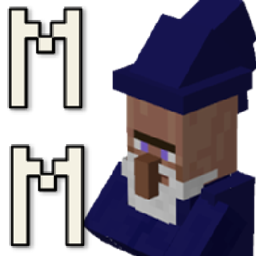
Is the wizard in this mod?
- No, he's just there to distract you and represent the mod. :) This is a library mod.
Multi Mob Library nasıl kurulur
With Millida Launcher
Install Millida Launcher
The launcher is free: download it at millida.net/launcher and sign in with any nickname.
Click “Install” on this page
The launcher opens and installs the mod for Minecraft 1.12–1.12.2 automatically.
Launch the game
A profile with it appears in the launcher: click “Play”.
Manually
Download the file for your version
In the version list above, pick the file multimob-1.0.5.jar (180 KB) for your game version.
Put it in the mods folder
The folder is inside .minecraft (Windows: %appdata%\.minecraft\mods). If it does not exist, create it.
Launch the loader profile
Open “Mods” in the main menu: Multi Mob Library should be in the list.
Minecraft 1.12.2 runs on Java 8: with a different Java version the game may close right after launch.
Sürümler
Bağımlılıklarla
| Minecraft | Yükleyici | Dosya | Tarih | İşlemler |
|---|---|---|---|---|
| 1.12.1 | — | multimob-1.0.5.jar180 KB |
SSS
Which Minecraft versions does Multi Mob Library work on?
There are files for 1.12.2, 1.12.1, 1.12. The newest is 1.12.2.
Which Java does Multi Mob Library need?
Minecraft 1.12.2 runs on Java 8. If the game closes right after launch, the usual cause is the wrong Java version in the profile settings.
Where can I download Multi Mob Library safely?
On this page: the file multimob-1.0.5.jar (180 KB) is stored on Millida’s server, with no link shorteners. SHA-1 checksum: dcc3b8718743521d4251bce1e7a4c91e3ba89079.
Yorumlar
Multi Mob Library için ilk puanı sen ver


