
Minecraft 1.20.1, 1.21.1 için More Beautiful Buttons Mod
Dünyanıza güzellik katmak için daha fazla renkte düğmeler
 NeoForge
 Fabric
 Forge
ForgeMore Beautiful Buttons modu hakkında

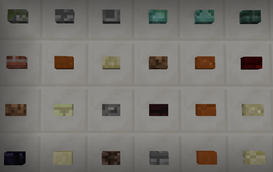
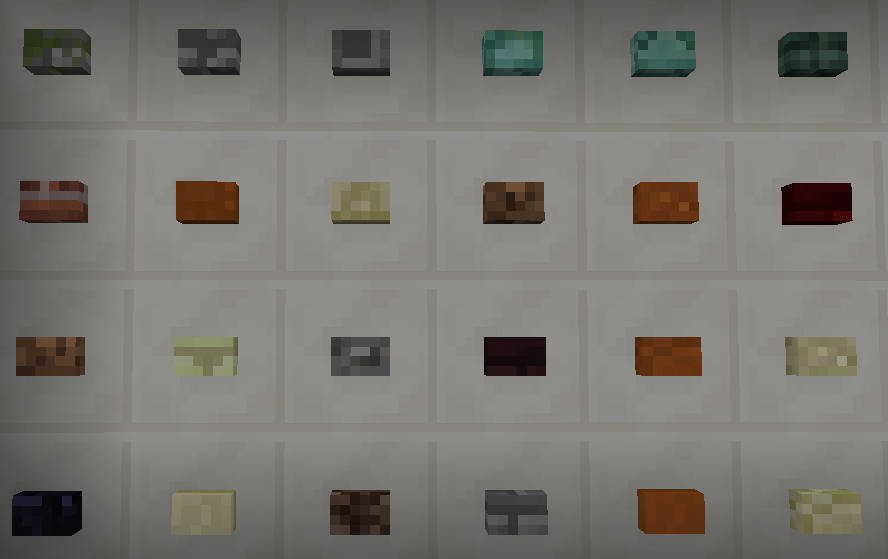
Over 200 buttons for pressing pleasure! Some buttons sound like sand, others like glass, some like wood, and yet others sound wet! Can you craft them all?
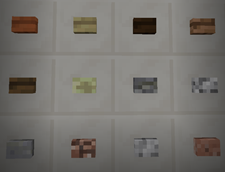
These buttons want to be pressed by you and only you.
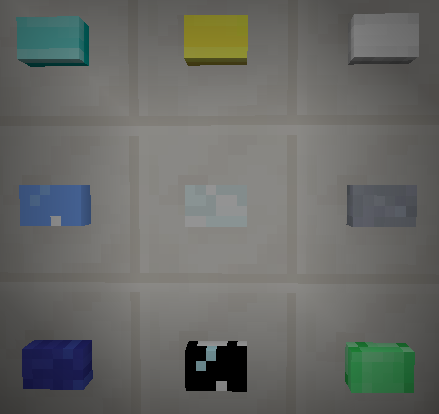
Gold, Iron, Diamond, Lapis, Glass, Emerald, ...
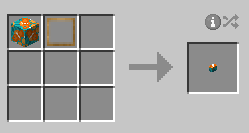
Crafting
Combine any block with a button press and get your very own button version of that block. A button press is crafted with 8 sticks in a chest pattern.
Want 200+ Giant Buttons?
Yeah, you know you do. So, head on over to Big Beautiful Buttons and get to pressing those massively enormous buttons.

If you want a server setup for the Any mod pack with zero effort, get a server with BisectHosting and receive 25% off your first month as a new customer using the code kreezxil
Modpacks
Yes, you can use my mod in your pack.
More Beautiful Buttons nasıl kurulur
With Millida Launcher
Install Millida Launcher
The launcher is free: download it at millida.net/launcher and sign in with any nickname.
Click “Install” on this page
The launcher opens and installs the mod for Minecraft 1.12.2–1.21.1 on Fabric, Forge or NeoForge automatically.
Launch the game
A profile with it appears in the launcher: click “Play”.
Manually
Install Fabric, Forge or NeoForge
The loader must match the game version of the mod file, for example Minecraft 1.21.1. After installing it, a separate profile appears in your launcher.
Download the file for your version
In the version list above, pick the file MoreBeautifulButtons-neoforge-1.21.1-1.8.0.jar (603 KB) for your game version and loader.
Put it in the mods folder
The folder is inside .minecraft (Windows: %appdata%\.minecraft\mods). If it does not exist, create it.
Launch the loader profile
Open “Mods” in the main menu: More Beautiful Buttons should be in the list.
Minecraft 1.21.1 runs on Java 21: with a different Java version the game may close right after launch.
Sürümler
Bağımlılıklarla
| Minecraft | Yükleyici | Dosya | Tarih | İşlemler |
|---|---|---|---|---|
| 1.21.1 | NeoForge | MoreBeautifulButtons-neoforge-1.21.1-1.8.0.jar603 KB | ||
| 1.21.1 | Fabric | MoreBeautifulButtons-fabric-1.21.1-1.8.0.jar593 KB | ||
| 1.20.1 | Forge | MoreBeautifulButtons-forge-1.20.1-1.5.0.jar634 KB | ||
| 1.12.2 | — | morebeautifulbuttons-1.12.2-1.7.3.20.jar199 KB |
SSS
Which Minecraft versions does More Beautiful Buttons work on?
There are files for 1.21.1, 1.20.1, 1.12.2. The newest is 1.21.1.
Is More Beautiful Buttons for Forge or Fabric?
There are files for Fabric: 1.21.1, for Forge: 1.20.1 and for NeoForge: 1.21.1.
Does More Beautiful Buttons need other mods?
The author lists no required dependencies: the Fabric, Forge or NeoForge loader is enough.
Which Java does More Beautiful Buttons need?
Minecraft 1.21.1 runs on Java 21. If the game closes right after launch, the usual cause is the wrong Java version in the profile settings.
Where can I download More Beautiful Buttons safely?
On this page: the file MoreBeautifulButtons-neoforge-1.21.1-1.8.0.jar (603 KB) is stored on Millida’s server, with no link shorteners. SHA-1 checksum: 39b717273b56581029c2865dbfd171cee644e519.
Yorumlar
More Beautiful Buttons için ilk puanı sen ver


