
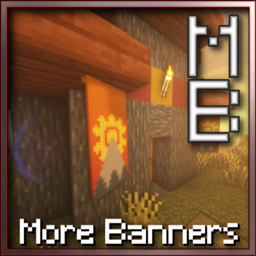
Minecraft 26.3 için More Banner Features Mod
Atlar, tekneler ve Mutlu Ghastlar üzerinde pankartlar, pelerin ve şapka olarak, daha fazla katman ve daha fazlası!
- indirme
- 2 indirme
- görüntülenme
- 11 görüntülenme
- Güncellendi
- Güncellendi 30.10.2026
- 26.3
 Fabric
Features
- Banners on Entities: Happy Ghast, Boat, Horse, Mule, Donkey, Strider, Villager
- Players can equip Banners as: Cape, Hat (Support for Slot Mods)
- Combine chestplates and helmets with Banners to equip both
- Hang Banners below blocks
- Fix banner position in fox mouth
- Banner Threads item (combine with a banner to increase the max layer limit)
Beta Features (Must be enabled in config)
- Minecart Banners
Compatibilities
- Trinkets / Trinkets Canary
- Accessories
Features (before v2.0)
- Equip Banners as Capes (Cape Slot if Trinkets installed)
- Put Banners on Horses, Donkeys, Mules and Llamas with a new inventory slot
- Put Banners with right-click on Pigs, Striders, Boats & Villagers
- Remove Banners from Pigs, Striders, Boats & Villagers with Shears
- Hang Banners below blocks
- Fix banner position in fox mouth
- Fix enchanting glint on enchanted banners
- Config menu accessible through ModMenu
Compatibilities (before v2.0)
- Boat Container — By KxmischesDomi
- Wavey Capes — By tr9zw
Incompatibilities (before v2.0)
- Entity Banners — Weird rendering bugs
- Glow Banners — Banners don't glow
More Banner Features nasıl kurulur
With Millida Launcher
Install Millida Launcher
The launcher is free: download it at millida.net/launcher and sign in with any nickname.
Click “Install” on this page
The launcher opens and installs the mod for Minecraft 26.3 on Fabric automatically.
Launch the game
A profile with it appears in the launcher: click “Play”.
Manually
Install Fabric
The loader must match the game version of the mod file, for example Minecraft 26.3. After installing it, a separate profile appears in your launcher.
Download the file for your version
In the version list above, pick the file MoreBannerFeatures-2.2.jar (261 KB) for your game version.
Put it in the mods folder
The folder is inside .minecraft (Windows: %appdata%\.minecraft\mods). If it does not exist, create it.
Launch the loader profile
Open “Mods” in the main menu: More Banner Features should be in the list.
Sürümler
Bağımlılıklarla
| Minecraft | Yükleyici | Dosya | Tarih | İşlemler |
|---|---|---|---|---|
| 26.3 | Fabric | 2.2 for 26.3261 KB 2 |
Yorumlar
More Banner Features için ilk puanı sen ver


