

Minecraft 1.20.1, 1.21.10 için Mighty Mail Mod
Minecraft dünyanız için basit bir posta sistemi!
 NeoForge
 Fabric
 Forge
Forge





📖 About
Mighty Mail is standalone version of the mailing system in the upcoming refurbished MrCrayfish's Furniture Mod. The mailing system has a versatile use, and deserves it's own mod. This gives you the option to not install an entire decoration mod just to access an awesome feature. In this mod. you'll find a post box and mailboxes available in every wood type. A post box allows you to send mail to other players on your server. You can include items and an optional message to any mailbox placed in the world. It also works across dimensions. When you receive mail, you mailbox will appear with a little red flag. To customise your experience, there are config options to change the inventory size of the mailboxes and increase the maximum delivery queue limit.
🎨 Screenshots

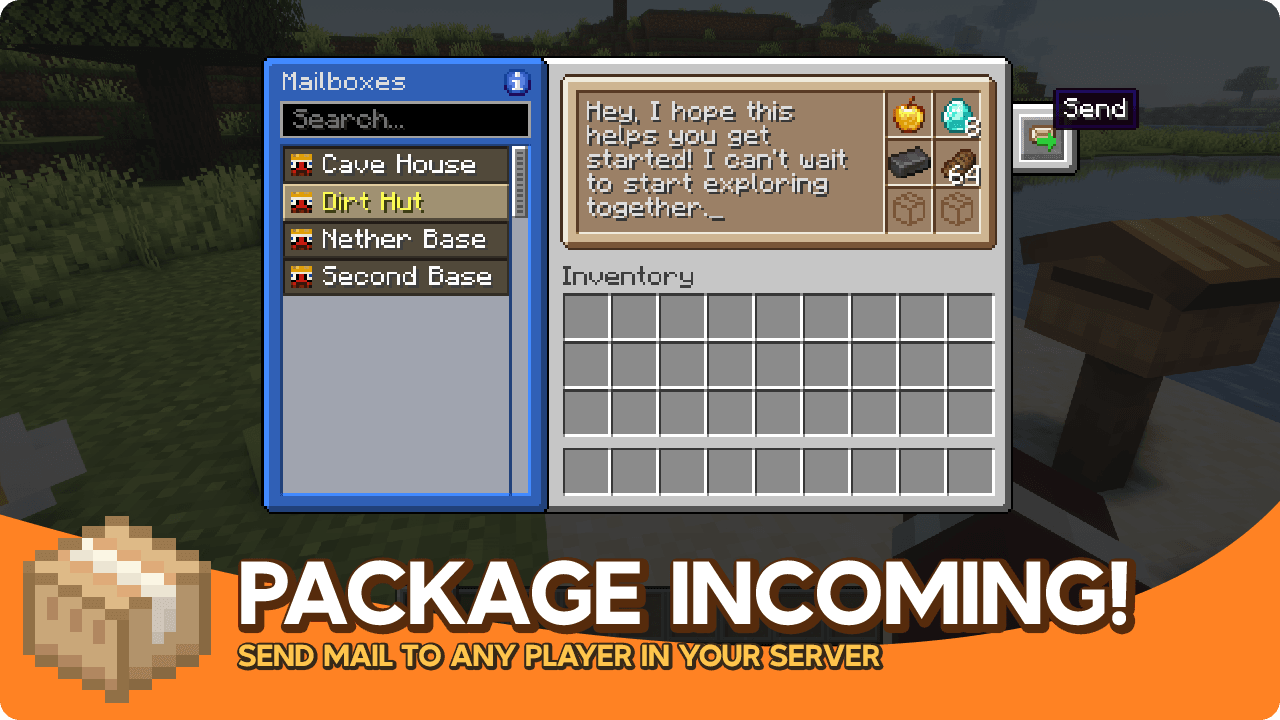
Mighty Mail nasıl kurulur
With Millida Launcher
Install Millida Launcher
The launcher is free: download it at millida.net/launcher and sign in with any nickname.
Click “Install” on this page
The launcher opens and installs the mod for Minecraft 1.20.1–1.21.10 on Fabric, Forge or NeoForge automatically.
Launch the game
A profile with it appears in the launcher: click “Play”.
Manually
Install Fabric, Forge or NeoForge
The loader must match the game version of the mod file, for example Minecraft 1.21.10. After installing it, a separate profile appears in your launcher.
Download the file for your version
In the version list above, pick the file mighty_mail-neoforge-1.21.10-1.2.1.jar (233 KB) for your game version and loader.
Put it in the mods folder
The folder is inside .minecraft (Windows: %appdata%\.minecraft\mods). If it does not exist, create it.
Launch the loader profile
Open “Mods” in the main menu: Mighty Mail should be in the list.
Minecraft 1.21.10 runs on Java 21: with a different Java version the game may close right after launch.
Sürümler
Bağımlılıklarla
| Minecraft | Yükleyici | Dosya | Tarih | İşlemler |
|---|---|---|---|---|
| 1.21.10 | NeoForge | Mighty Mail 1.2.1233 KB | ||
| 1.21.10 | Fabric | Mighty Mail 1.2.1227 KB | ||
| 1.20.1 | Forge | Mighty Mail 1.1.4196 KB 1 |
SSS
Which Minecraft versions does Mighty Mail work on?
There are files for 1.21.10, 1.20.1. The newest is 1.21.10.
Is Mighty Mail for Forge or Fabric?
There are files for Fabric: 1.21.10, for Forge: 1.20.1 and for NeoForge: 1.21.10.
Does Mighty Mail need other mods?
The author lists no required dependencies: the Fabric, Forge or NeoForge loader is enough.
Which Java does Mighty Mail need?
Minecraft 1.21.10 runs on Java 21. If the game closes right after launch, the usual cause is the wrong Java version in the profile settings.
Where can I download Mighty Mail safely?
On this page: the file mighty_mail-neoforge-1.21.10-1.2.1.jar (233 KB) is stored on Millida’s server, with no link shorteners. SHA-1 checksum: 269d9f71483770f6ff81c4652e3a0d79a7762905.
Yorumlar
Mighty Mail için ilk puanı sen ver


