
 Fabric
Lifts modu hakkında
Lifts
A technology mod that adds various lifts for better vertical traversal inside your world.
Also uses Energy by TechReborn
The usage of an external mod is necessary for powering electric lifts.
Showcase
Lifts
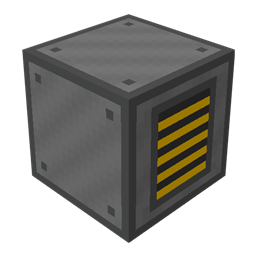
Lifts are machines that can transform blocks in front of it in a platform that can move entities vertically. They can be controlled used redstone, lift buttons, and screens.
Screens and other stuff
A screen is a simple machine that provides a simple user interface for interacting with lifts placed in your world.
The Screen Charger is a simple block that can wirelessly charge linked screens.
A Lift Detector is a simple block that emits a Redstone signal when a linked lift has its platform.
The Lift Button is a button that can wirelessly call a linked lift.
Recipes
I strongly advise the usage of a mod like RoughlyEnoughItems for viewing recipes.
Other information
For bug reporting please proceed to the mod's GitHub repository: https://github.com/lucaargolo/lifts
If you have any other questions or suggestions, feel free to call me on Discord @D4rk#0693 You can find me in the Cafeteria Development guild.
Lifts nasıl kurulur
With Millida Launcher
Install Millida Launcher
The launcher is free: download it at millida.net/launcher and sign in with any nickname.
Click “Install” on this page
The launcher opens and installs the mod for Minecraft 1.18.2 on Fabric automatically.
Launch the game
A profile with it appears in the launcher: click “Play”.
Manually
Install Fabric
The loader must match the game version of the mod file, for example Minecraft 1.18.2. After installing it, a separate profile appears in your launcher.
Download the file for your version
In the version list above, pick the file lifts-1.4.1-BETA+1.18.jar (336 KB) for your game version.
Put it in the mods folder
The folder is inside .minecraft (Windows: %appdata%\.minecraft\mods). If it does not exist, create it.
Launch the loader profile
Open “Mods” in the main menu: Lifts should be in the list.
Minecraft 1.18.2 runs on Java 17: with a different Java version the game may close right after launch.
Sürümler
Bağımlılıklarla
| Minecraft | Yükleyici | Dosya | Tarih | İşlemler |
|---|---|---|---|---|
| 1.18.2 | Fabric | Lifts 1.4.1-BETA336 KB |
Yorumlar
Lifts için ilk puanı sen ver


