

Minecraft 1.20.1, 1.21.1 için Legendary Tabs Mod
Menüler arasında kolayca geçiş yapmak için envanterine sekmeler ekler
 NeoForge
 Forge
ForgeLegendary Tabs modu hakkında



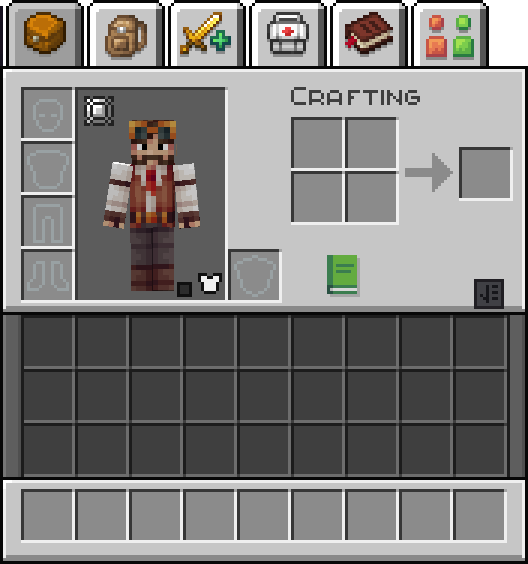
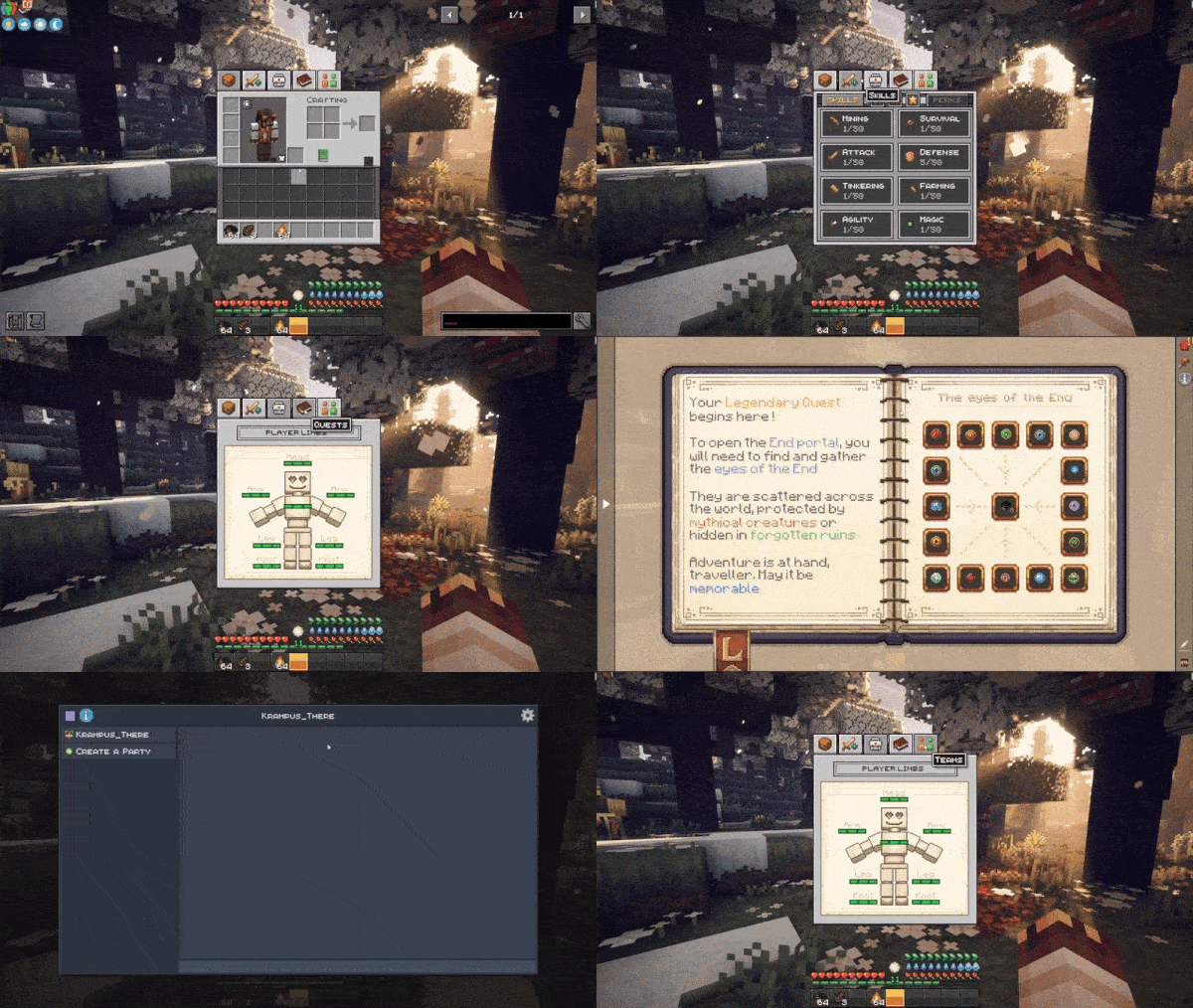
Legendary Tabs introduces a new customizable way to access modpack menus using inventory tabs. This mod allows for easy navigation to any menu you may configure through configuration files.
Current integrated tabs are :
Backpacked, Quark Oddities, FTB Quests, FTB Teams, Reskillable (Reimagined), Legendary Survival Overhaul, Map Atlases, Xaeros's map, Journey Map
Usage example in game
This mod is part of the Minecraft Legendary Edition Modpack !
Consider playing this modpack to get the best experience from this mod.

Legendary Tabs nasıl kurulur
With Millida Launcher
Install Millida Launcher
The launcher is free: download it at millida.net/launcher and sign in with any nickname.
Click “Install” on this page
The launcher opens and installs the mod for Minecraft 1.20.1–1.21.1 on Forge or NeoForge automatically.
Launch the game
A profile with it appears in the launcher: click “Play”.
Manually
Install Forge or NeoForge
The loader must match the game version of the mod file, for example Minecraft 1.21.1. After installing it, a separate profile appears in your launcher.
Download the file for your version
In the version list above, pick the file legendarytabs-1.21.1-2.0.jar (148 KB) for your game version and loader.
Put it in the mods folder
The folder is inside .minecraft (Windows: %appdata%\.minecraft\mods). If it does not exist, create it.
Launch the loader profile
Open “Mods” in the main menu: Legendary Tabs should be in the list.
Minecraft 1.21.1 runs on Java 21: with a different Java version the game may close right after launch.
Sürümler
Bağımlılıklarla
| Minecraft | Yükleyici | Dosya | Tarih | İşlemler |
|---|---|---|---|---|
| 1.21.1 | NeoForge | legendarytabs-1.21.1-2.0.jar148 KB | ||
| 1.20.1 | Forge, NeoForge | legendarytabs-1.20.1-2.0.jar154 KB 1 |
SSS
Which Minecraft versions does Legendary Tabs work on?
There are files for 1.21.1, 1.20.1. The newest is 1.21.1.
Is Legendary Tabs for Forge or Fabric?
There are files for Forge: 1.20.1 and for NeoForge: 1.20.1–1.21.1. There are no files for Fabric: a mod for another loader will not start.
Does Legendary Tabs need other mods?
The author lists no required dependencies: the Forge or NeoForge loader is enough.
Which Java does Legendary Tabs need?
Minecraft 1.21.1 runs on Java 21. If the game closes right after launch, the usual cause is the wrong Java version in the profile settings.
Where can I download Legendary Tabs safely?
On this page: the file legendarytabs-1.21.1-2.0.jar (148 KB) is stored on Millida’s server, with no link shorteners. SHA-1 checksum: 25868744d13e71e8c5b4b6ce4d1df9430f1f8cbd.
Yorumlar
Legendary Tabs için ilk puanı sen ver


