
Minecraft 26.3 için Just Coordinates Mod
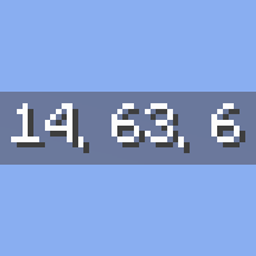
Bedrock Edition gibi ekranda basit XYZ koordinatlarını gösterir. İstemci tarafı, hafif ve bağımlılıksız (yalnızca Fabric API).
 NeoForge
 Forge
Forge Fabric
 Quilt
Quilt🧭 Just Coordinates - Simple XYZ Display
A lightweight client-side mod that displays XYZ coordinates, inspired by Bedrock Edition
No minimap, no extra info — just your position on screen. Clean and simple.
✨ Features
🗺️ Coordinates HUD
- Bedrock-Style Display: Shows coordinates with a gray background and white text
- Simple Format: Position: X, Y, Z — exactly what you need, nothing more
- Client-Side Only: No server installation required
🎯 Configurable Position
- 6 Preset Positions: Top-left (default), top-center, top-right, bottom-left, bottom-center, bottom-right
- Easy to Open: Assign a key to "Open Settings" in Controls, or use the Config button (Forge/NeoForge Mods screen, or Fabric with ModMenu installed)
- Remembers Your Choice: Saved to config/justcoordinates.json when you close the settings screen
🎮 Smart Visibility
- Toggle Keybind: Press J to toggle the coordinates HUD on or off (rebindable in Controls settings)
- Share to Chat: Run /justcoordinates share, or assign a "Share Coordinates" key — no server permission needed (on Forge 1.16.5 and 1.17.1, the keybind is the only option — those versions have no client-command API)
- F3 Compatibility: Coordinates HUD is automatically hidden while the F3 debug screen is displayed
- F1 Support: Follows vanilla HUD behavior — hidden when HUD is toggled off with F1
📖 How to Use
- Install the Mod: Drop the jar file into your mods folder
- Launch the Game: Coordinates appear automatically in the top-left corner — no configuration needed
- Optional: Open the settings screen anytime to move the HUD to one of 6 preset positions
🛠️ Technical Details
Multi-Loader Support
This mod supports multiple mod loaders across many Minecraft versions!
Minecraft Fabric Quilt NeoForge Forge
26.3 Yes Yes Yes -
26.2 Yes Yes Yes Yes
26.1.2 Yes Yes Yes Yes
26.1.1 Yes Yes Yes Yes
26.1 Yes Yes Yes -
1.21.11 Yes Yes Yes Yes
1.21.10 Yes Yes Yes Yes
1.21.9 Yes Yes Yes Yes
1.21.8 Yes Yes Yes Yes
1.21.7 Yes Yes Yes Yes
1.21.6 Yes Yes Yes Yes
1.21.5 Yes Yes Yes Yes
1.21.4 Yes Yes Yes Yes
1.21.3 Yes Yes Yes Yes
1.21.1 Yes Yes Yes Yes
1.20.1 Yes Yes - Yes
1.19.2 Yes Yes - Yes
1.18.2 Yes Yes - Yes
1.17.1 Yes Yes - Yes
1.16.5 Yes Yes - Yes
Download the correct version for your Minecraft version and mod loader.
Requirements
- Fabric: Fabric Loader + Fabric API
- Quilt: Quilt Loader + Fabric API (1.21.9 and earlier)
- NeoForge: NeoForge (1.21.1+)
- Forge: Forge
- No additional dependencies — just the mod loader and its API
Compatibility
- Works alongside other mods
- Compatible with performance mods (Sodium, Starlight, etc.)
- Client-side only — safe for any server
🐛 Bug Reports & Suggestions
Found a bug or have a suggestion? Report it on our GitHub Issues page!
📷 Screenshots
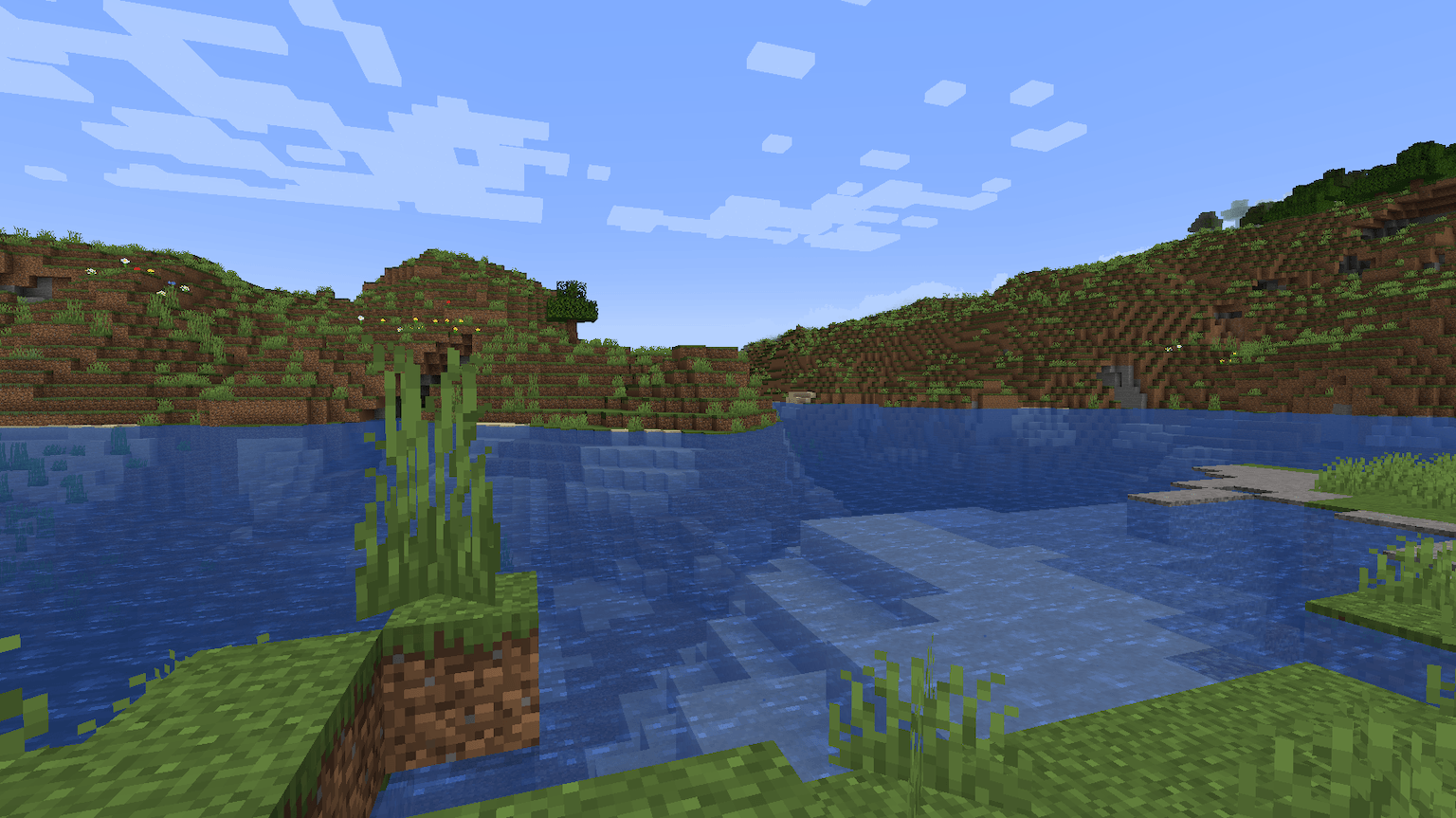
Check out the Gallery tab above for screenshots of the coordinates HUD in action.
📜 License & Permissions
License: LGPL-3.0 - Copyright (C) 2025 Soichiro Kashima
Source Code: Available on GitHub
Freedom to Use: ✅ Free to use, modify, and redistribute under LGPL-3.0 terms
Modpack Inclusion: ✅ Allowed - You may include this mod in modpacks
Redistribution: ✅ Allowed - You may redistribute this mod (must remain LGPL-3.0)
🔗 Links
- GitHub Repository: https://github.com/ksoichiro/JustCoordinates
- Modrinth: [Link to Modrinth page]
Simple coordinates, inspired by Bedrock Edition 🧭
Just Coordinates nasıl kurulur
With Millida Launcher
Install Millida Launcher
The launcher is free: download it at millida.net/launcher and sign in with any nickname.
Click “Install” on this page
The launcher opens and installs the mod for Minecraft 26.3 on Fabric, Forge, NeoForge or Quilt automatically.
Launch the game
A profile with it appears in the launcher: click “Play”.
Manually
Install Fabric, Forge, NeoForge or Quilt
The loader must match the game version of the mod file, for example Minecraft 26.3. After installing it, a separate profile appears in your launcher.
Download the file for your version
In the version list above, pick the file justcoordinates-0.10.0+26.3-neoforge.jar (17 KB) for your game version and loader.
Put it in the mods folder
The folder is inside .minecraft (Windows: %appdata%\.minecraft\mods). If it does not exist, create it.
Launch the loader profile
Open “Mods” in the main menu: Just Coordinates should be in the list.
Sürümler
Bağımlılıklarla
| Minecraft | Yükleyici | Dosya | Tarih | İşlemler |
|---|---|---|---|---|
| 26.3 | NeoForge | Just Coordinates 0.10.017.3 KB | ||
| 26.3 | Forge | Just Coordinates 0.10.017 KB | ||
| 26.3 | Fabric, Quilt | Just Coordinates 0.10.0389 KB 5 |
Yorumlar
Just Coordinates için ilk puanı sen ver


