
Minecraft 26.2 için Info Overlay Mod
🖥️ FPS'inizi ve diğer bilgileri ekranda gösterir. Geniş özelleştirme ve yeni Minecraft sürümlerini destekler.
 Fabric
 Quilt
Quilt
ℹ️ Information
📃 Description
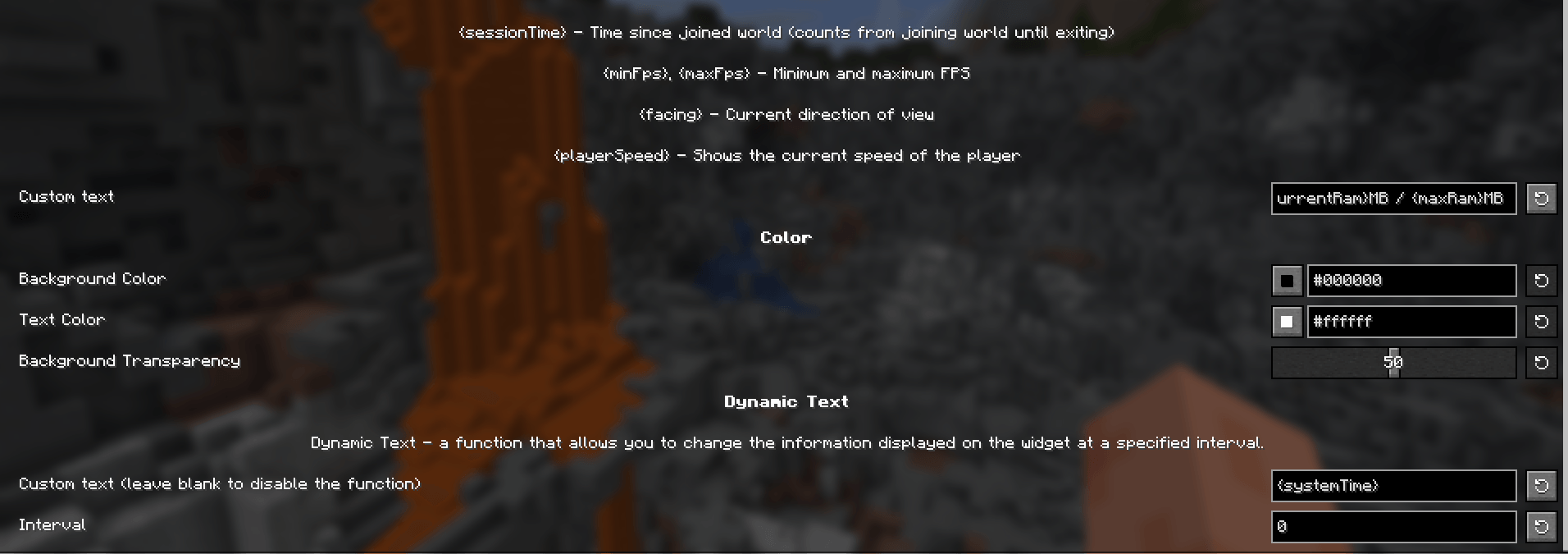
The mod allows you to display your FPS, as well as other information such as system time, coordinates, etc. You can freely edit the text using placeholders. You can also change the color, position, transparency of the overlay.
✨ Features
- Beautiful and minimalistic
- Huge customization
- Support for new versions starting from 1.20
❔ Usage examples
- Display your coordinates to mine resources more conveniently
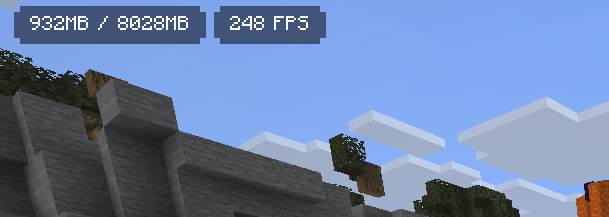
- Show RAM usage and FPS to monitor your modpack’s performance
- Display in-game time and weather to stay isolated from society underground
- Show real-world time so you don’t have to go outside
- Display your facing direction to find your home
⚙️ Dependencies
- Fabric API (QFAPI for Quilt)
- Mod Menu (optional)
- Midnight Lib
🌍 Languages
- English (en_us)
- Russian (ru_ru)
- Ukrainian (uk_ua)
- Belarusian (be_by)
- Simplified Chinese
- Arabic (Saudi Arabia)
- Catalan (Spain)
- Czech
- Danish
- German
- Greek
- Spanish (Spain)
- Finnish
- French
- Italian
- Japanese
- Dutch
- Norwegian
- Polish
- Portuguese (Brazil)
- Portuguese (Portugal)
- Romanian
- Swedish
- Vietnamese
Help with the translation on Crowdin!
Info Overlay nasıl kurulur
With Millida Launcher
Install Millida Launcher
The launcher is free: download it at millida.net/launcher and sign in with any nickname.
Click “Install” on this page
The launcher opens and installs the mod for Minecraft 26.2 on Fabric or Quilt automatically.
Launch the game
A profile with it appears in the launcher: click “Play”.
Manually
Install Fabric or Quilt
The loader must match the game version of the mod file, for example Minecraft 26.2. After installing it, a separate profile appears in your launcher.
Download the file for your version
In the version list above, pick the file fpsoverlay-2.1-26.2.jar (514 KB) for your game version and loader.
Put it in the mods folder
The folder is inside .minecraft (Windows: %appdata%\.minecraft\mods). If it does not exist, create it.
Launch the loader profile
Open “Mods” in the main menu: Info Overlay should be in the list.
Sürümler
Bağımlılıklarla
| Minecraft | Yükleyici | Dosya | Tarih | İşlemler |
|---|---|---|---|---|
| 26.2 | Fabric, Quilt | Info Overlay 2.1514 KB |
SSS
Which Minecraft versions does Info Overlay work on?
Only Minecraft 26.2: there are no files for other versions.
Is Info Overlay for Forge or Fabric?
There are files for Fabric: 26.2 and for Quilt: 26.2. There are no files for Forge or NeoForge: a mod for another loader will not start.
Does Info Overlay need other mods?
The author lists no required dependencies: the Fabric or Quilt loader is enough.
Where can I download Info Overlay safely?
On this page: the file fpsoverlay-2.1-26.2.jar (514 KB) is stored on Millida’s server, with no link shorteners. SHA-1 checksum: dfb4bfd0b26a43ede2cc6ccd619b60d7b147b922.
Yorumlar
Info Overlay için ilk puanı sen ver


