
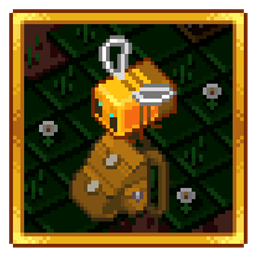
Minecraft 1.12.2, 1.16.5 için Improved Backpacks Mod
Demir, altın vb. ile geliştirilebilen havalı Sırt Çantaları. [Yeni] Baubles Entegrasyonu!
- indirme
- 3 indirme
- görüntülenme
- 9 görüntülenme
- Güncellendi
- Güncellendi 21.10.2026
- 1.12 — 1.16.5
 Forge
Forge
Bu mod, yükseltebileceğiniz, yeniden adlandırabileceğiniz, boyayabileceğiniz, yere koyabileceğiniz ve giyebileceğiniz Sırt Çantaları ekler!
Özellikler:
- Boyaları kullanarak sırt çantalarını boyayın
- Cepleri kullanarak sırt çantalarını yükseltin
- Sneak + Use (havada) tuşlarına basarak sırt çantalarını yeniden adlandırın
- Sırt çantasını yere koymak için Sneak + Use (blok üzerinde)
- Sırt çantasını Chestplate/Baubles/Curios yuvasında giyin
- Diğer taşınabilir depolara kıyasla güçlü eşya kopyalama koruması!
- Chestplate/Baubles/Curios yuvasında bulunan sırt çantasını bir kısayol tuşuyla açın!
- Diğer yuvalarda bulunan sırt çantasını üzerine sağ tıklayarak açın!
Entegrasyon:
- Quark
- Inventory Tweaks
- Baubles / Curios
- JEI / NEI
Yeni çalışma tezgahı - Dikiş Masası
Malzemeler
Sırt Çantası ve Sırt Çantası Cepleri
Ekstra Özellikler
Eski 1.12 sürümü
Soru ve Cevap:
- Bu modu mod paketimde kullanabilir miyim?
- Evet
- Şu anda hangi Minecraft sürümleri aktif olarak destekleniyor?
- 1.16.5
Merhaba MMD, bu 07.04.2020 tarihinde DreenDex2078
Improved Backpacks nasıl kurulur
With Millida Launcher
Install Millida Launcher
The launcher is free: download it at millida.net/launcher and sign in with any nickname.
Click “Install” on this page
The launcher opens and installs the mod for Minecraft 1.12–1.16.5 on Forge automatically.
Launch the game
A profile with it appears in the launcher: click “Play”.
Manually
Install Forge
The loader must match the game version of the mod file, for example Minecraft 1.16.5. After installing it, a separate profile appears in your launcher.
Download the file for your version
In the version list above, pick the file ImprovedBackpacks-1.6.2.1.jar (2.2 MB) for your game version.
Put it in the mods folder
The folder is inside .minecraft (Windows: %appdata%\.minecraft\mods). If it does not exist, create it.
Launch the loader profile
Open “Mods” in the main menu: Improved Backpacks should be in the list.
Minecraft 1.16.5 runs on Java 8: with a different Java version the game may close right after launch.
Sürümler
Bağımlılıklarla
| Minecraft | Yükleyici | Dosya | Tarih | İşlemler |
|---|---|---|---|---|
| 1.16.5 | Forge | ImprovedBackpacks - 1.6.2.12.2 MB 2 | ||
| 1.12.1 | — | ImprovedBackpacks - 1.4.0.0147 KB 1 |
SSS
Which Minecraft versions does Improved Backpacks work on?
There are files for 1.16.5, 1.12.2, 1.12.1, 1.12. The newest is 1.16.5.
Is Improved Backpacks for Forge or Fabric?
Only for Forge: 1.16.5. There are no files for Fabric or NeoForge: a mod for another loader will not start.
Does Improved Backpacks need other mods?
The author lists no required dependencies: the Forge loader is enough.
Which Java does Improved Backpacks need?
Minecraft 1.16.5 runs on Java 8. If the game closes right after launch, the usual cause is the wrong Java version in the profile settings.
Where can I download Improved Backpacks safely?
On this page: the file ImprovedBackpacks-1.6.2.1.jar (2.2 MB) is stored on Millida’s server, with no link shorteners. SHA-1 checksum: 950951ecb73b4bf96488f9d54bdaea38a7d7d09c.
Yorumlar
Improved Backpacks için ilk puanı sen ver


